Overview
Notification Groups define how and where alerts are delivered. They act as reusable notification settings that can be linked to one or more alert rules.
Each group can include multiple recipients and channels, making it easy to manage who is informed about important events without editing each alert individually.
Prerequisites
Users who receive notifications must have:
- A PhyStack account
- An invitation to the relevant tenant
It's free to create Viewer user accounts.
How to create a notification recipient group
Once set up, you can start configuring alerts to use this notification group.
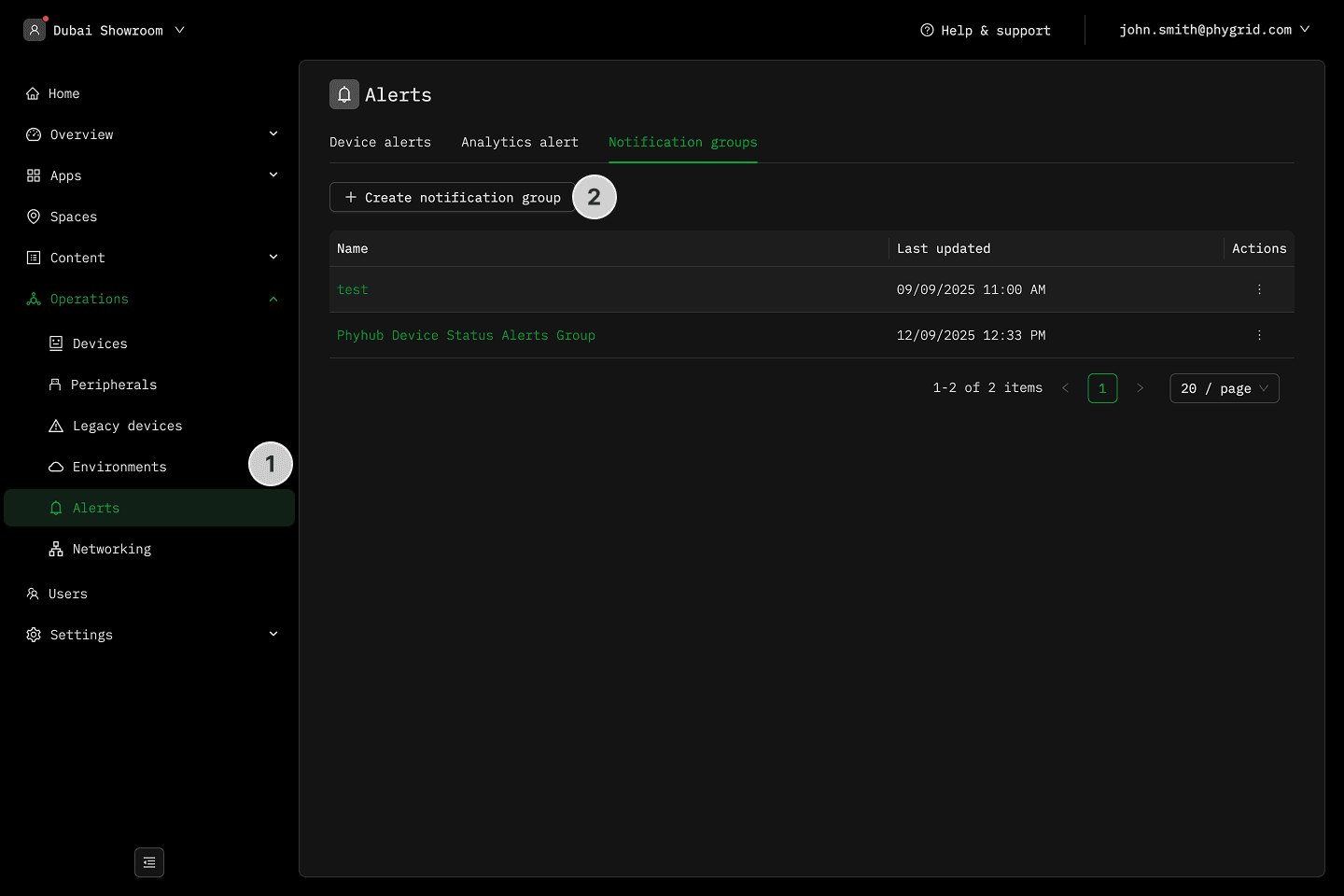
- Navigate to Operations → Alerts
- In the Notification groups tab, click Create New Group
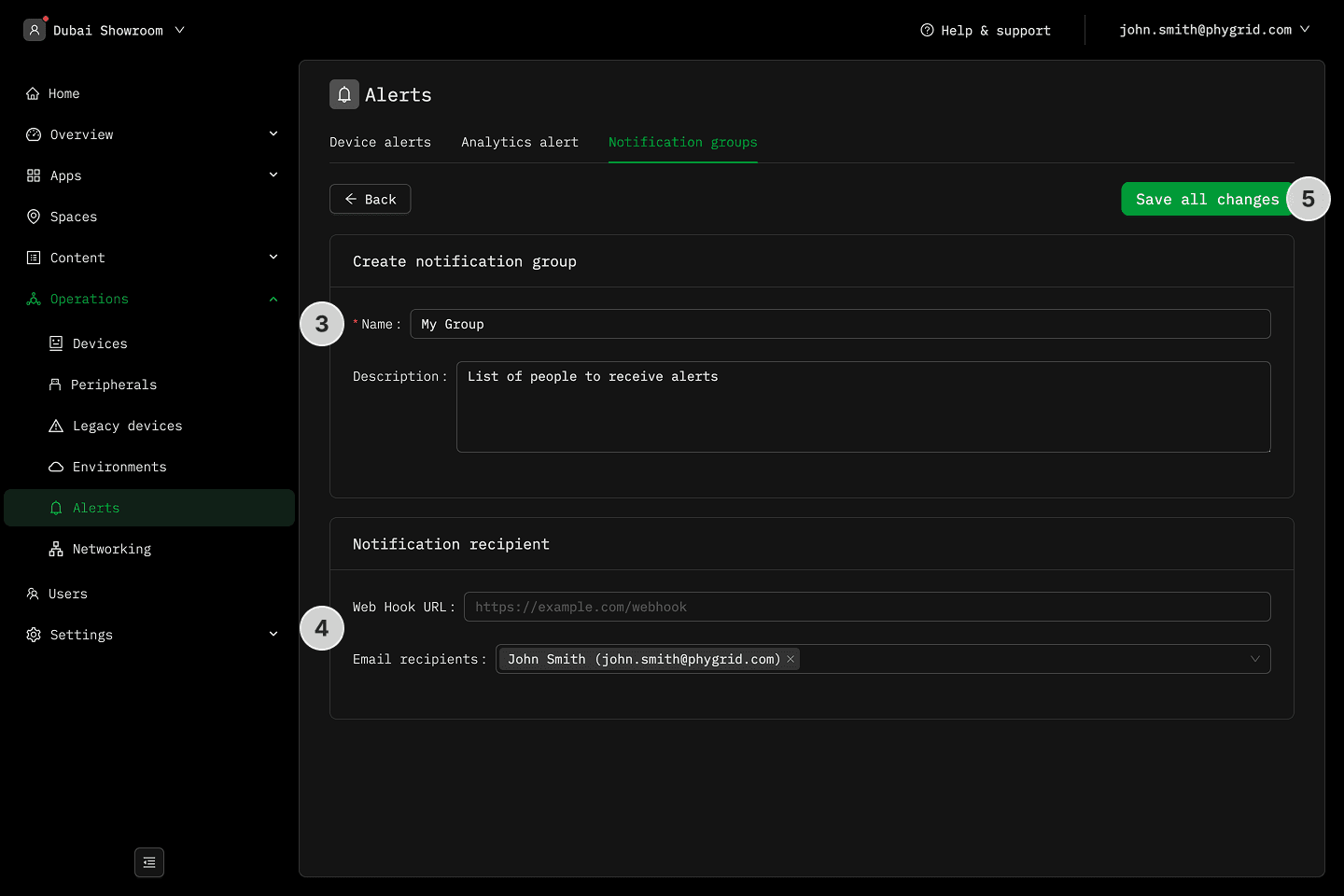
- Name and describe your notification group
- Set up the recipients by choosing between a web hook or email
- For Web Hook, configure the URL to post notifications to chat apps or custom applications
- For Email, select one or more users from the list of tenant users. To select a user, you first need to add them to the tenant.
- Save all changes to finalize your new notification group