How to reboot a device
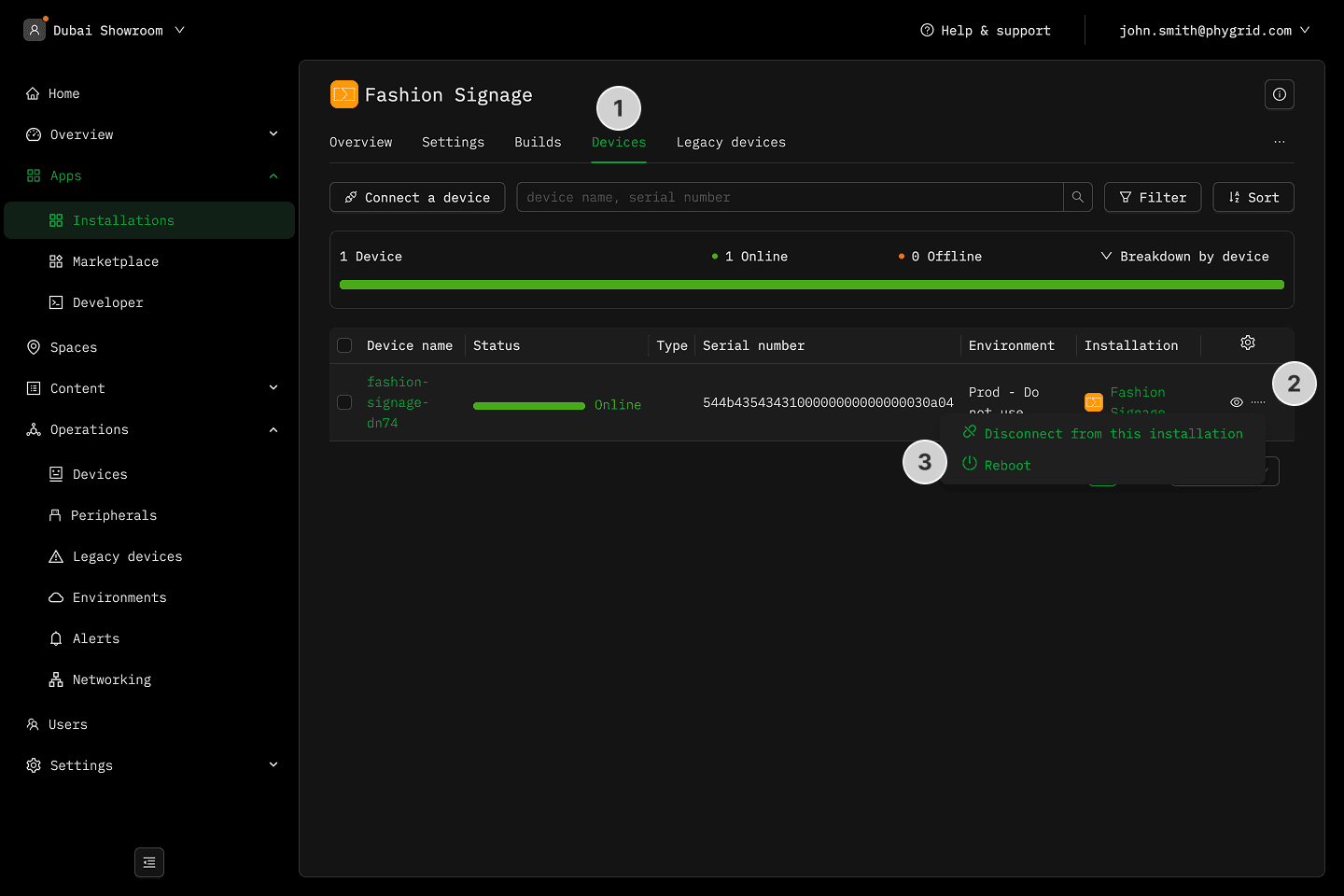
From the installation screen
- Navigate to the Devices tab in your installation
- Click on the More (···) button next to the installation details
- Select Reboot and confirm
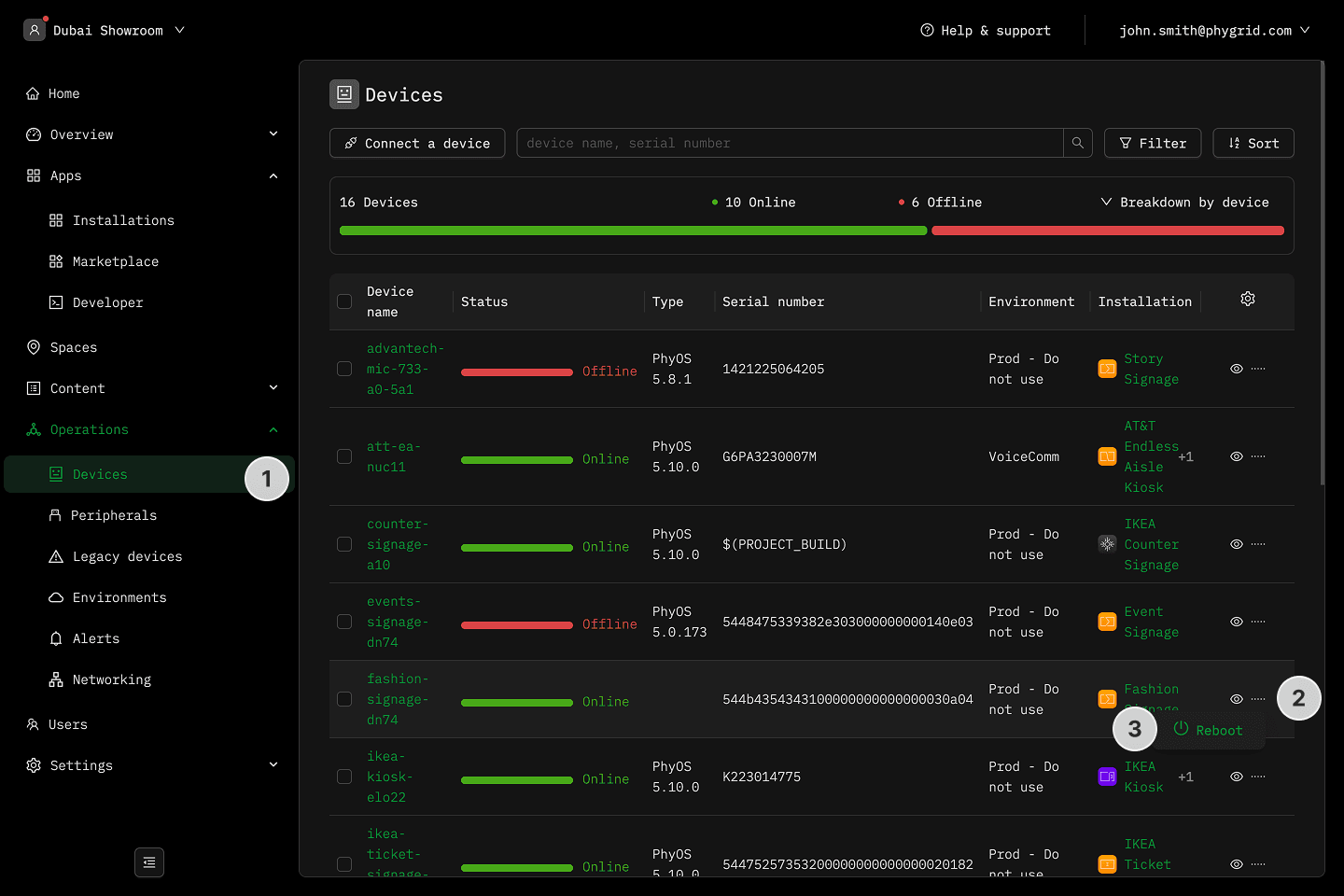
From the device list screen
- In the sidebar, navigate to Operations → Devices
- Click on the More (···) button next to the installation details
- Select Reboot and confirm
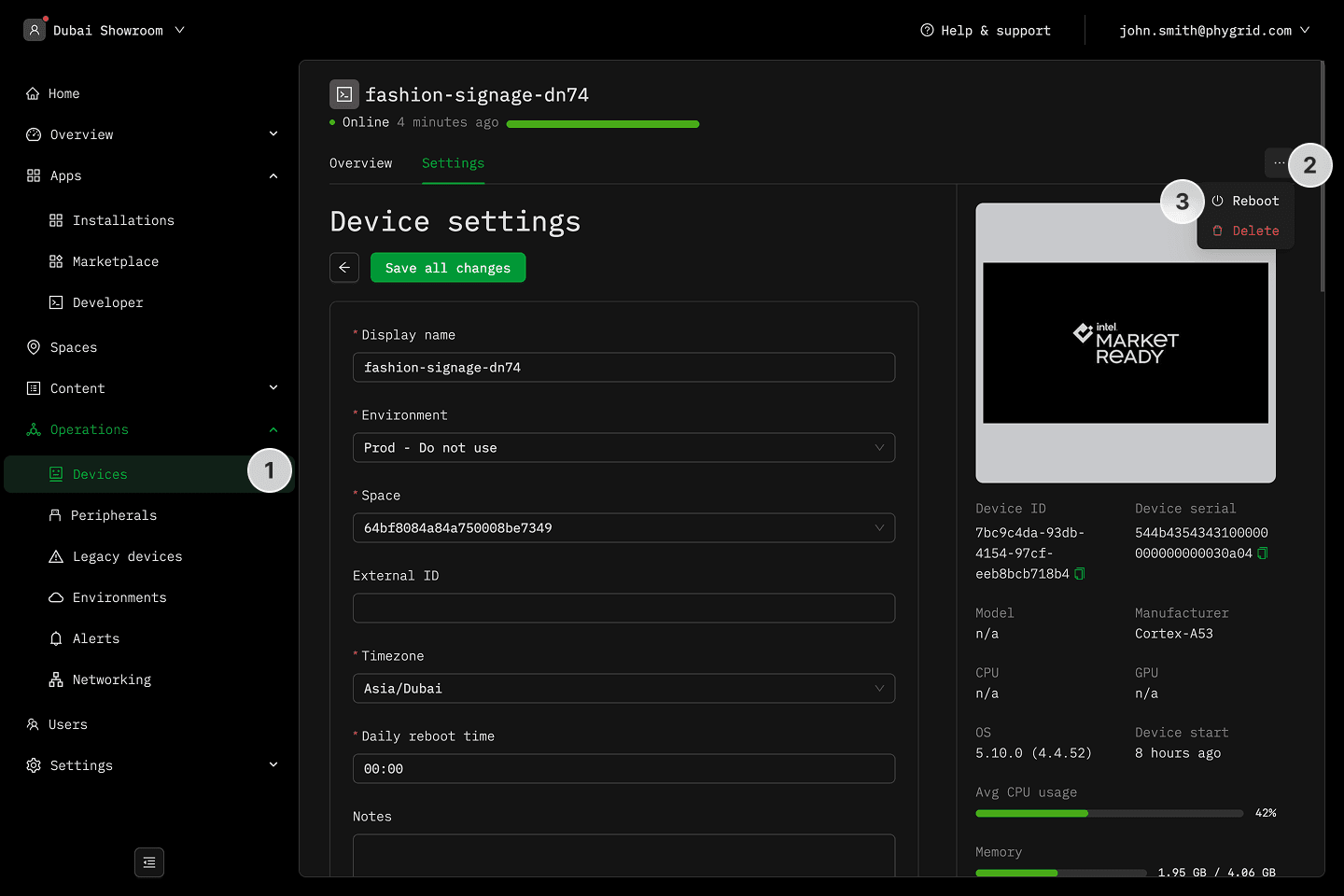
From the device info screen
- In the sidebar, navigate to Operations → Devices and select your device
- Click on the More (···) button in the header
- Select the Reboot option and confirm