
How to create a space
Only admins can create spaces
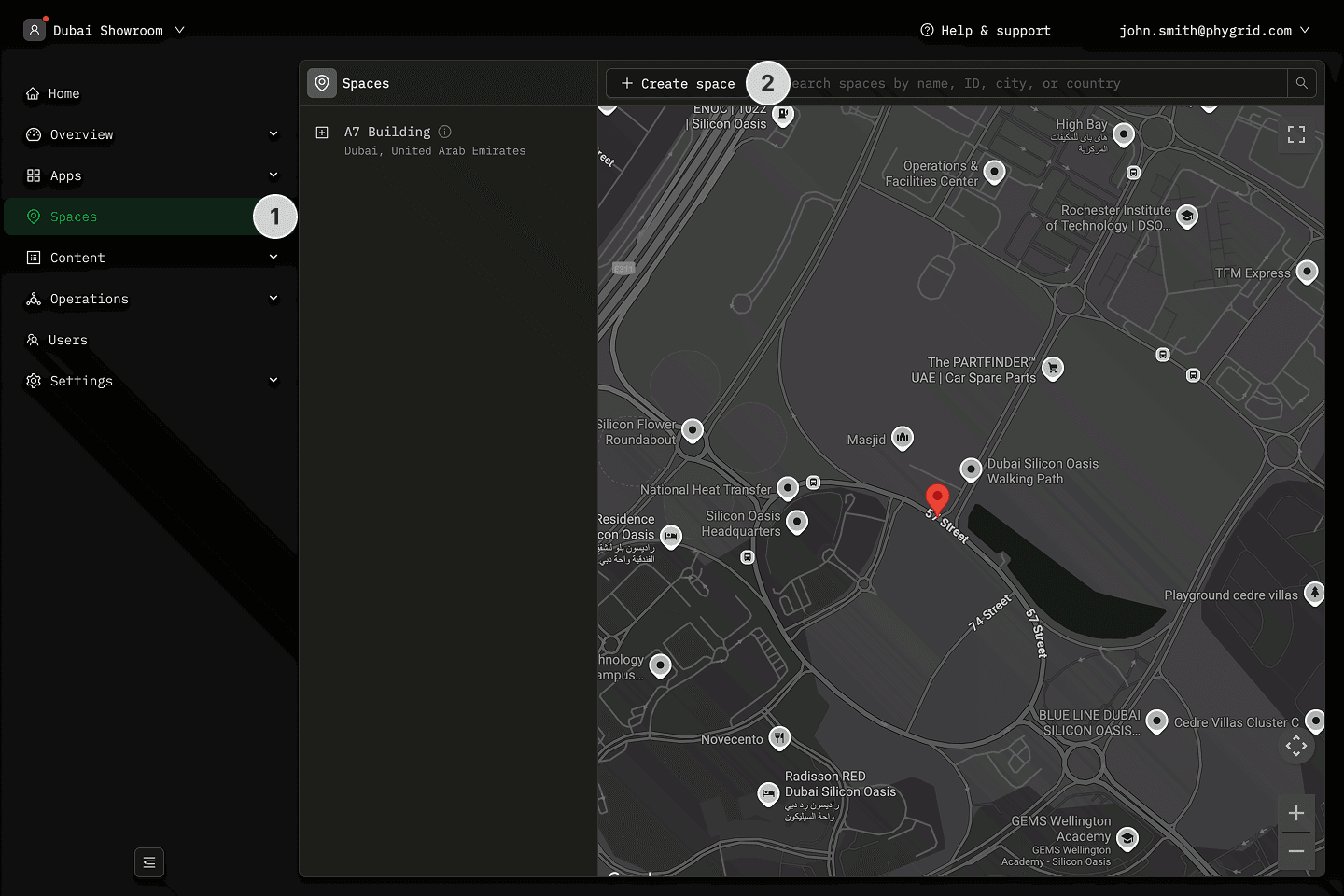
- Navigate to Spaces in the sidebar
- Click New space
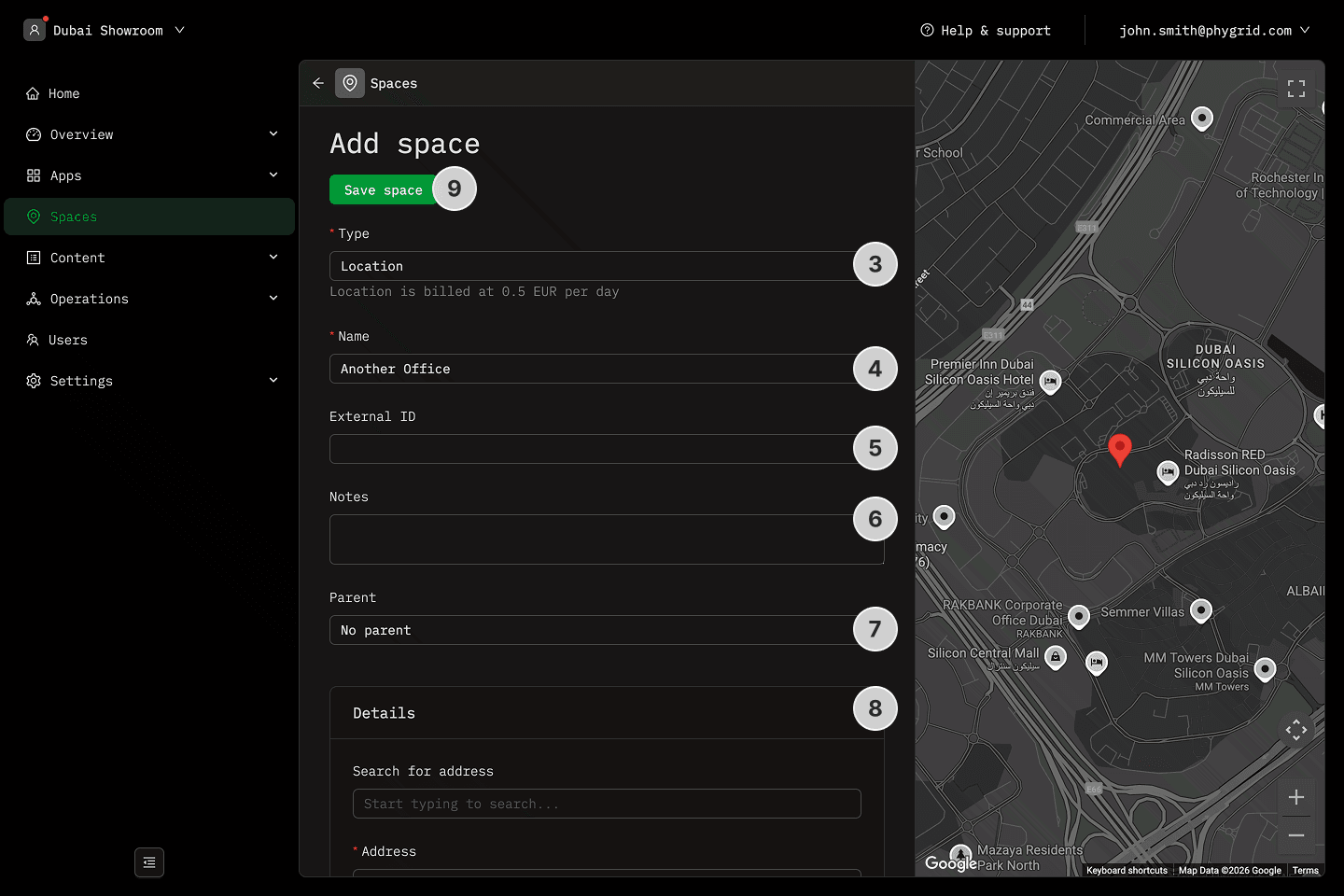
- Choose a space type or select custom
- Name the Space
- Set optional External ID
- Add optional notes
- If desired, set the space as a subspace of an existing space
- For Location spaces, set Location address, working hours, and content tags
- Click Submit to create the space
Explanations
- What is a Space External ID?
- What are content tags?