
How to invite a user
Only 'Viewer' users come free of charge, other user roles will incur charges.
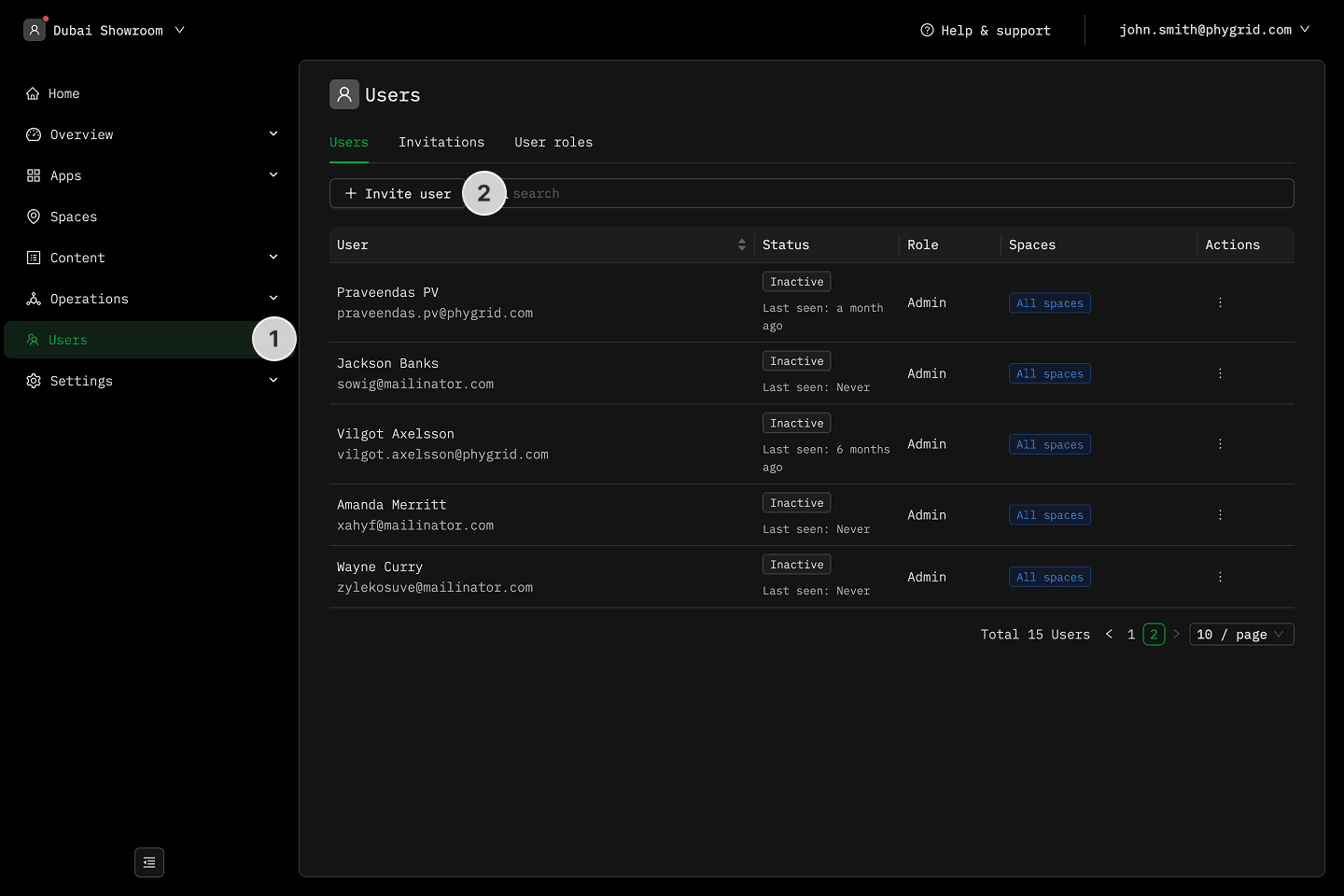
- Navigate to Users in the sidebar
- Click on the Invite User button
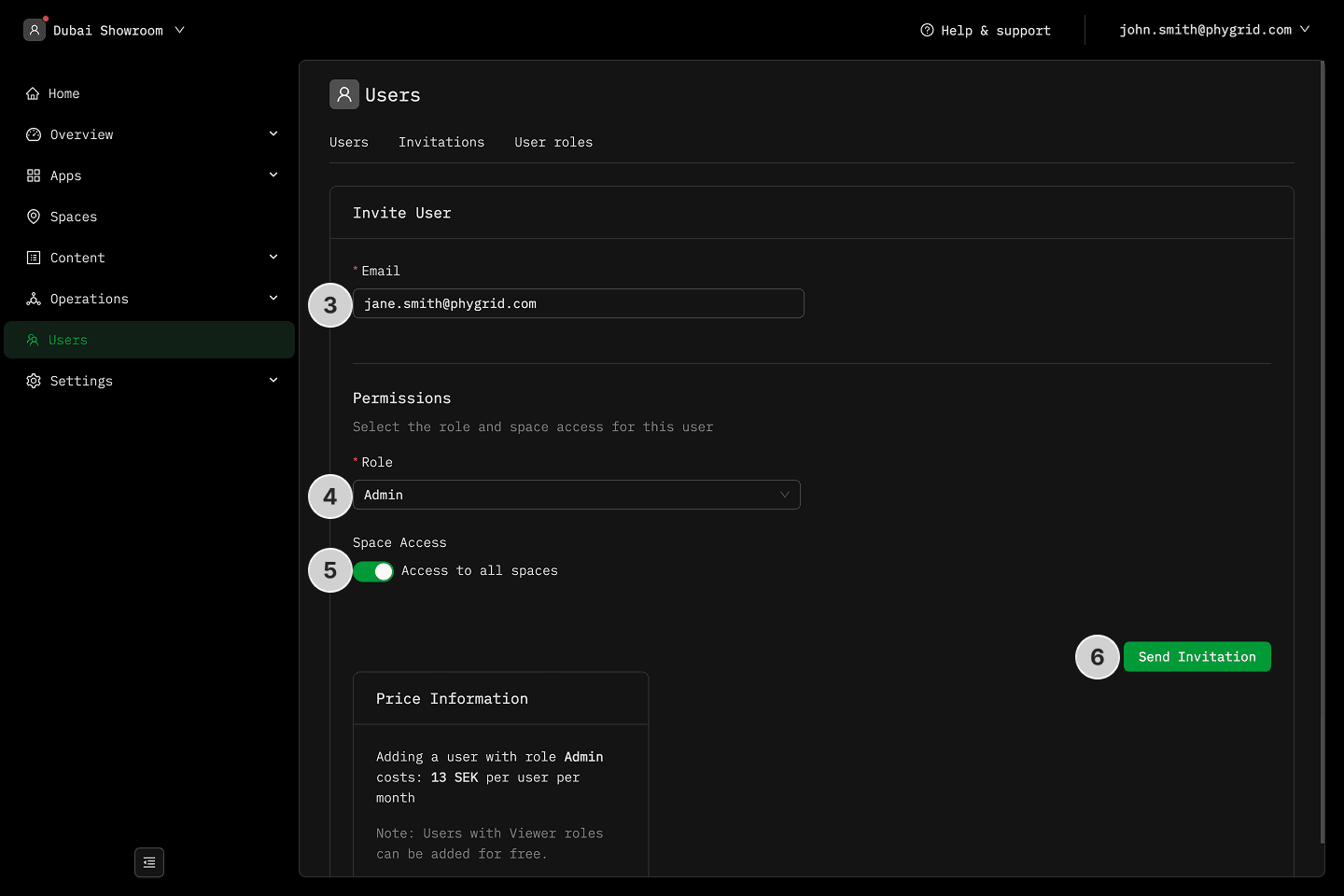
- Enter the user's emails
- Specify the user role
- Specify whether the invited user has access to all Spaces or just specific Spaces within the tenant
- Confirm by clicking Send Invitation
Explanations
- What are the different user roles?
- Why do I need a custom user role?