Create an alert rule
Overview
Section titled “Overview”Device Alerts (Alert Rules) enable you to create custom alerts based on device status, session count, or event count.
Create alert rules to receive notifications when devices are offline, when a certain number of sessions are active, or when a specific event occurs.
Key Features
- Trigger Conditions: Monitor device status, session counts, or specific events with customizable thresholds
- Severity Levels: Define notification frequency based on alert importance and urgency
- Scope Control: Target specific devices or limit alerts to certain spaces for focused monitoring
- Status Management: Enable or disable alert rules as needed for operational flexibility
Prerequisites
Section titled “Prerequisites”- You must have the Admin role to create alert rules
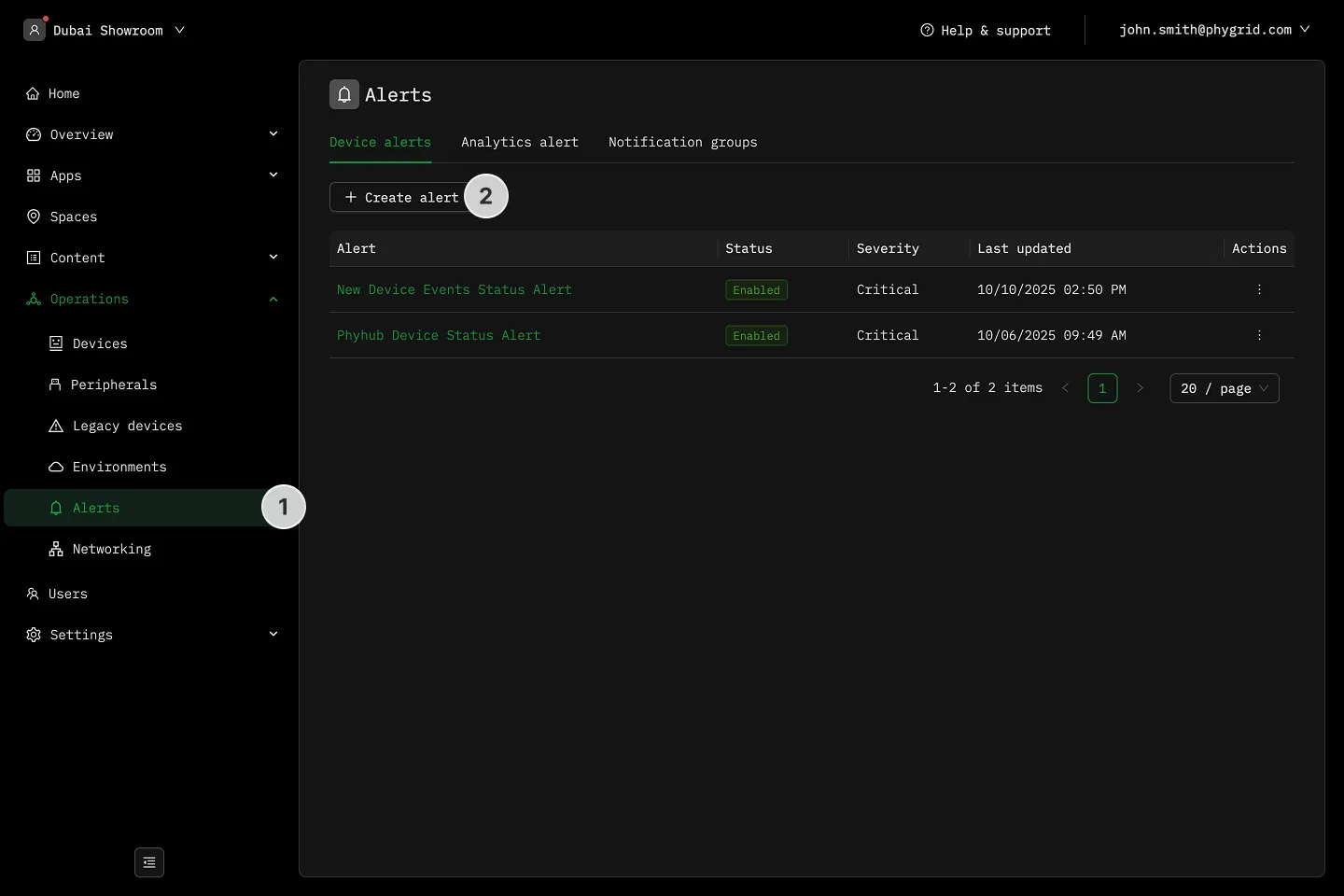
- Navigate to Operations → Alerts
- In the Alert rules tab click Create rule
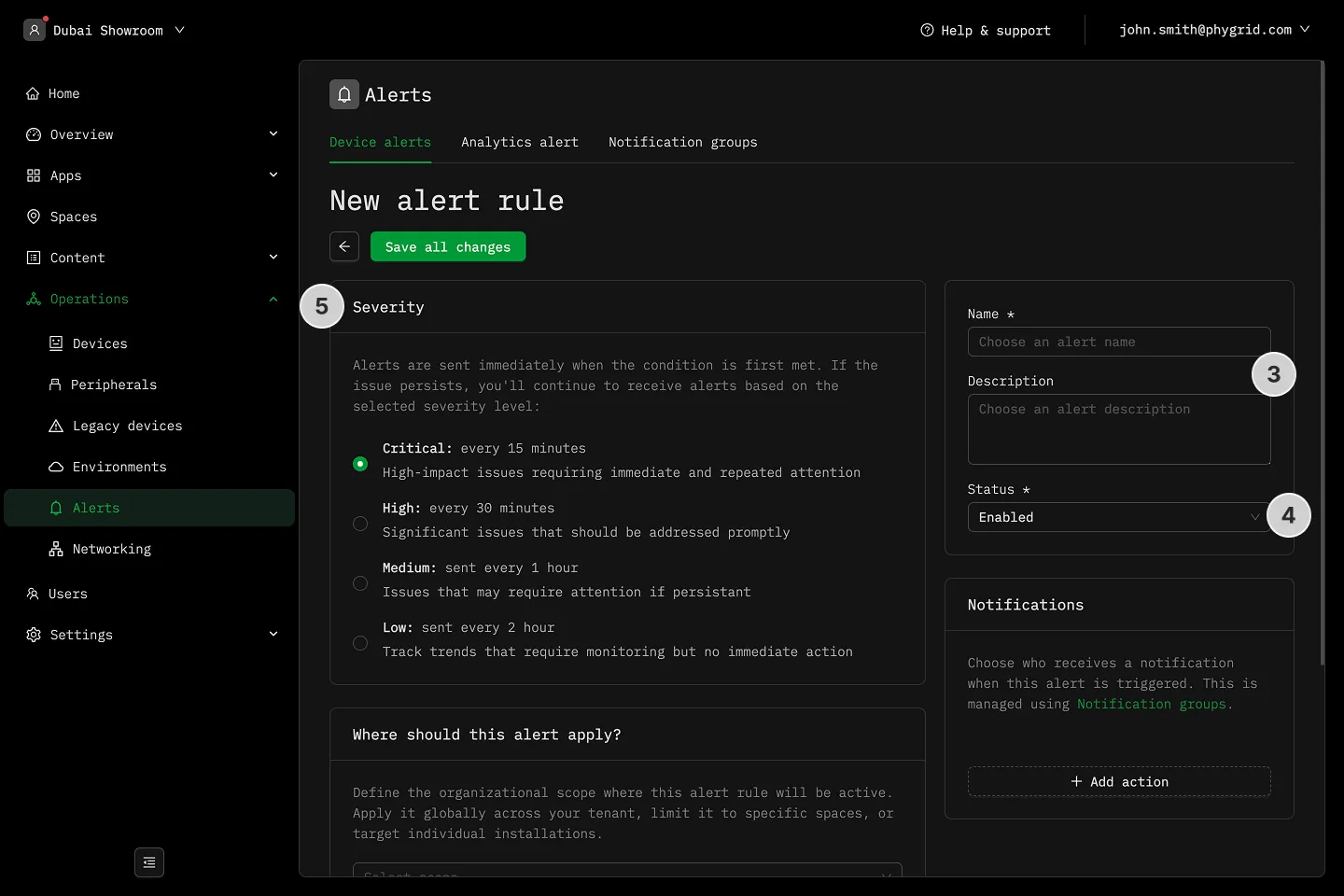
- Name and describe your rule
- Set the alert rule status as Enabled or Disabled
- Set the Severity level to define notification frequency
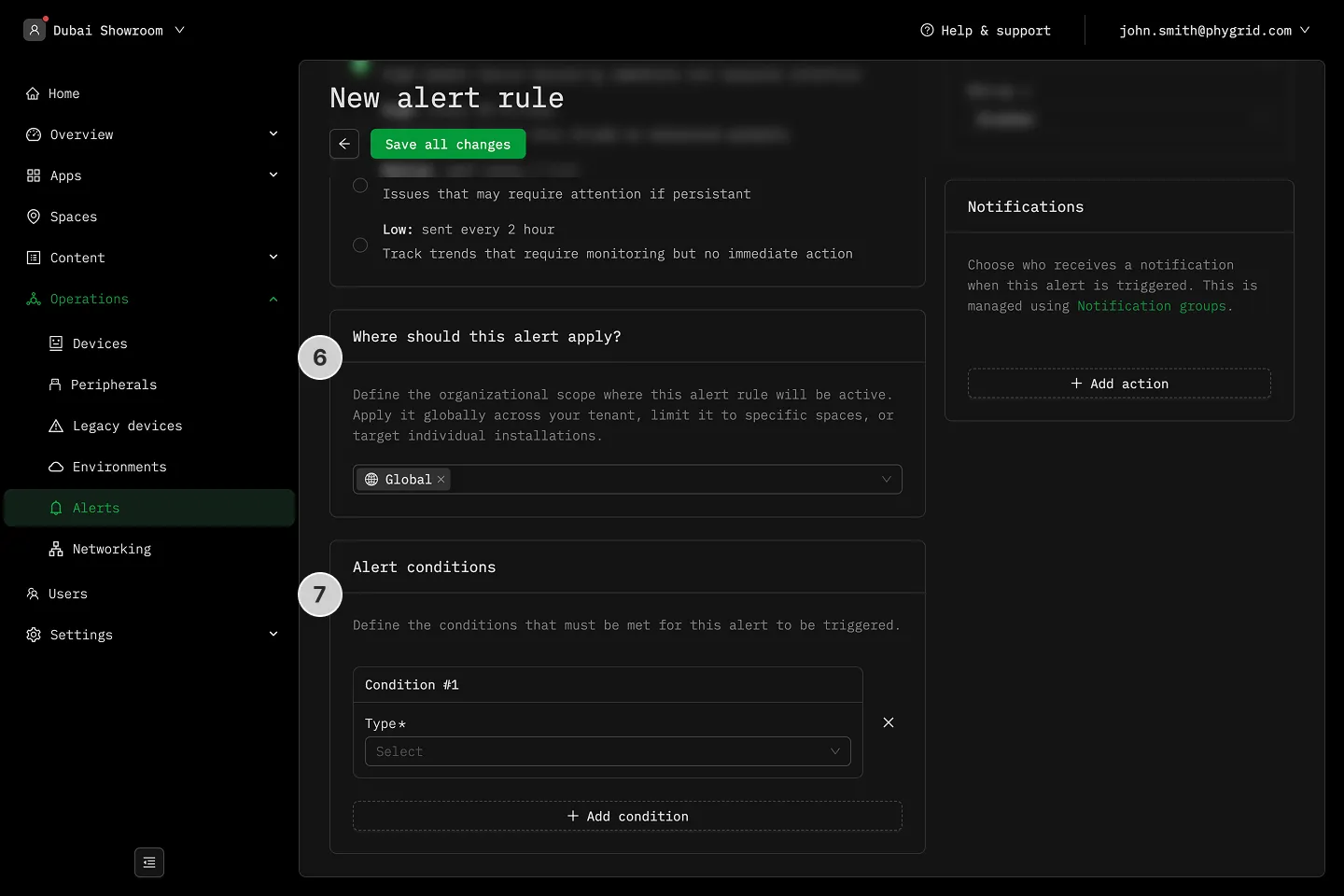
- Set the Scope to limit the alert to devices in certain spaces
- Add triggers to send alert by clicking Add condition
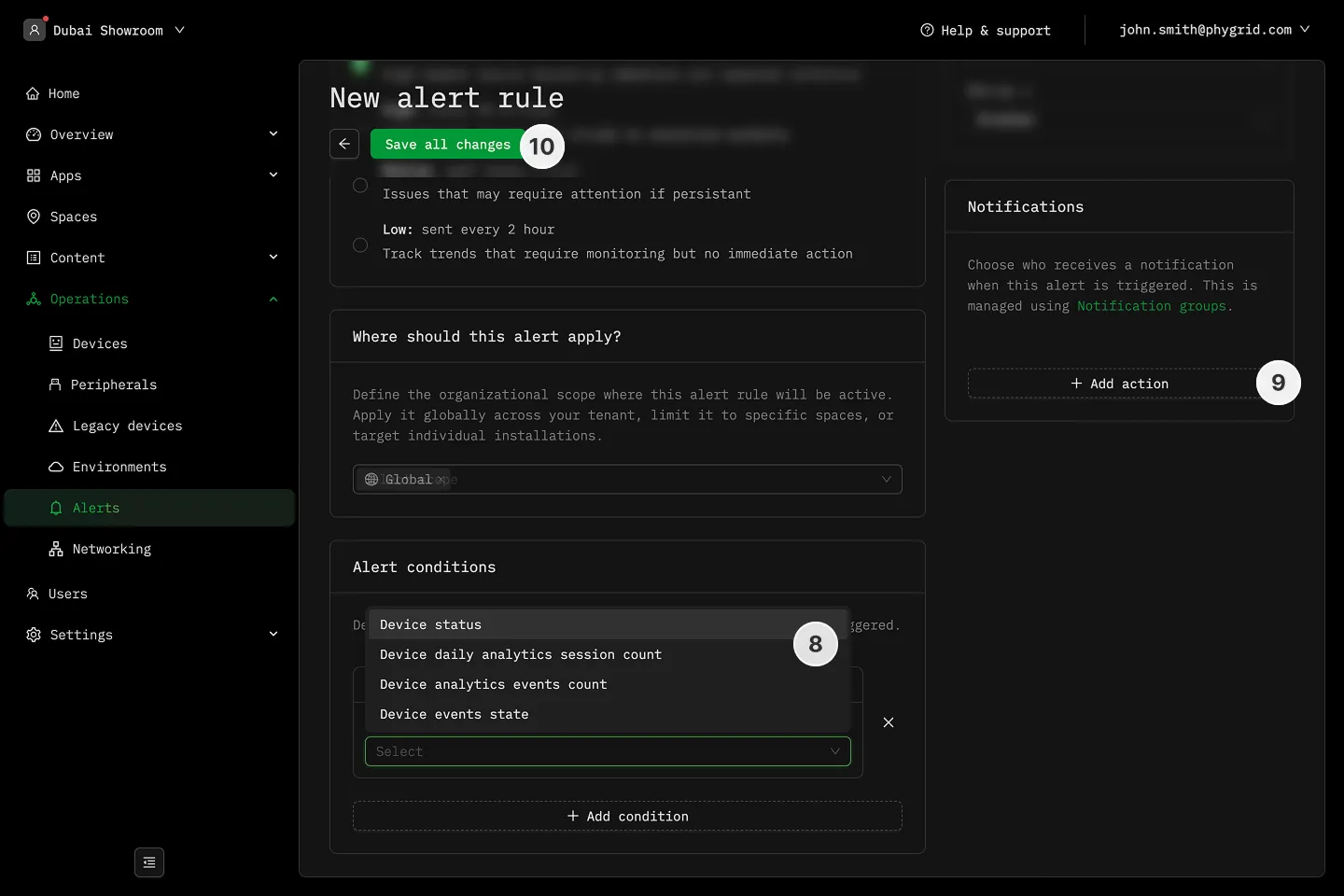
- Pick between device status, sessions count, or events count
- For Device Status, set the offline threshold time (minimum 5 minutes)
- For Sessions Count, set the threshold number
- For Events Count, set the threshold number and define the event type
- Select Notification recipients in the Actions section
- Save all changes