Create a QR code
How to create a QR code
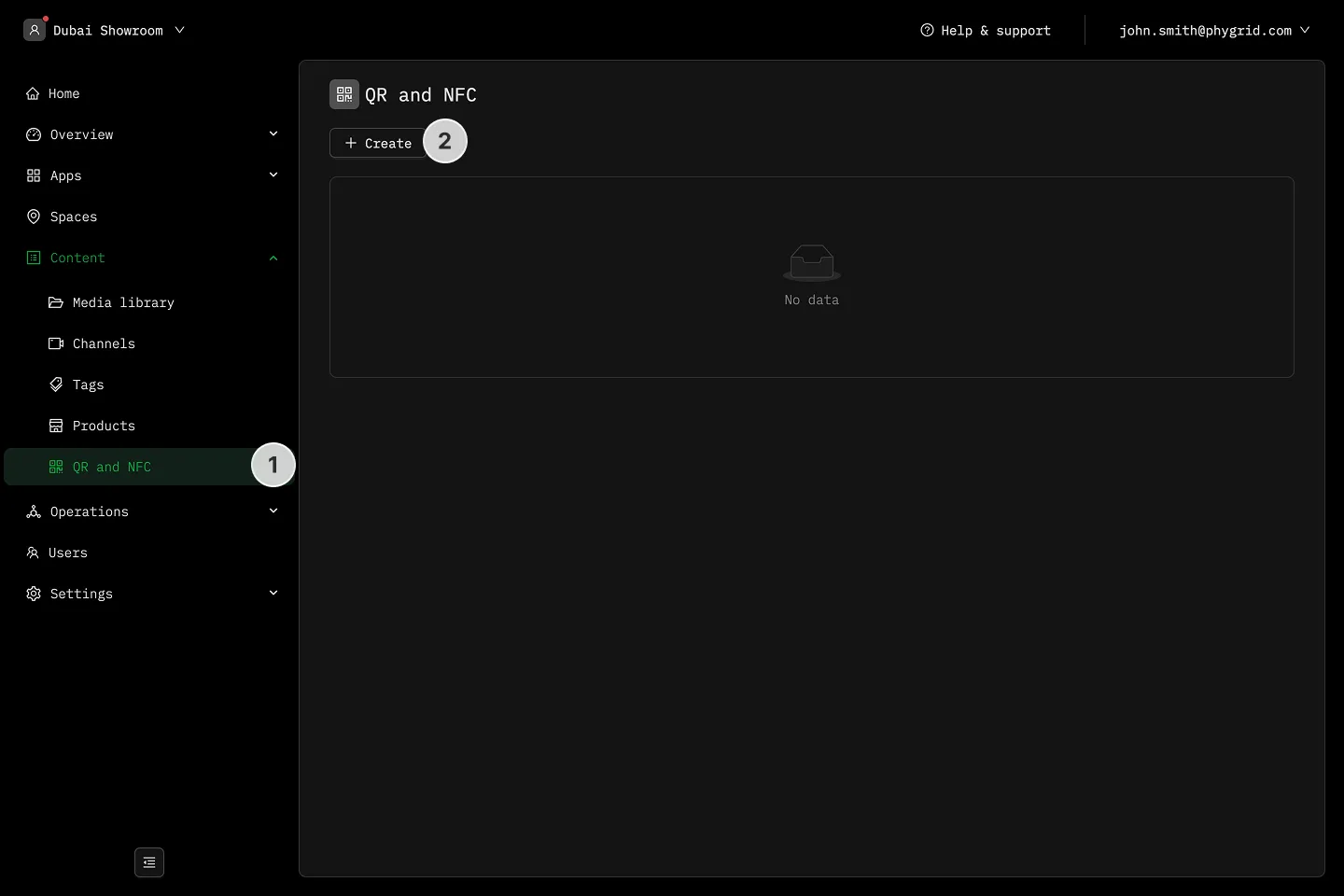
Section titled “How to create a QR code”- Navigate to Content → QR and NFC
- Click Create
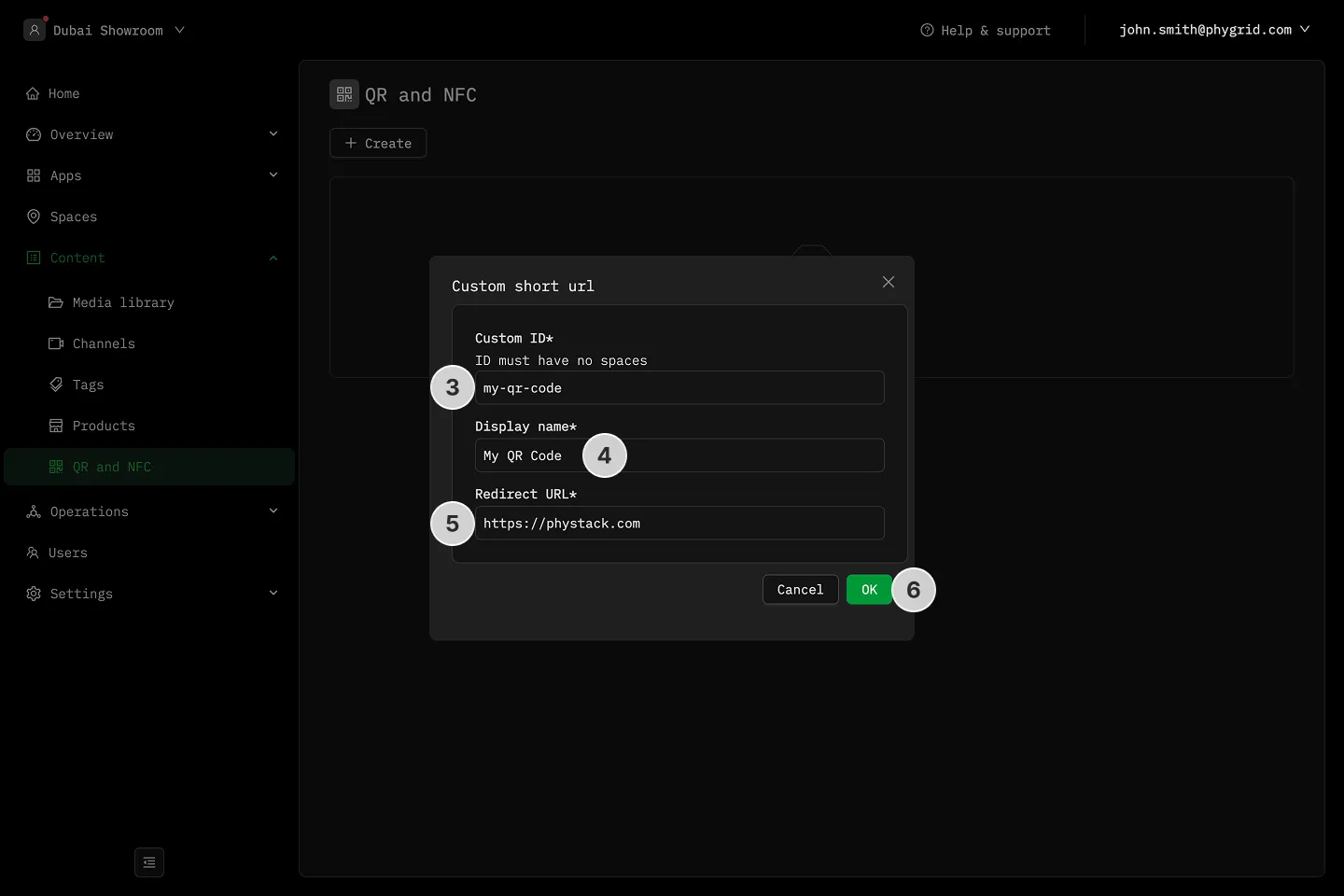
- Assign an ID which will form the short url, for instance id of demo-link → qr.run/demo-link
- Enter a more descriptive title in the Display Name field
- Enter the destination web address in the Redirect URL field
- Click OK to save