Monitor a device
How to monitor a device
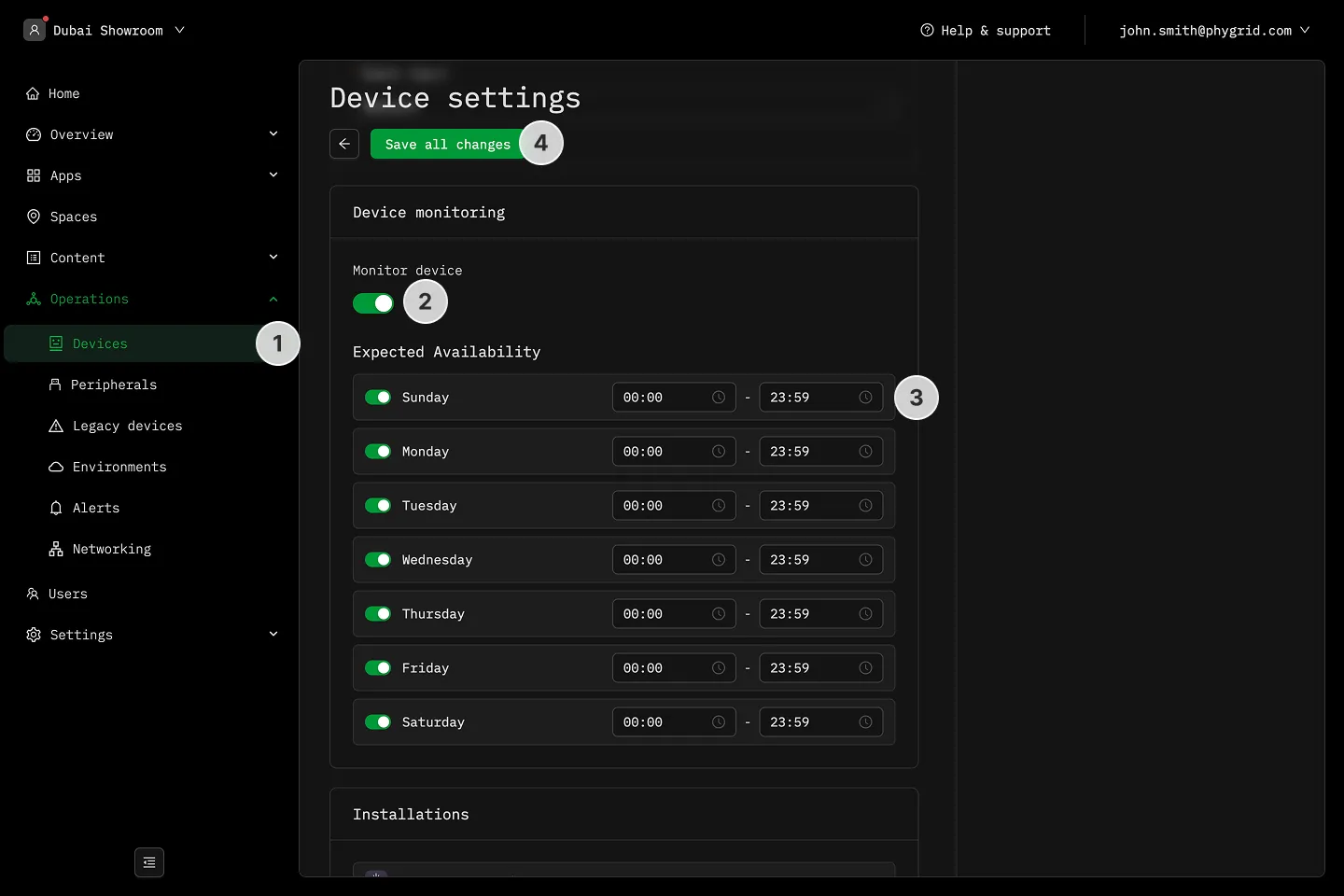
Section titled “How to monitor a device”- Navigate to Operations → Devices and select a device
- Enable Monitor device option
- Set Expected Availability days and Operating hours during which device should be monitored
- Save all changes