
Create a managed tenant
How to create a managed tenant
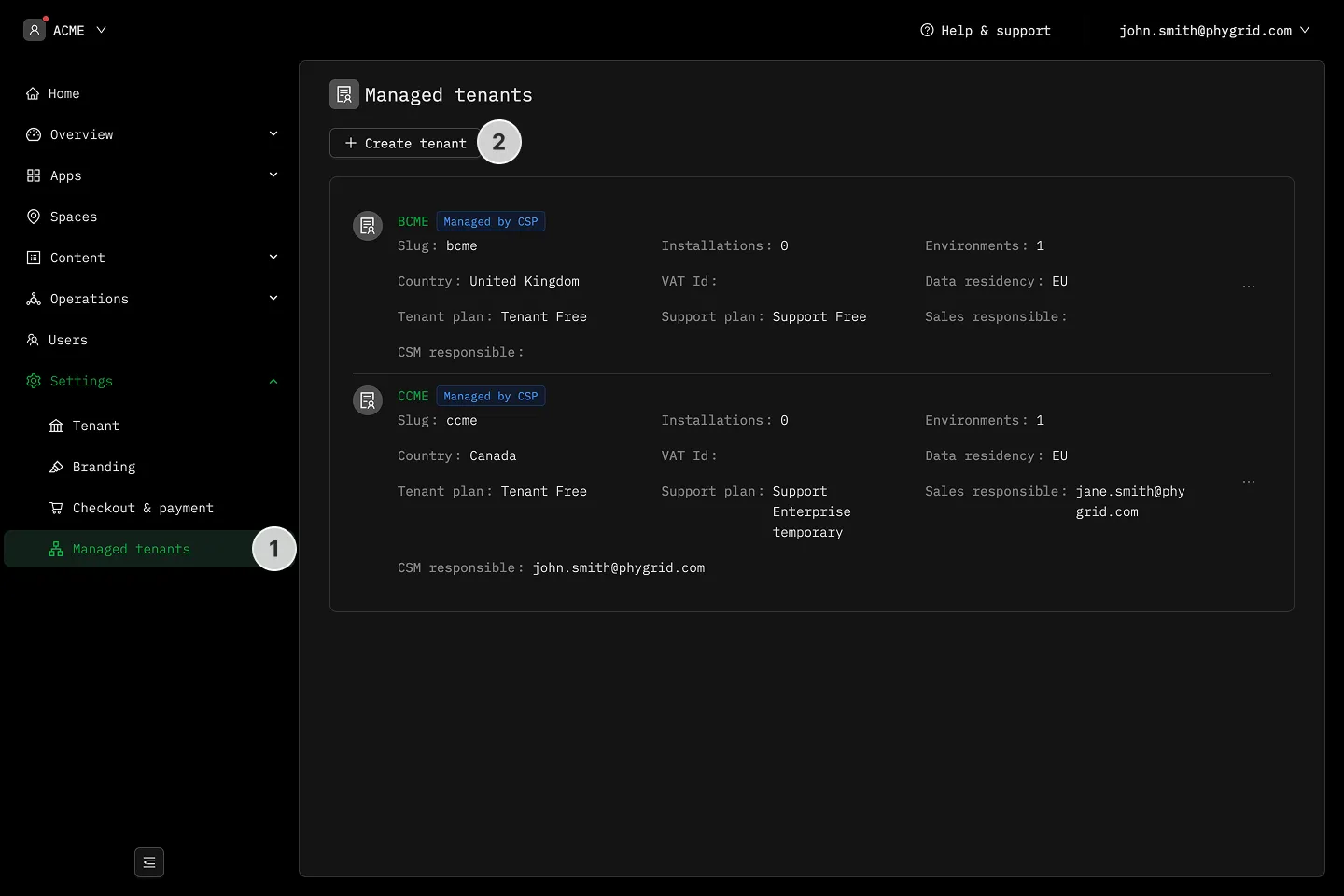
Section titled “How to create a managed tenant”- Open your partner tenant and click Settings → Managed tenants.
- Click + New tenant in the toolbar.
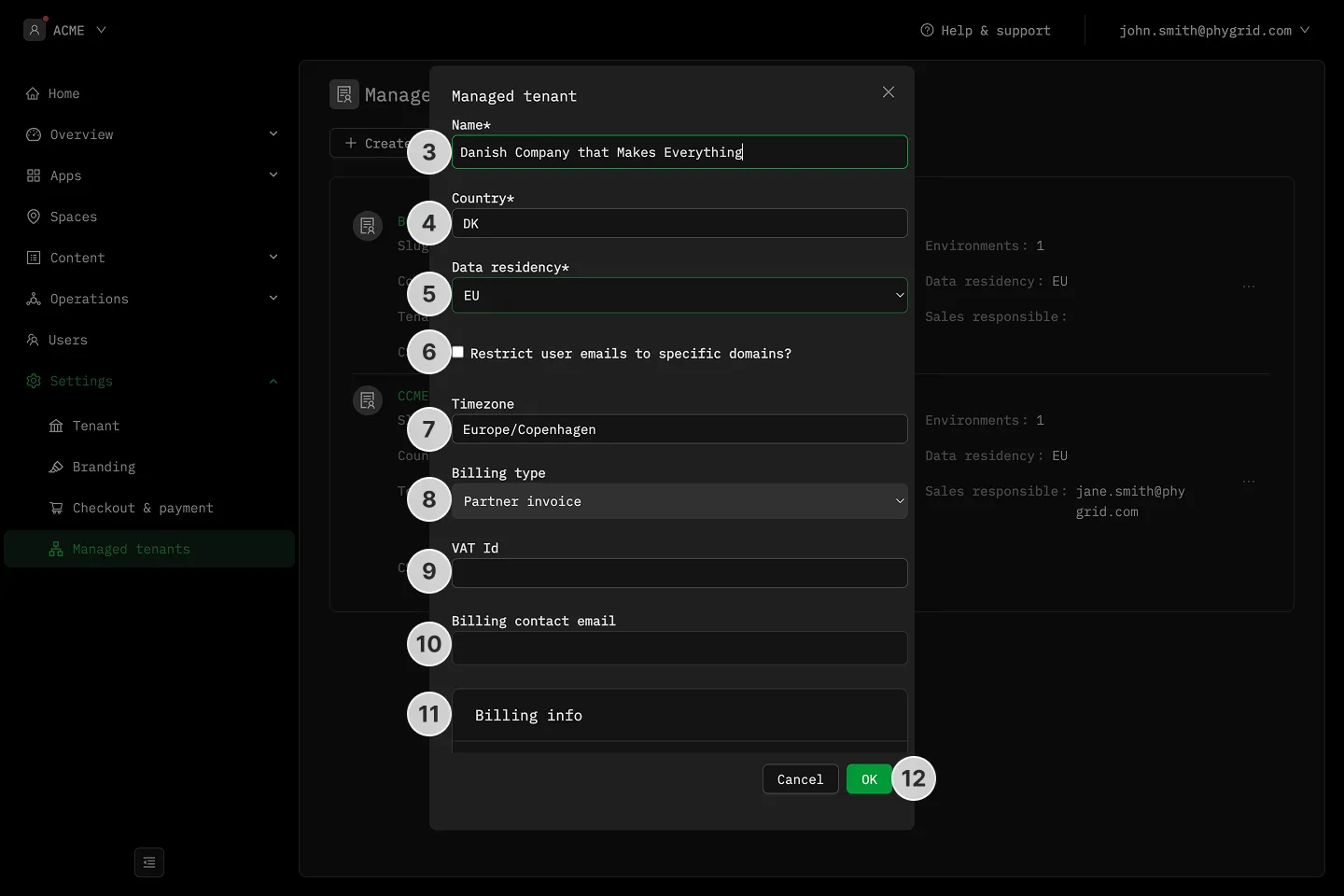
- Enter a Display name for the new tenant.
- Select the Country the new tenant operates in.
- Pick a Tenant plan. The dropdown lists the partner’s tenant-plan catalog, sorted by monthly price.
- Pick a Support plan, same catalog rules.
- Click Create tenant.
What gets set automatically
Section titled “What gets set automatically”- Currency and billing entity copy from the partner tenant — you don’t pick these on the form.
- Billing type is set to partner invoice. The managed tenant is billed on the partner’s invoice and doesn’t go through Stripe.
- The user who created the tenant is granted admin on it, so the full console is available immediately.
Important considerations
Section titled “Important considerations”- Managed tenants are fully isolated from the partner tenant: users, spaces, devices, and installations don’t cross over.
- Existing users with access to the partner tenant don’t gain access to the managed tenant — invite them explicitly if they need it.
- See Managed Tenants Overview for what the partner-tenant gate is and how to enable it on a tenant.