Deploy a build
A build is a snapshot of your configuration (content and application options) that has been compiled, processed, and prepared for deployment to devices.
Deploying a specific build will update any connected device to that particular configuration snapshot, but your installation settings in Console will always stay at the latest version.
How to create and deploy a build
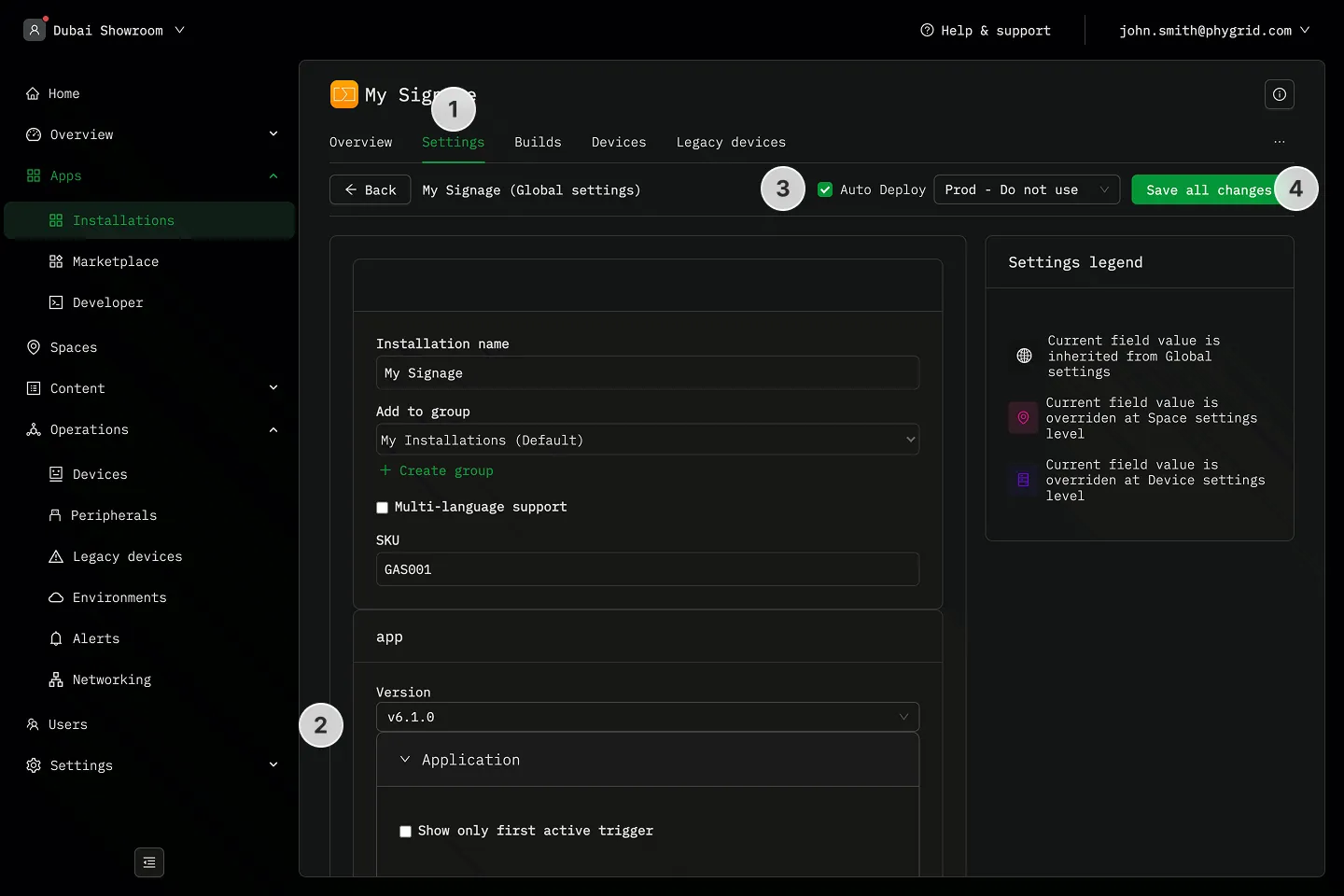
Section titled “How to create and deploy a build”- Navigate to the Settings tab in your installation and open settings
- Edit content and settings to your liking
- Make sure the Auto Deploy option is selected if you want to automatically deploy and push the build to connected devices
- Click Save to create a build and deploy it
How to deploy a specific build
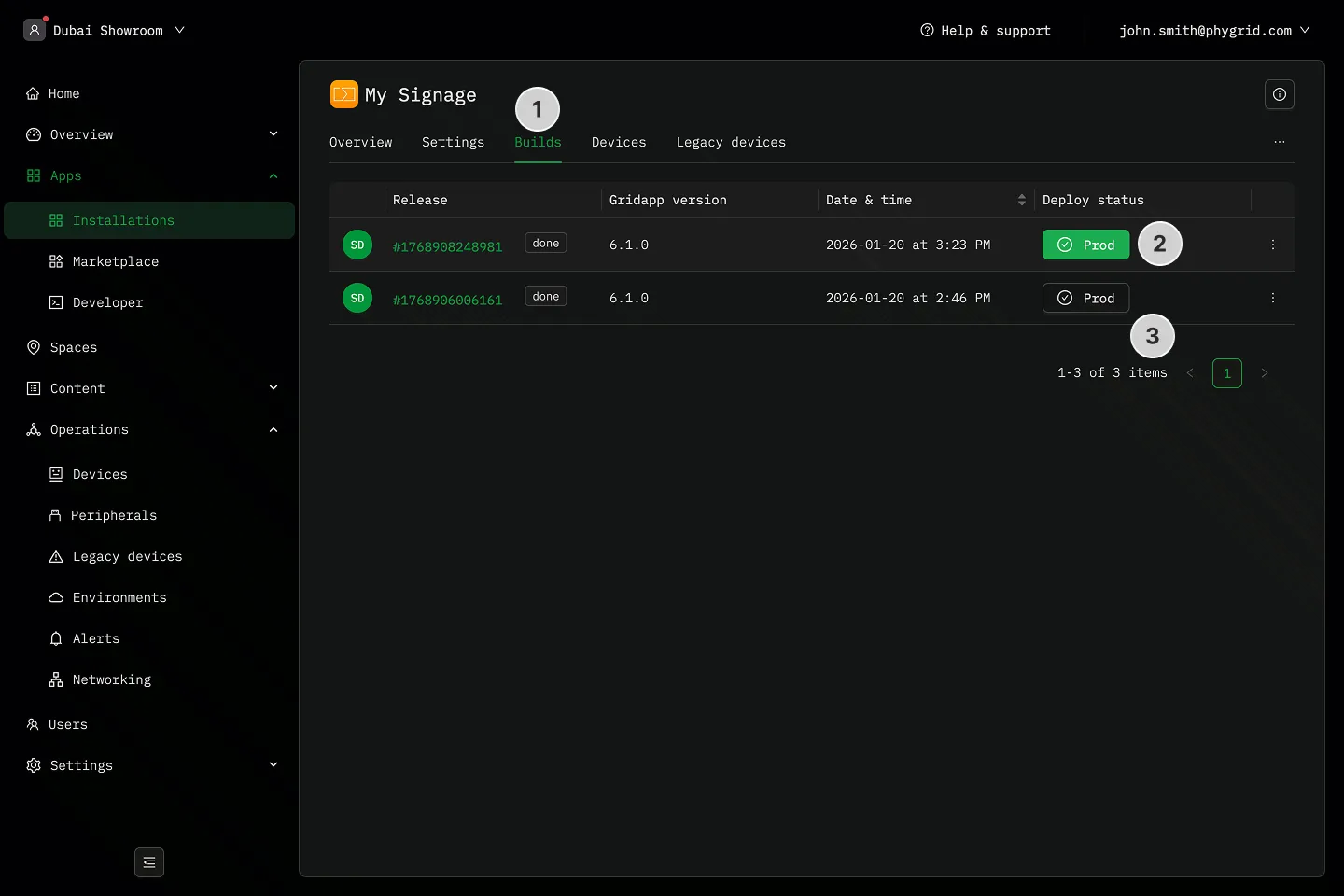
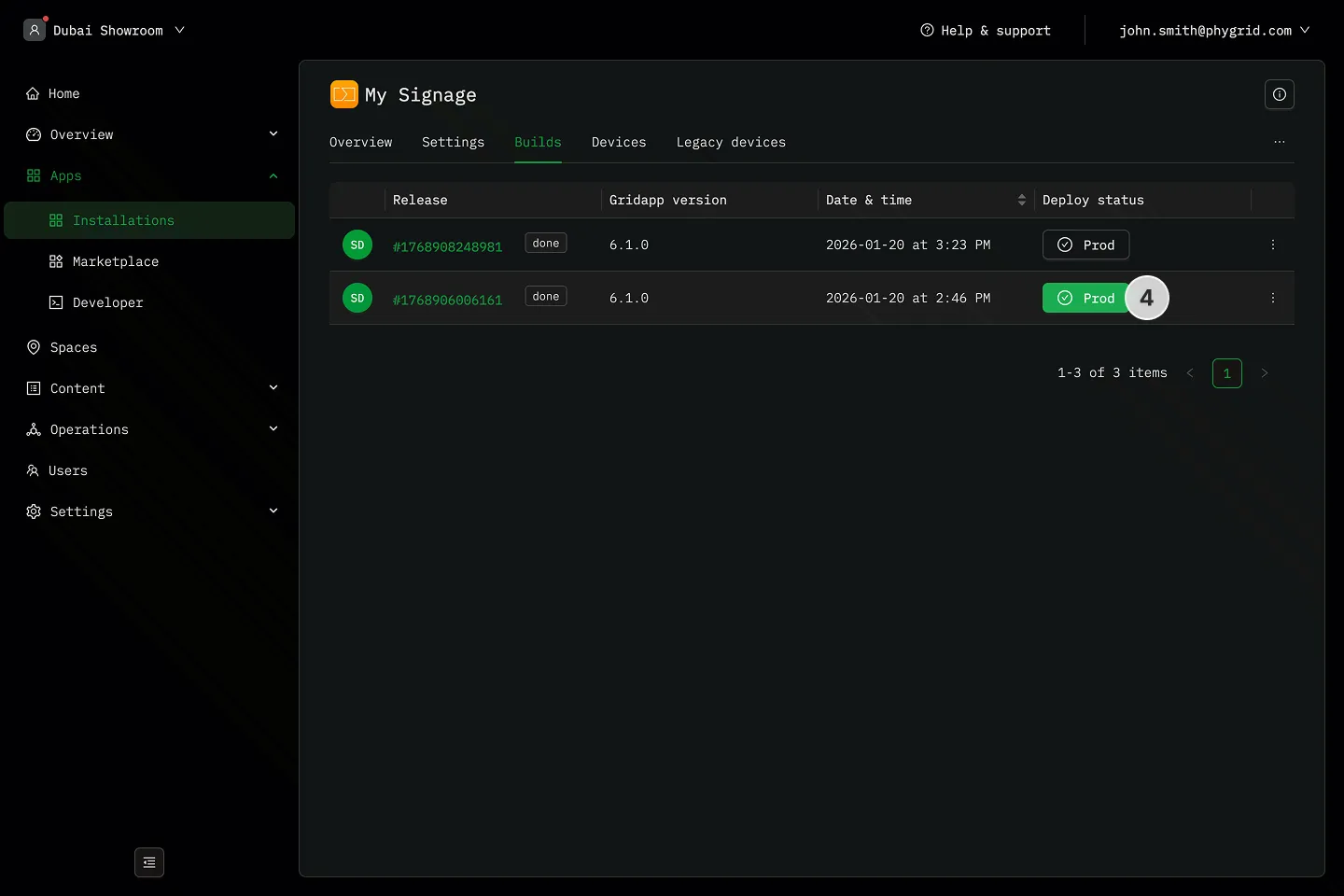
Section titled “How to deploy a specific build”- Navigate to the Builds tab in your installation
- The deployed build is always highlighted in green
- Select a different build you want to deploy on your devices, and click the button to deploy
- Any connected devices will automatically update and use this configuration snapshot