View device information
How to view device information
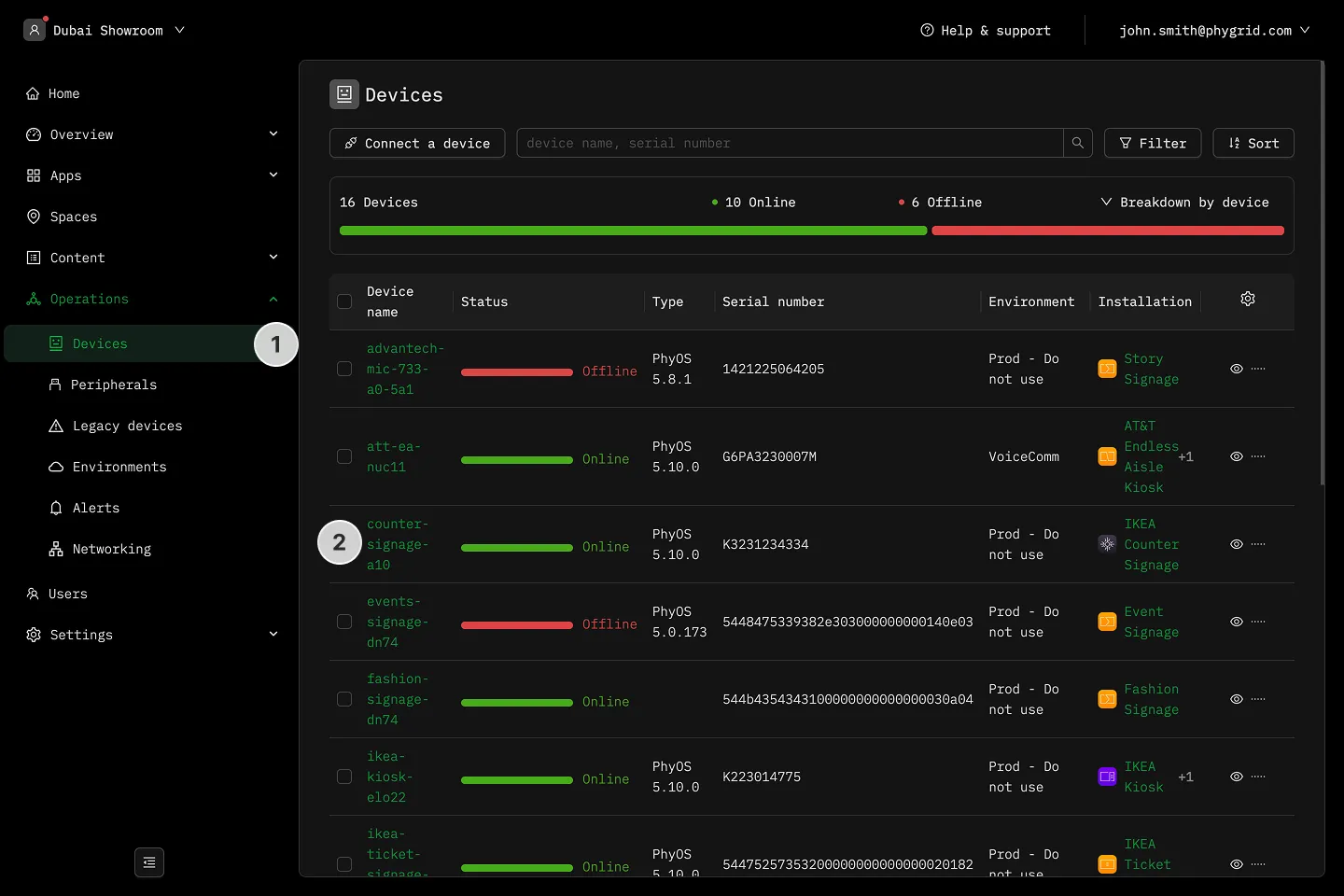
Section titled “How to view device information”- In the sidebar, navigate to Operations → Devices
- Alternately, go to an installation’s Devices tab
- Click on a device to open its details
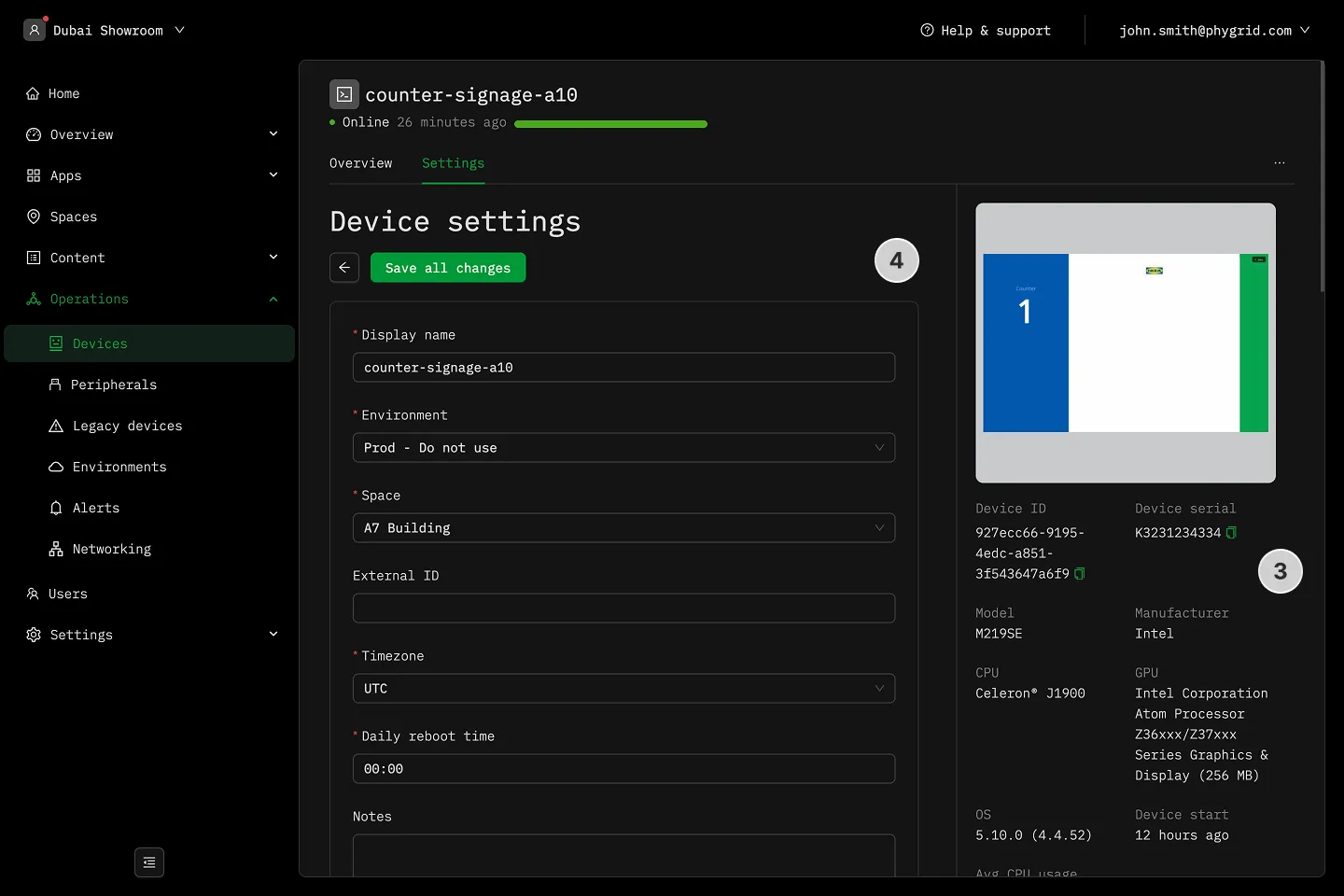
- View the screen preview and device information on the right
- Manage device settings on the left