
Cloning installations overview
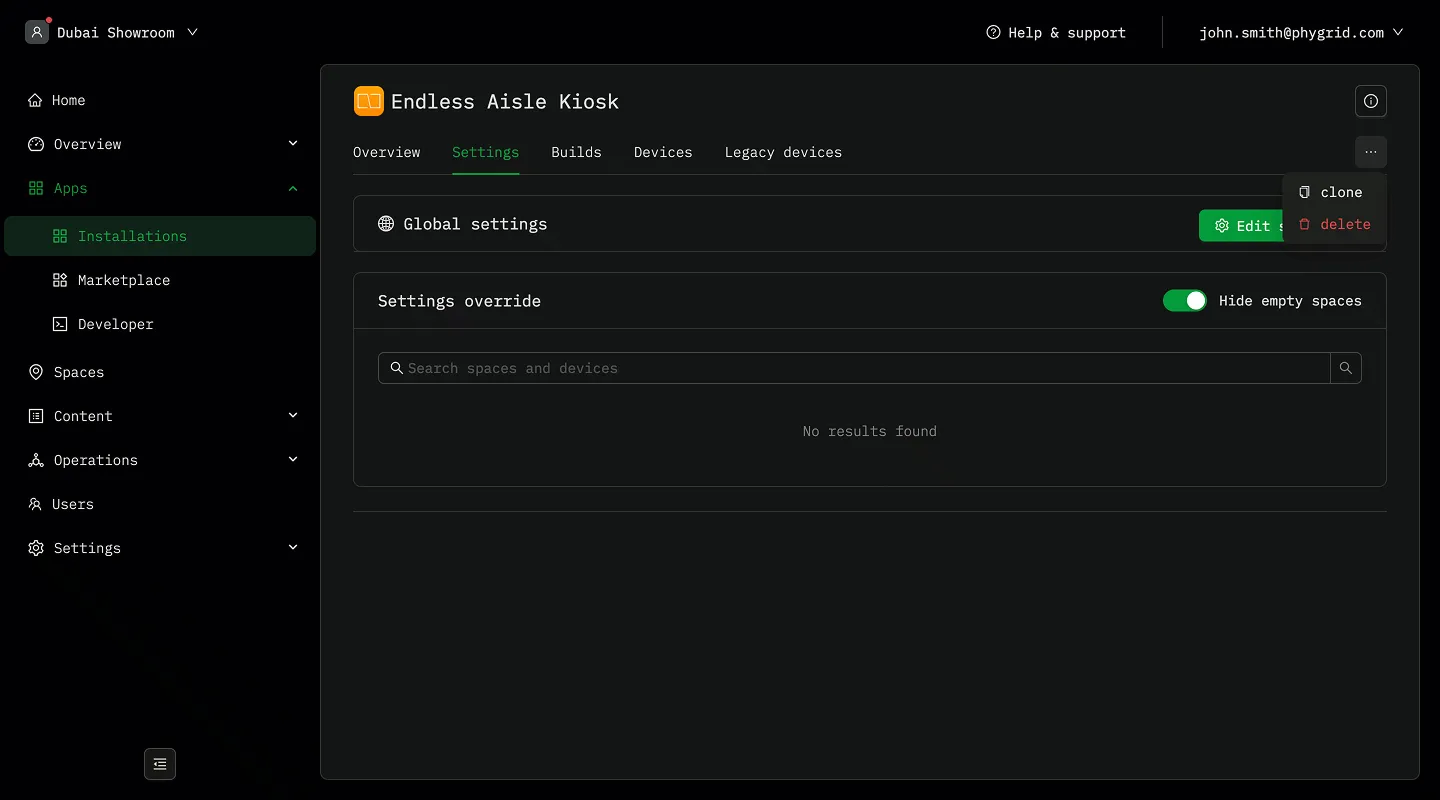
Installation cloning
Section titled “Installation cloning”Installation cloning allows you to create a complete copy of an existing installation, including all its settings, configurations, and properties. The cloned installation becomes an independent entity that can be managed separately from the original.
When you clone an installation, the system creates a brand new installation that is an exact duplicate of the source installation, including:
- All application settings and configurations
- Provider and release information
- Multi-language support settings
- Installation metadata
- Default configurations
The cloned installation receives its own unique identifier and can be managed, deployed, updated, and deleted independently of the original.
How cloning works
Section titled “How cloning works”When you clone an installation:
- The system creates a new installation record with a unique ID
- All settings from the source installation are copied to the new installation
- The clone is assigned the display name you provided
- The clone can be placed in a different installation group if specified
- The new installation is immediately available for configuration and deployment
When to use installation cloning
Section titled “When to use installation cloning”Development and testing
Section titled “Development and testing”- Create sandbox copies of production installations for testing
- Experiment with new configurations without affecting live installations
- Create multiple versions of an installation to test different configurations
- Compare performance between different settings or app versions
Cloud apps
Section titled “Cloud apps”- Apps with no physical spaces or devices where settings overrides are not used
Scaling cloud apps
Section titled “Scaling cloud apps”Cloud applications (such as virtual queues) don’t use space or device settings overrides. This makes cloning the primary strategy for scaling cloud apps.
What gets replicated in cloud app cloning
Section titled “What gets replicated in cloud app cloning”Service Categories: All configured service types and categories
Branding Configuration: Colors, logos, styling, themes
Flow Logic: Queue management rules, booking flows, notifications
Feature Set: Enabled features (booking, occupancy, pickup, etc.)
Integration Settings: API configurations, webhook settings
Business Rules: Operating hours, capacity limits, service duration
Location-Specific Data: Actual queue states, historical data, active bookings
Clone vs. settings overrides
Section titled “Clone vs. settings overrides”| Aspect | Installation Cloning | Settings Overrides |
|---|---|---|
| Purpose | Create independent installations | Customize same installation for different contexts |
| Entity | New, separate installation | Same installation with variations |
| Management | Independent lifecycle | Shared lifecycle with contextual differences |
| Use Case | Different environments, customers, regions | Location-specific or device-specific tweaks |
| Storage | Full copy of all settings | Only stores differences (diffs) |
| Billing | Separate billing entities | Single billing entity |