Disconnect a device from an installation
How to disconnect a device from an installation
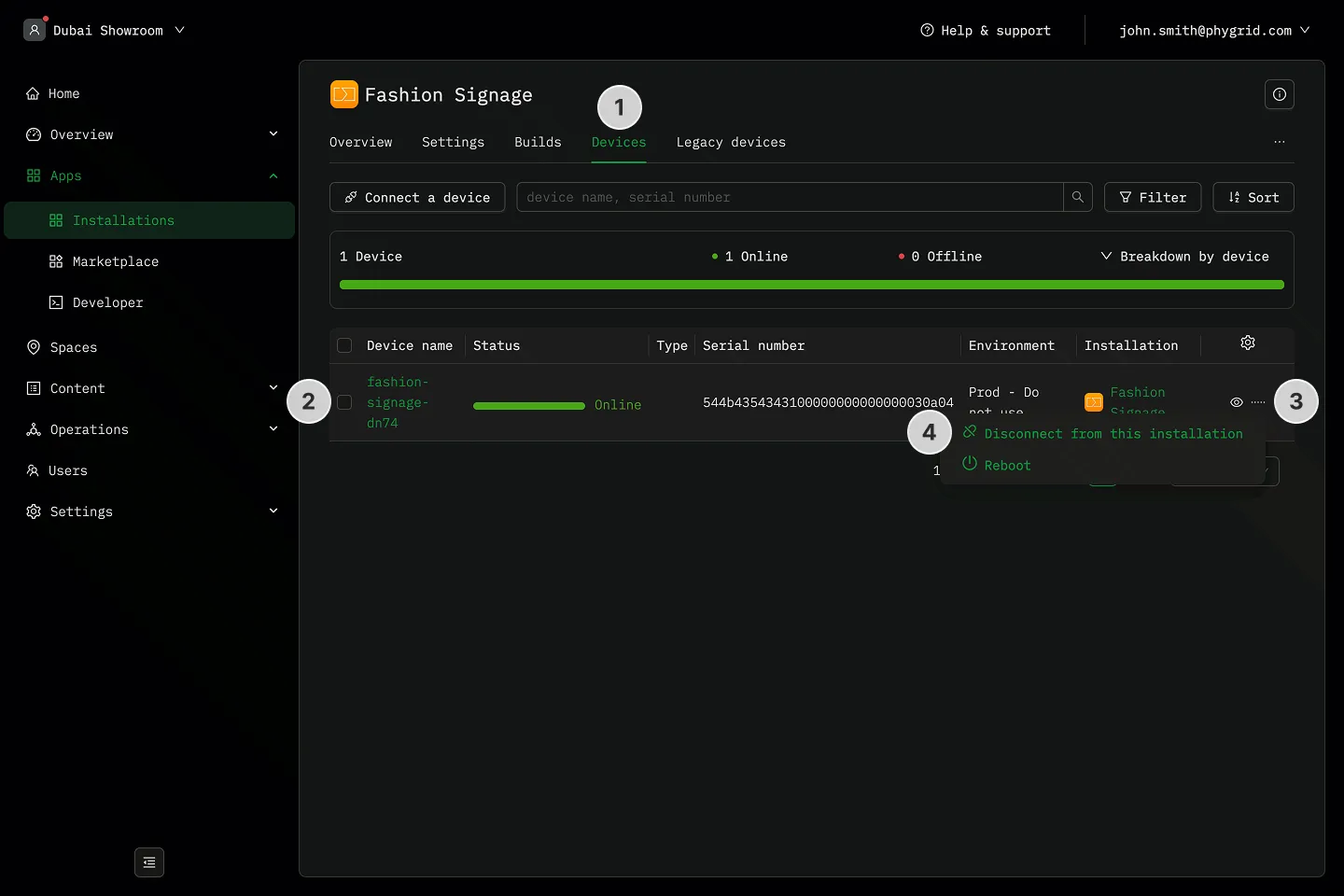
Section titled “How to disconnect a device from an installation”- Navigate to the Devices tab in your installation
- Locate the device you want to disconnect
- Click on the More (···) button next to the installation details
- Click Disconnect form this installation
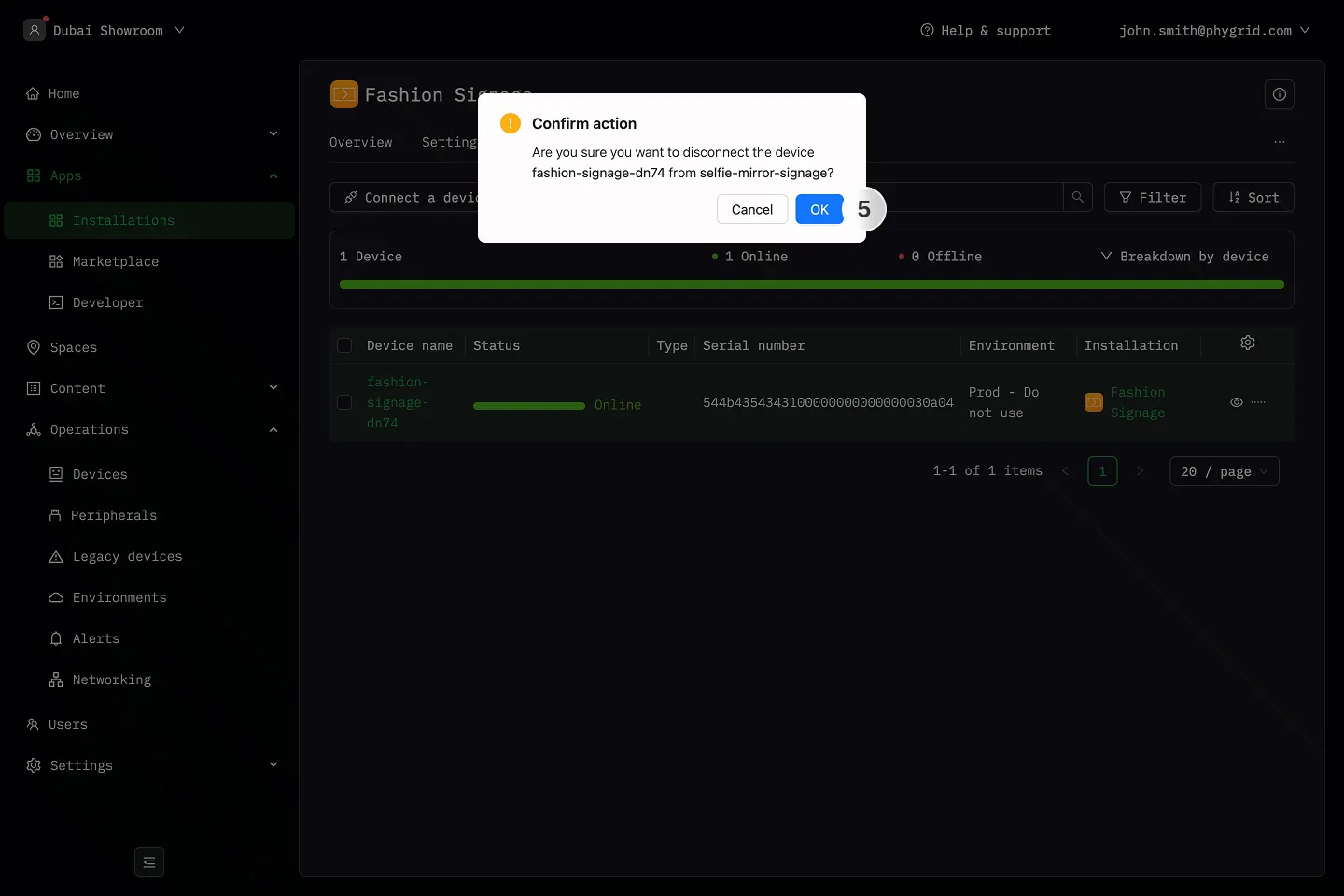
- Click OK to confirm