Connect an existing device to an installation
How to connect an existing device to an installation
Section titled “How to connect an existing device to an installation”- Ensure the device is up and running with a stable internet connection
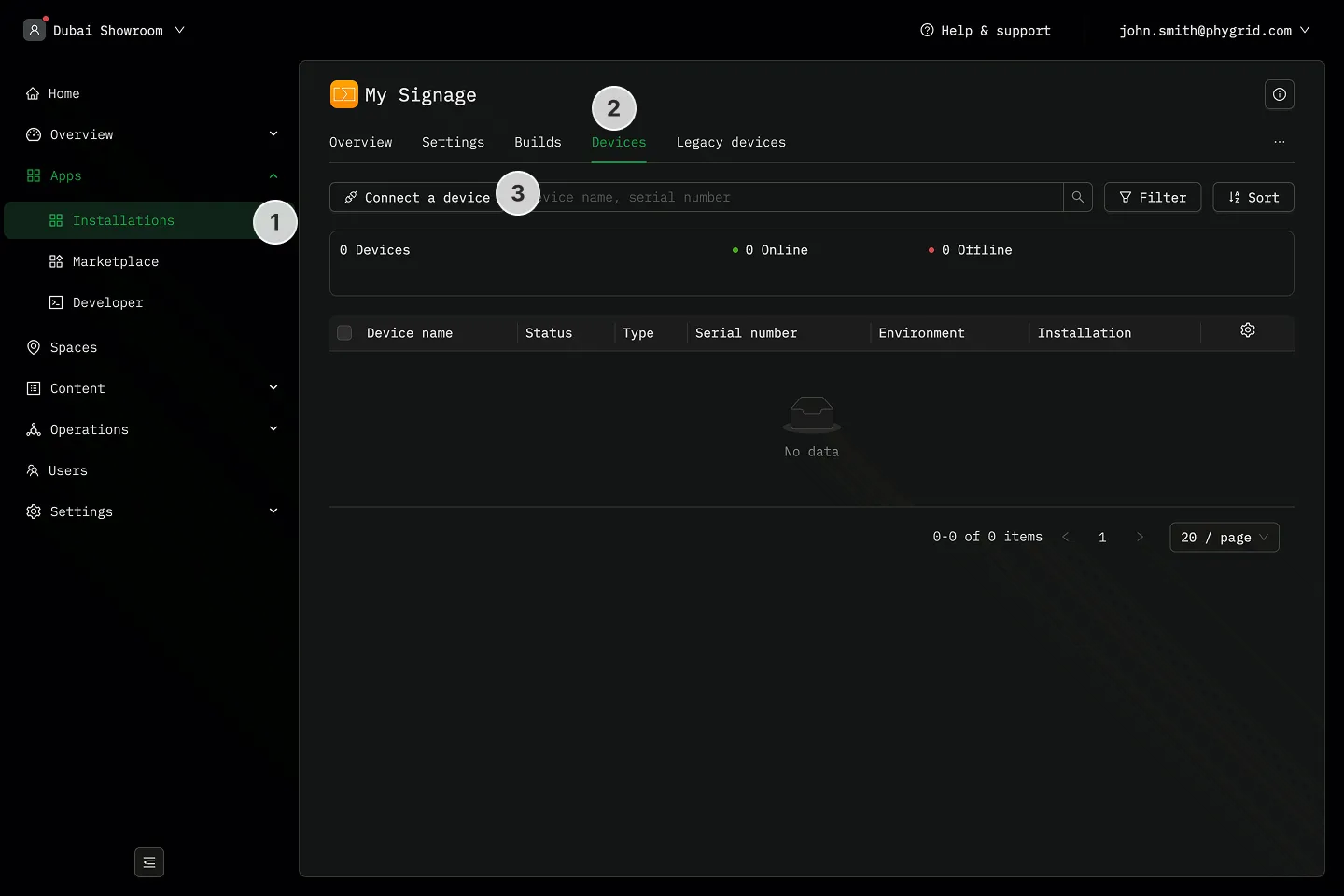
- Navigate to the Devices tab in your installation
- Click Connect a device
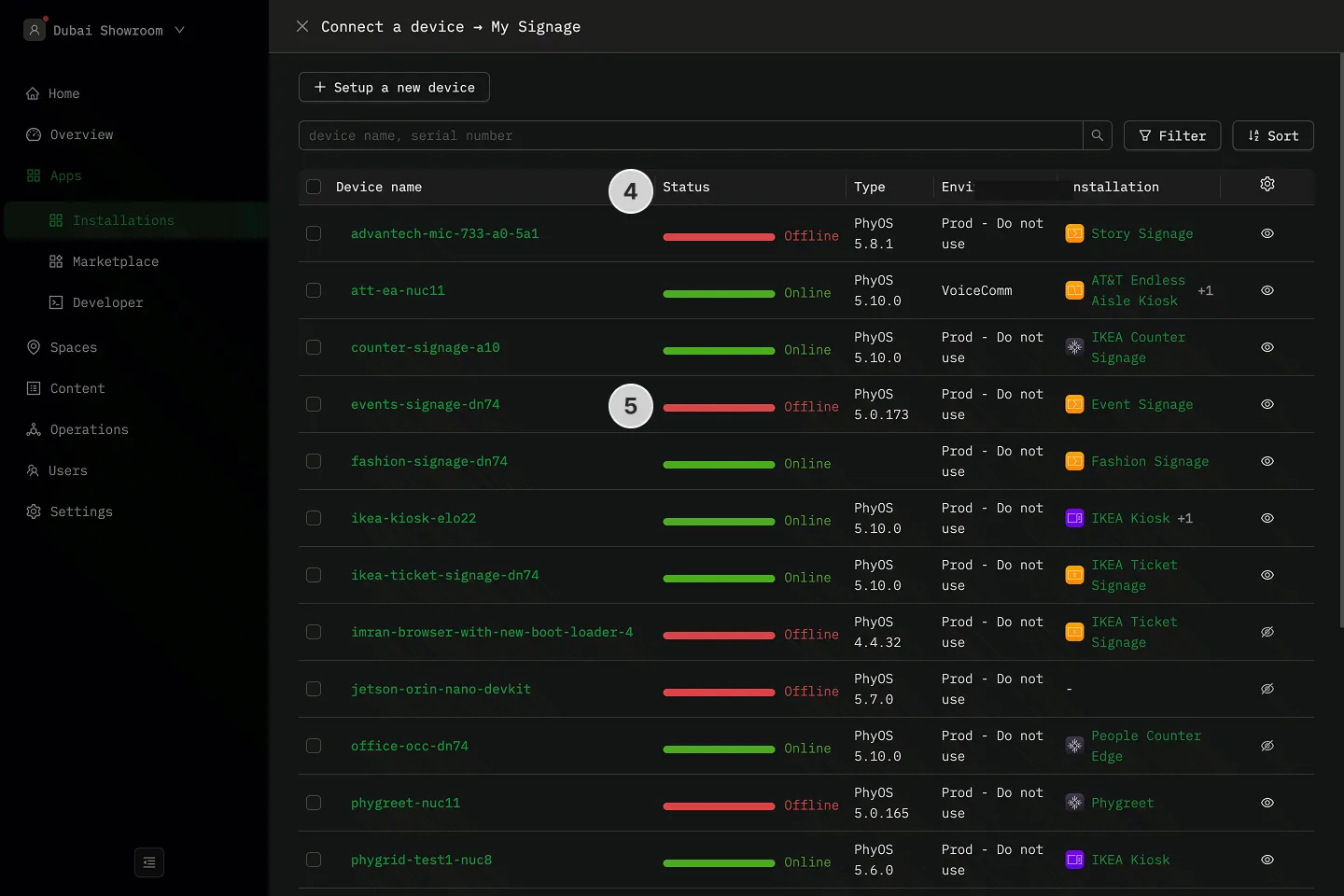
- Select a device from the list of previously set up devices
- Click on the device name to connect it to the installation