Configure a device
How to configure a device
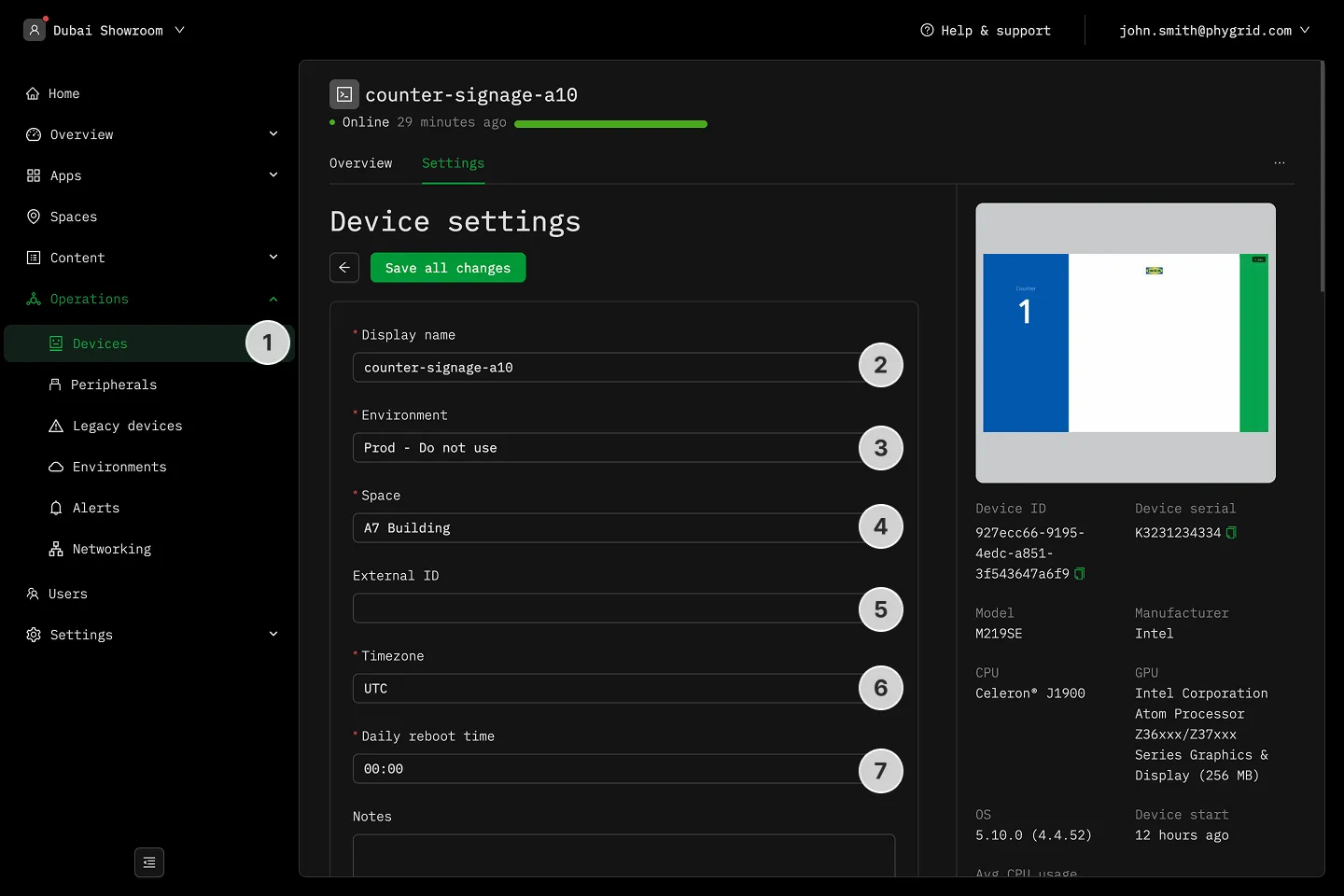
Section titled “How to configure a device”- Navigate to Operations → Devices and select a device
- Change the device display name
- Assign the device to a different space
- Set device External ID
- Adjust the device timezone
- Set device reboot time
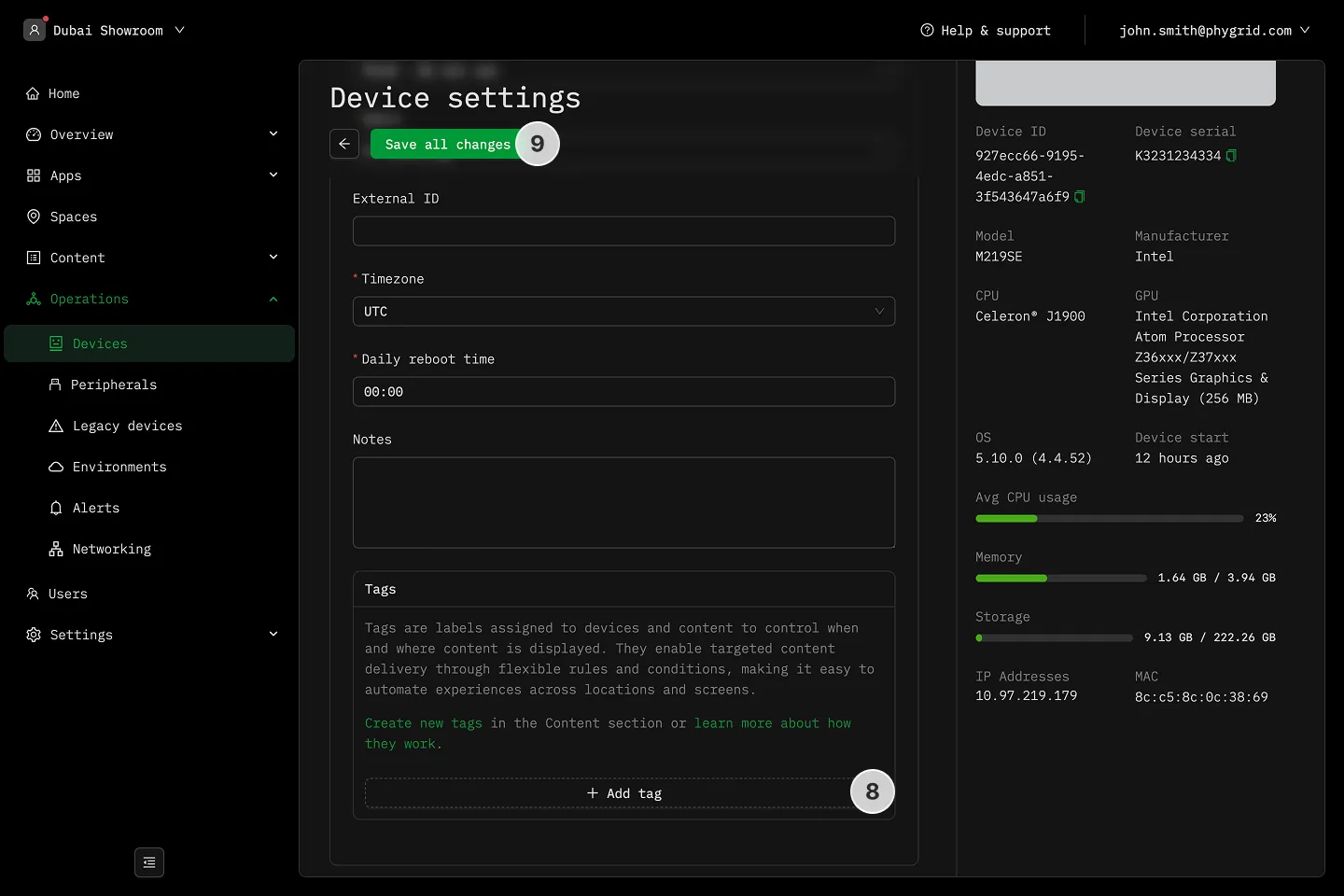
- Add device-related notes
- Assign custom tags to the device for content management
- Save all changes