Create a product manually
How to manually create a new product
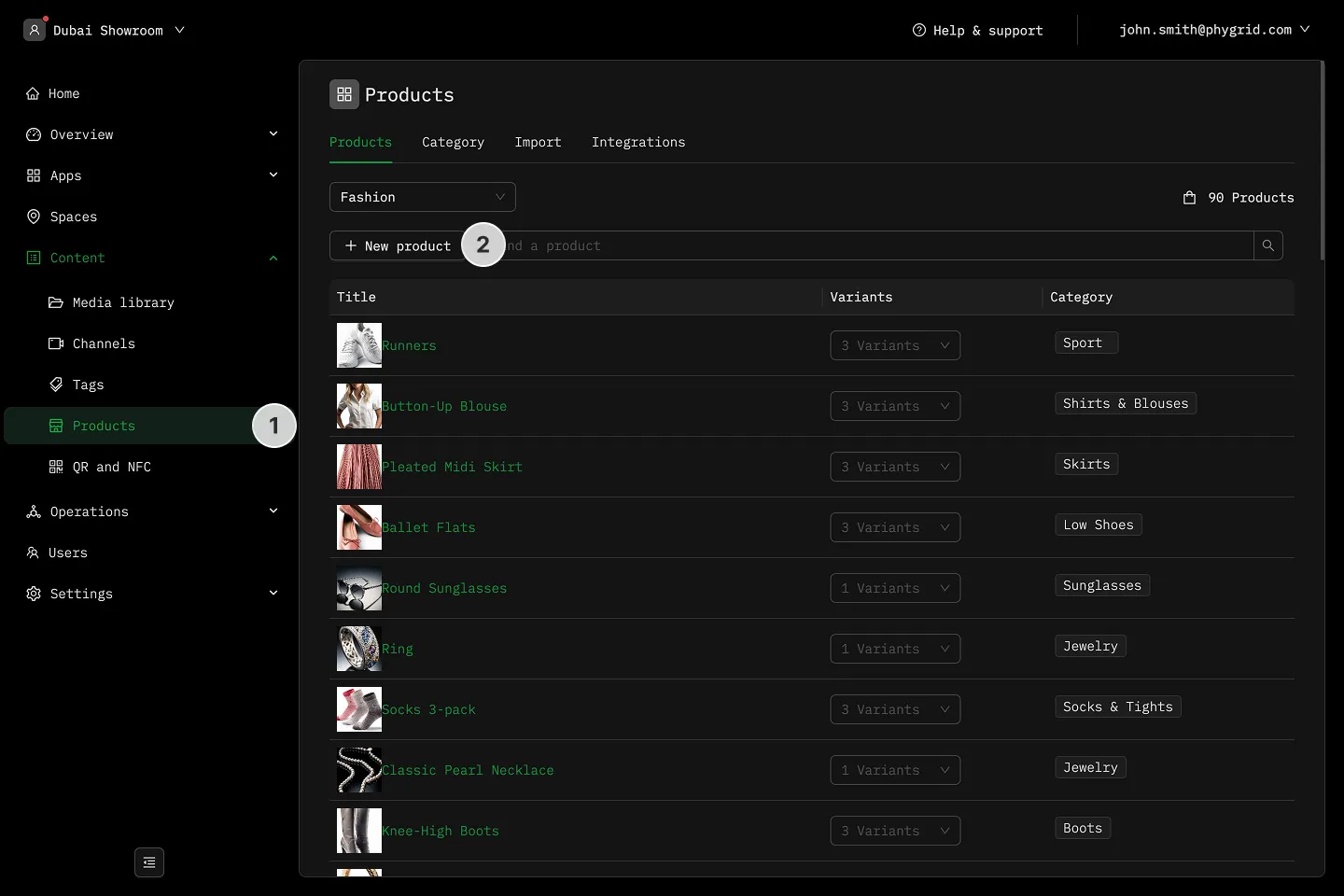
Section titled “How to manually create a new product”- Navigate to Content → Products
- In the Products tab, click New product
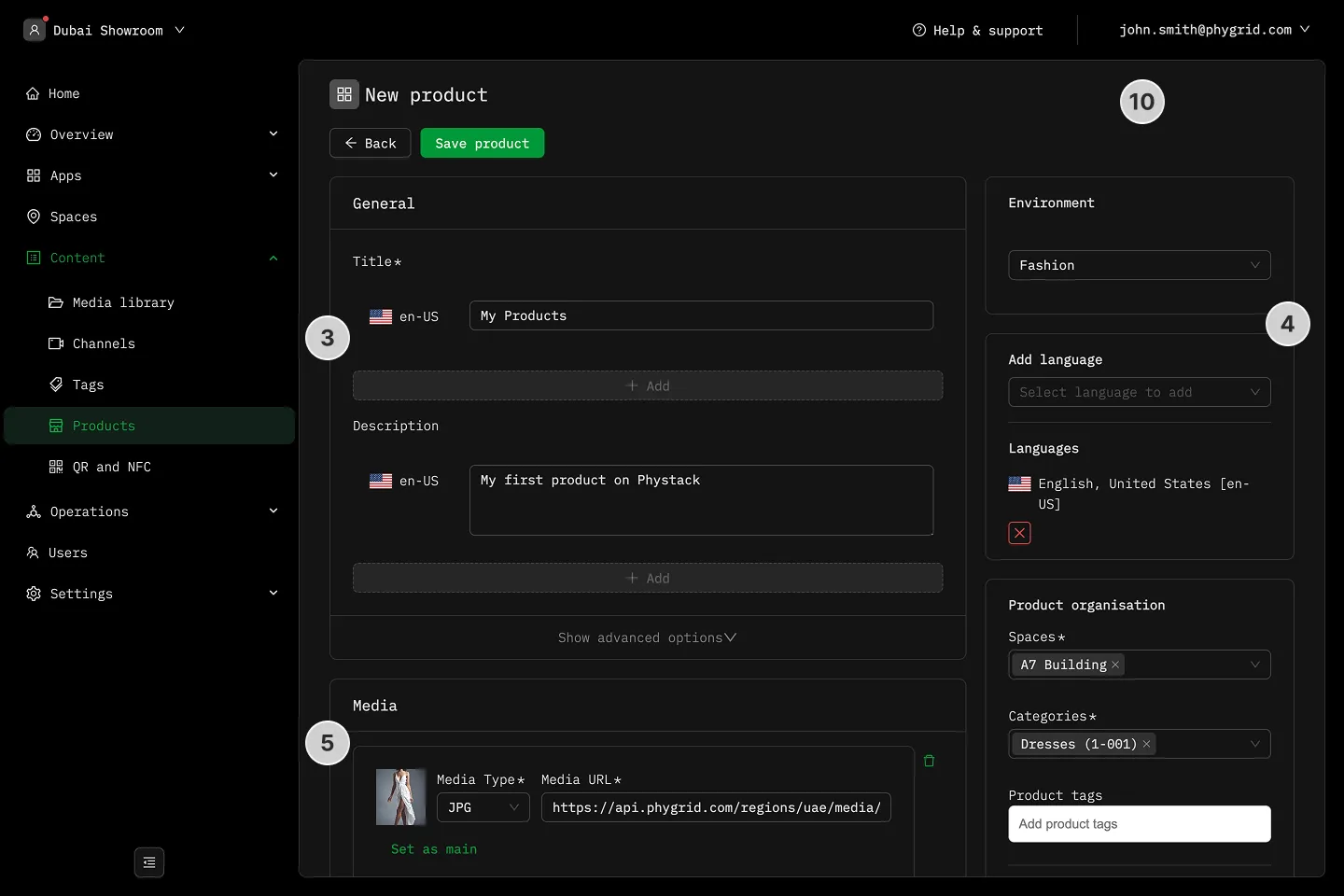
- Add the Title and Description
- In the sidebar, set the Environment, Product Language, Space, Category, and Tags
- Add product media
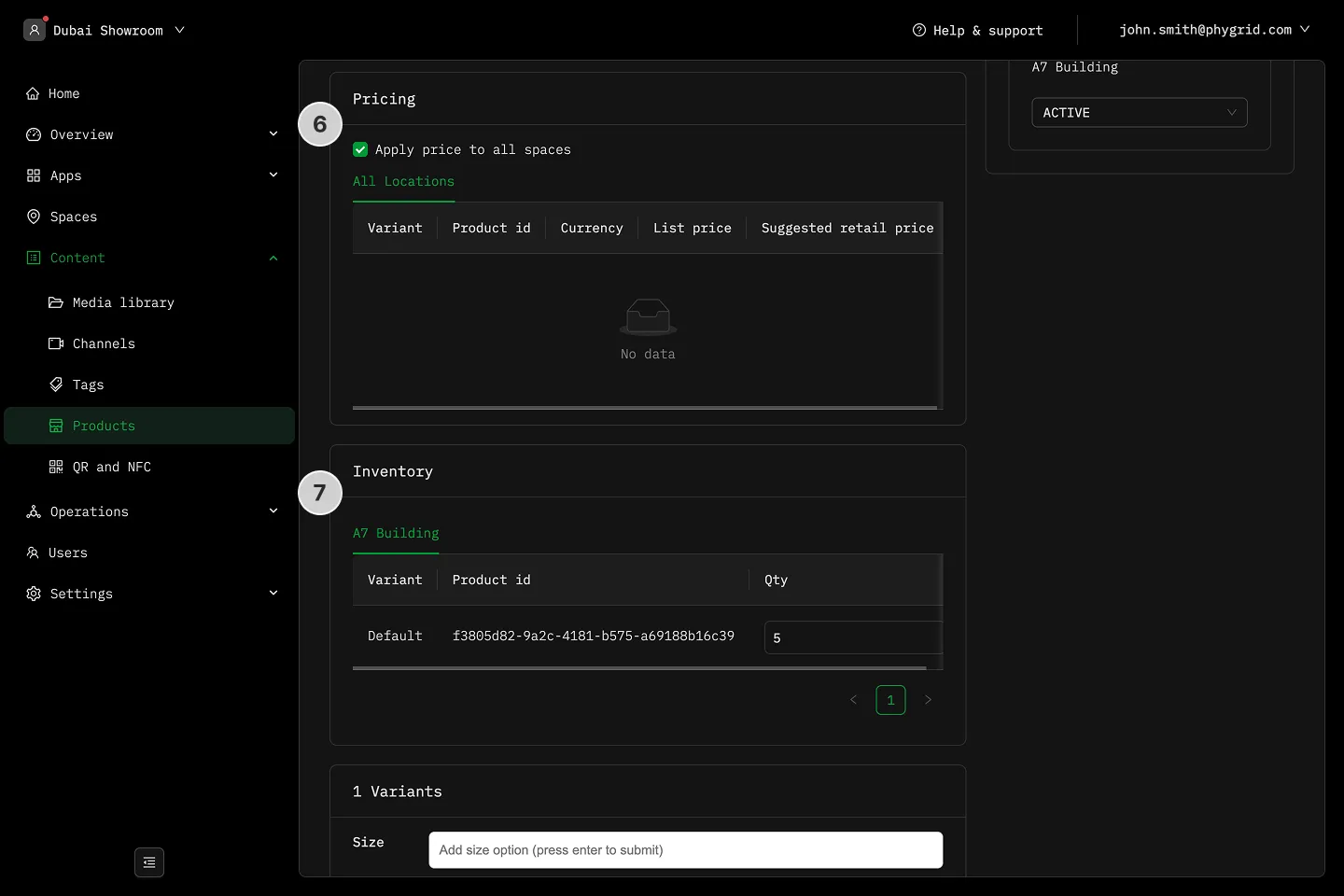
- In the Pricing section, choose to apply price to all spaces or adjust price per location, for all your product variants
- Adjust quantity for all your product variants in the Inventory section
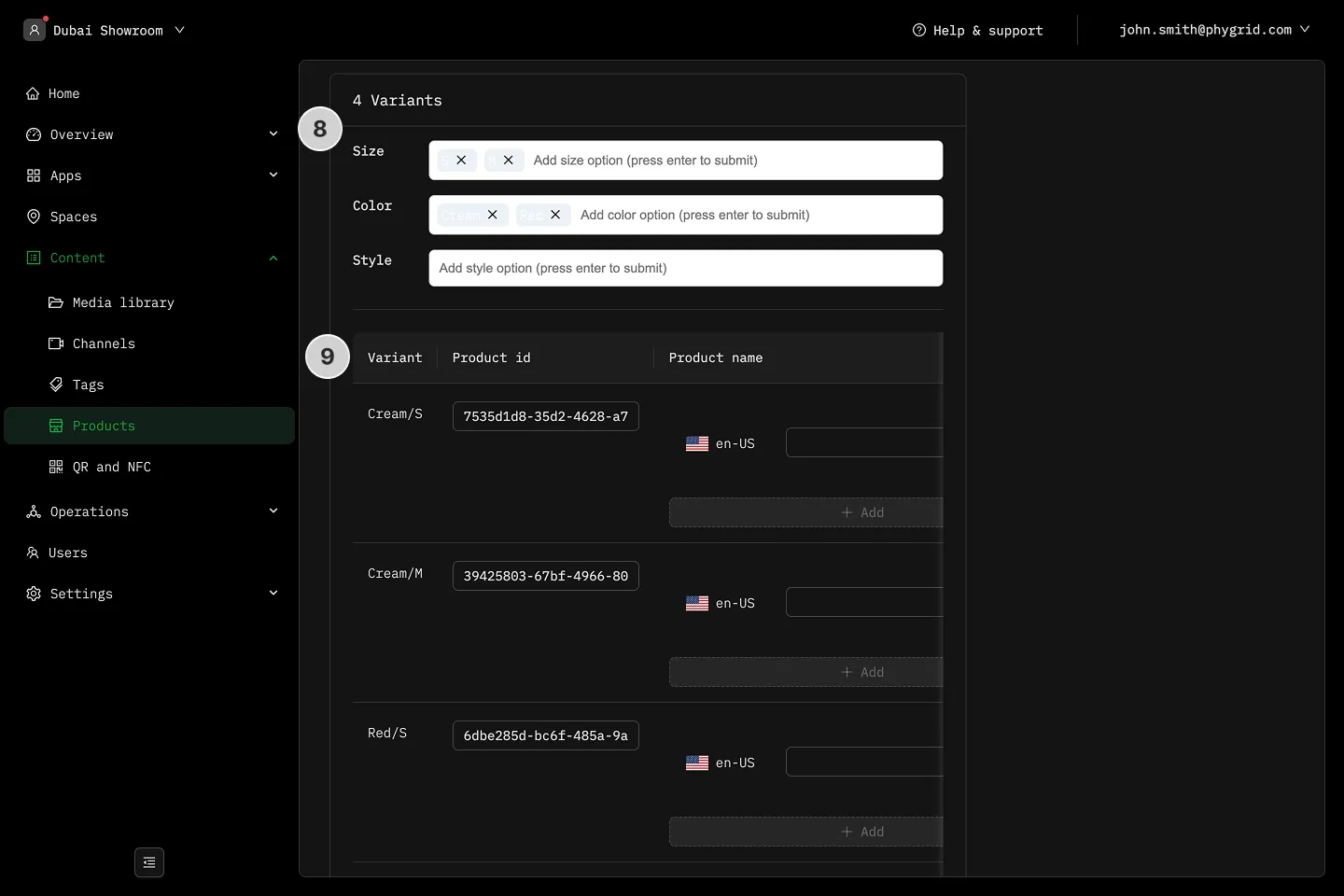
- Add or remove size, color, or style variants
- Adjust product name, link, EAN, GTIN, UPC, and color value (which is used on Product Details Page variant previews) for each individual variant
- Click Save product in the header