Create a category manually
How to manually create a new category
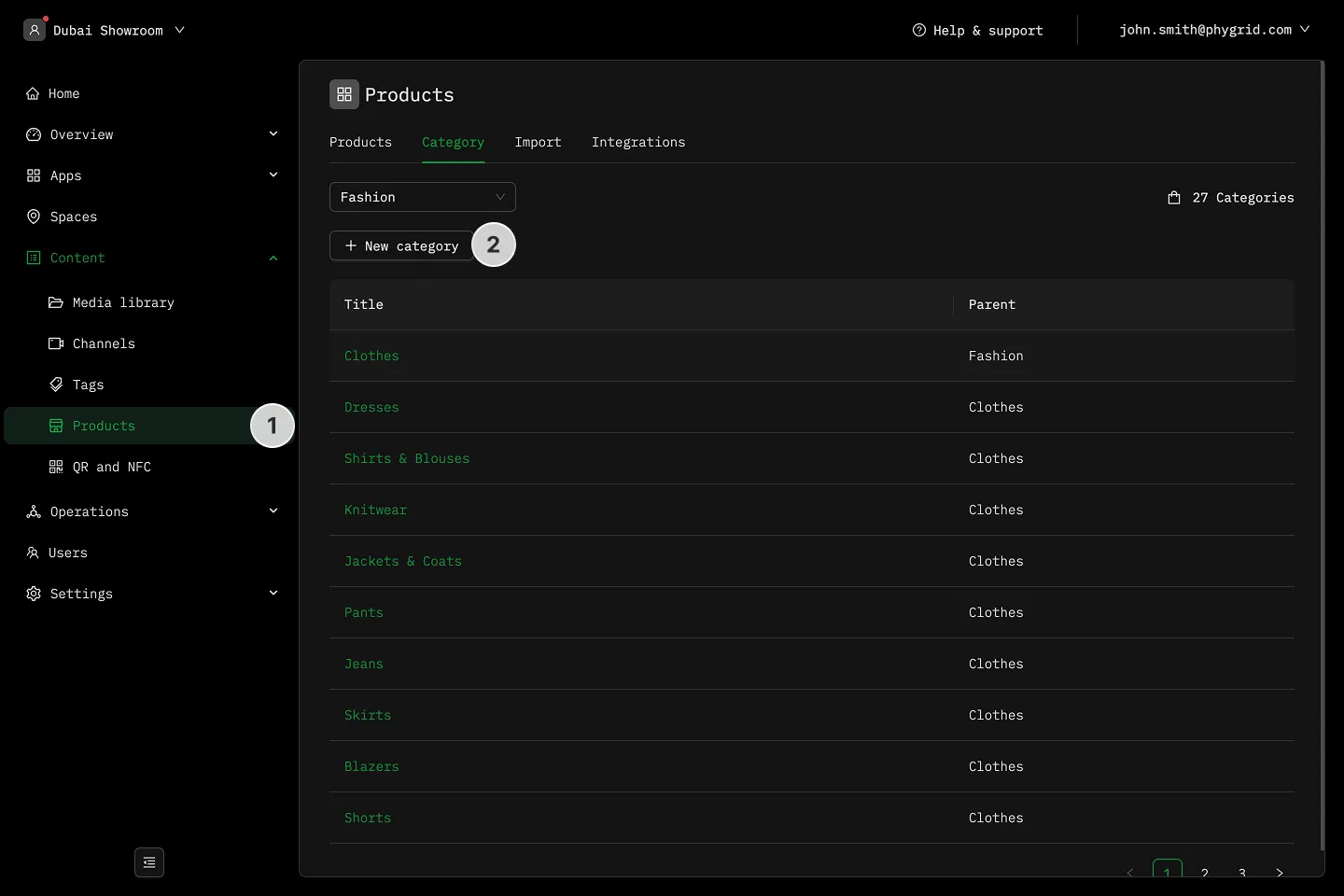
Section titled “How to manually create a new category”- Navigate to Content → Products
- In the Category tab, click New category
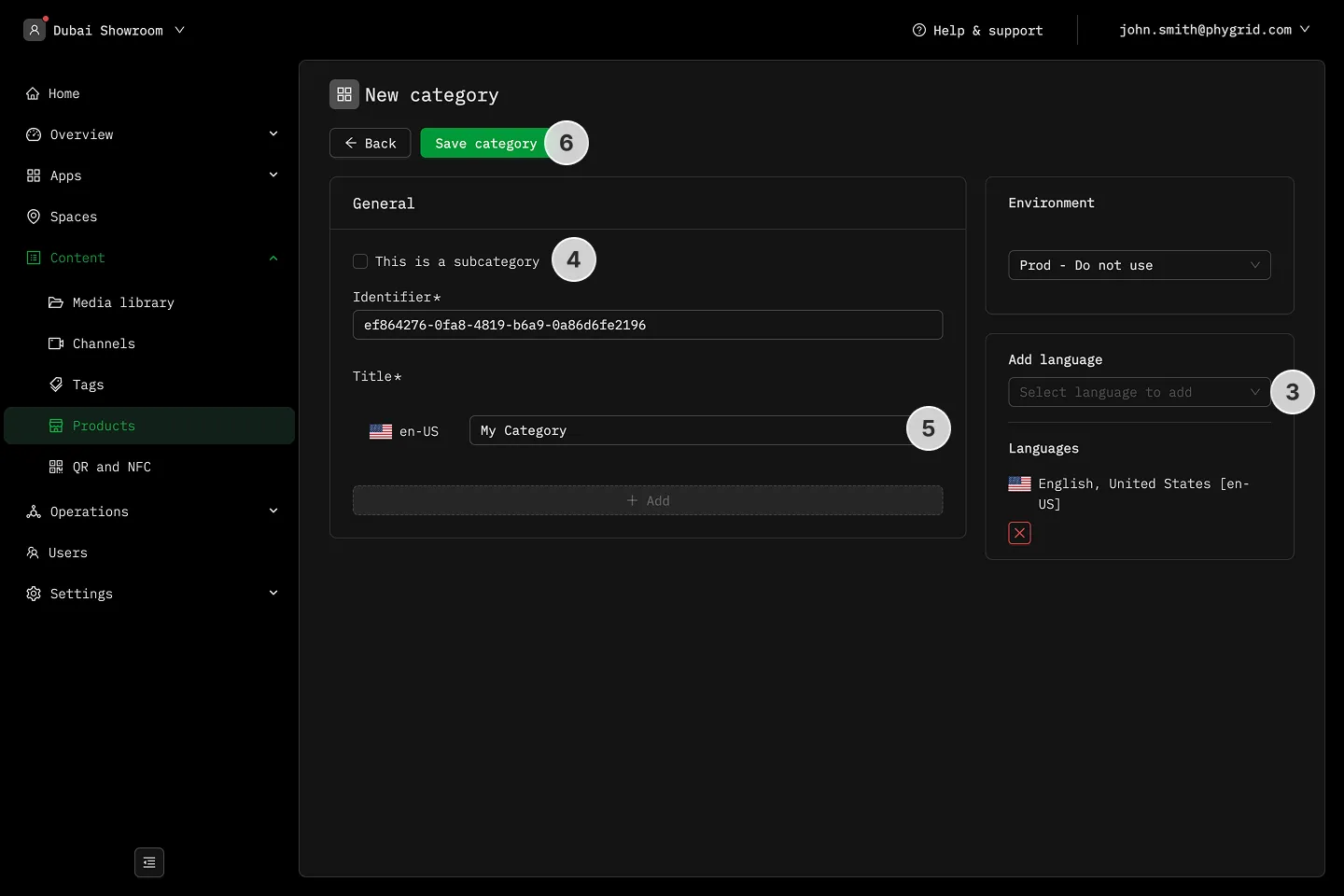
- In the sidebar, Add language for every supported language
- If the new category is a subcategory, select the option
- Enter Title
- Save category as the final step