
Install PhyOS on Giada DN74
How to prepare installation media
Section titled “How to prepare installation media”- Download the latest version of PhyOS 5 for x86-64 devices
- Download and install Raspberry Pi Imager
- Connect a USB flash drive to your computer
- Open Raspberry Pi Imager
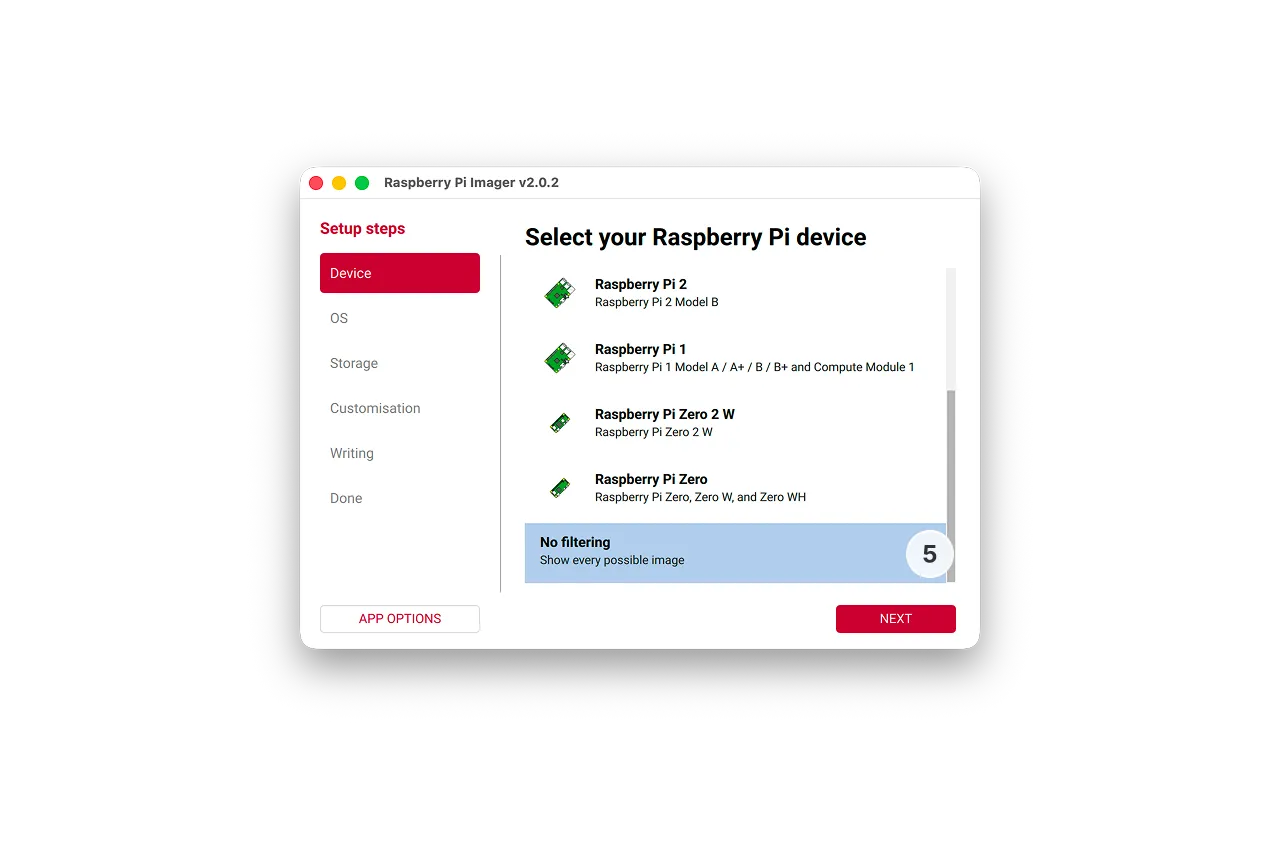
- In the Device tab,select No filtering and click Next
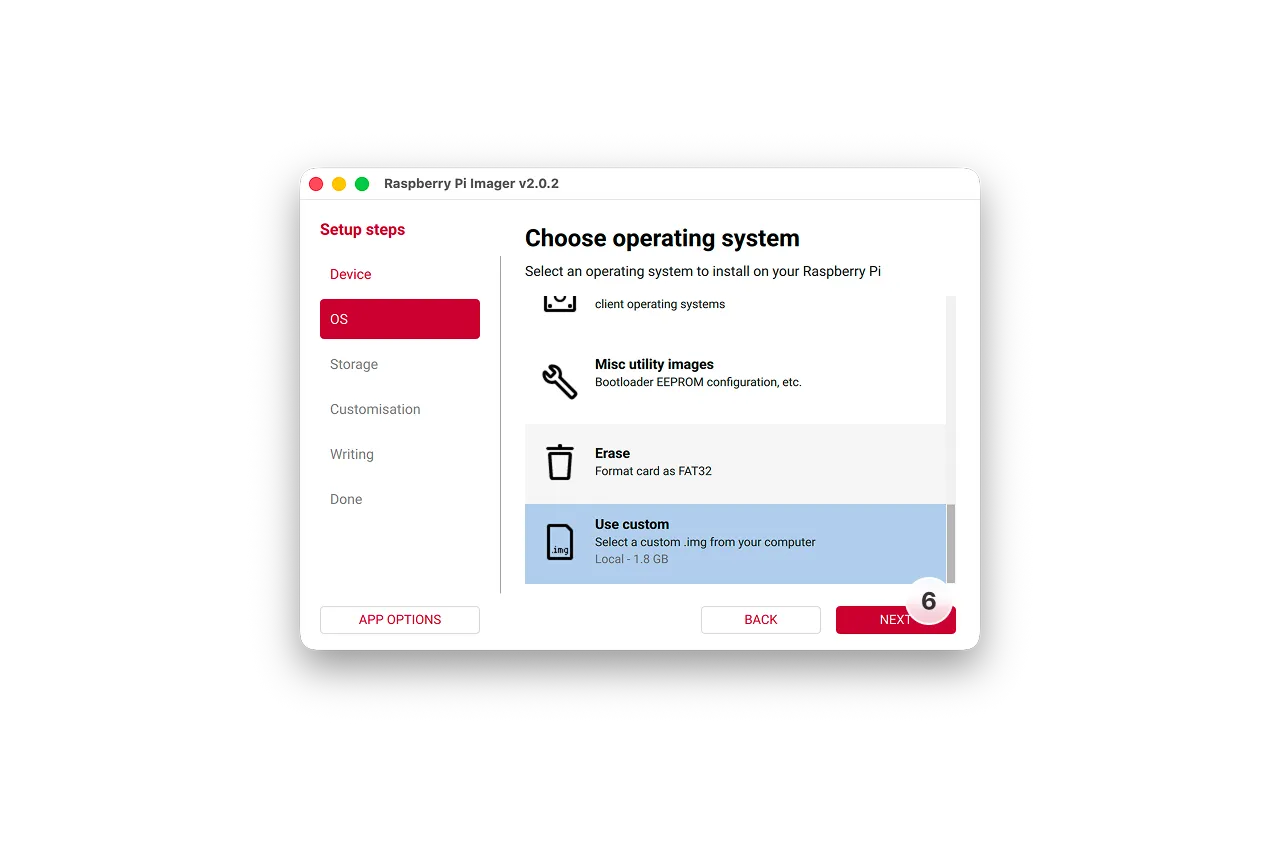
- In the OS tab, click Use custom and select the downloaded image file, then click Next
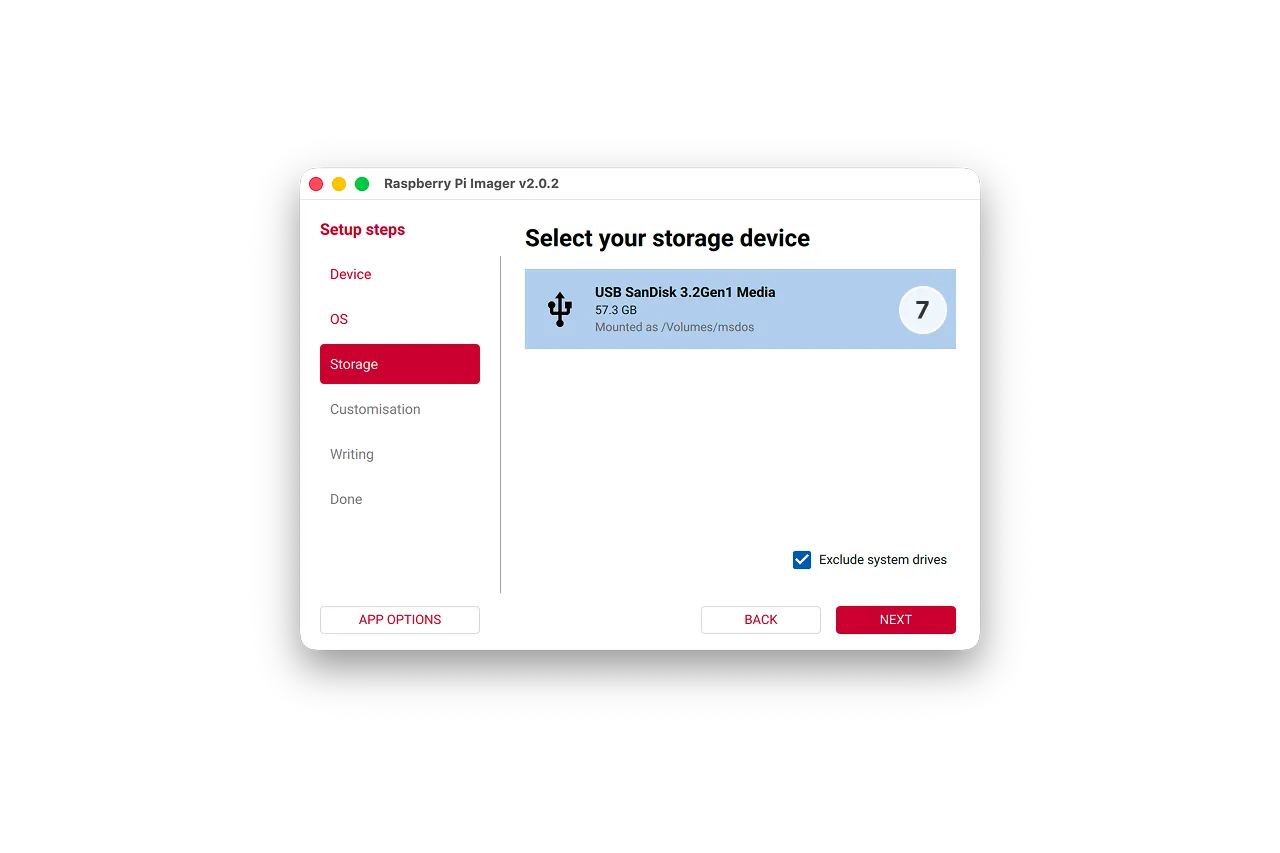
- In the Storage tab select your memory card and click Next
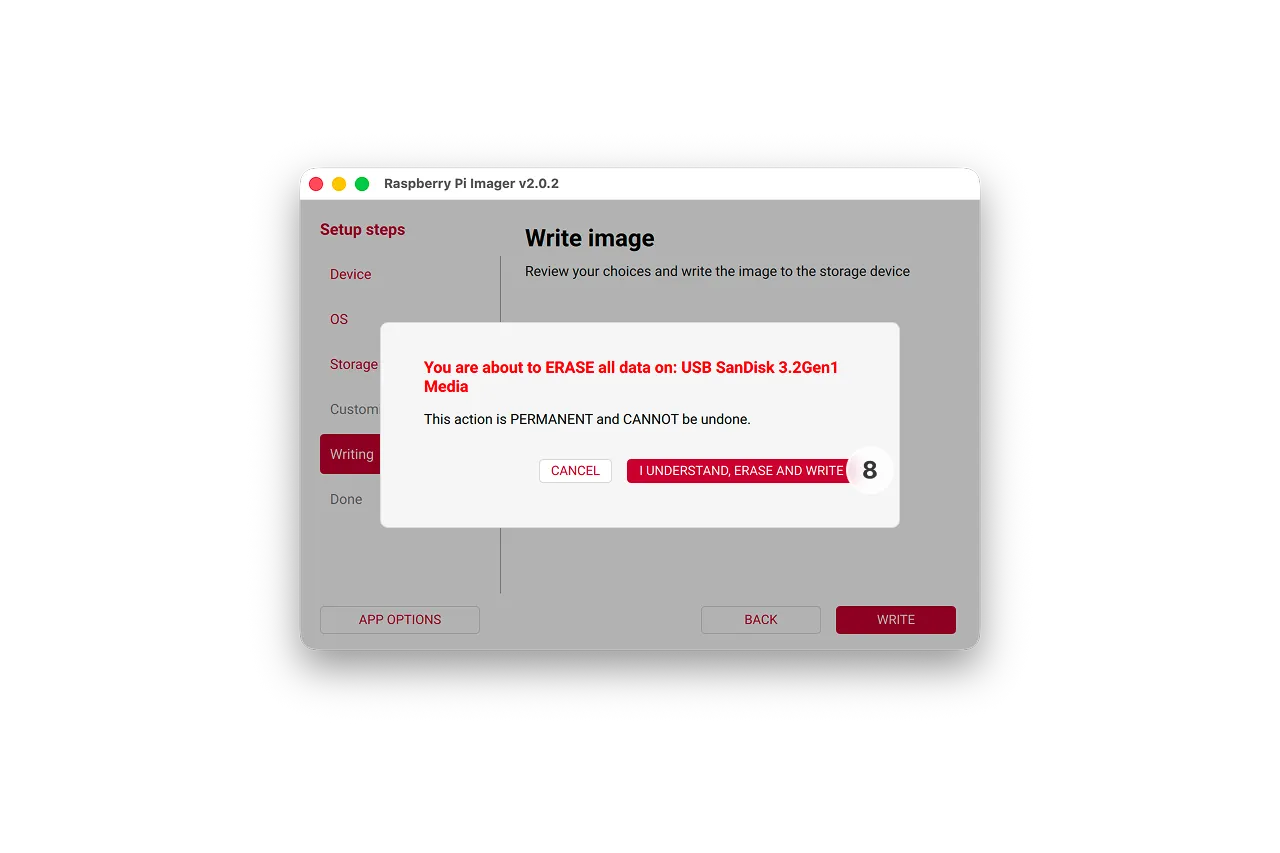
- Select I understand when warned that the memory card will be erased, and approve any OS warnings
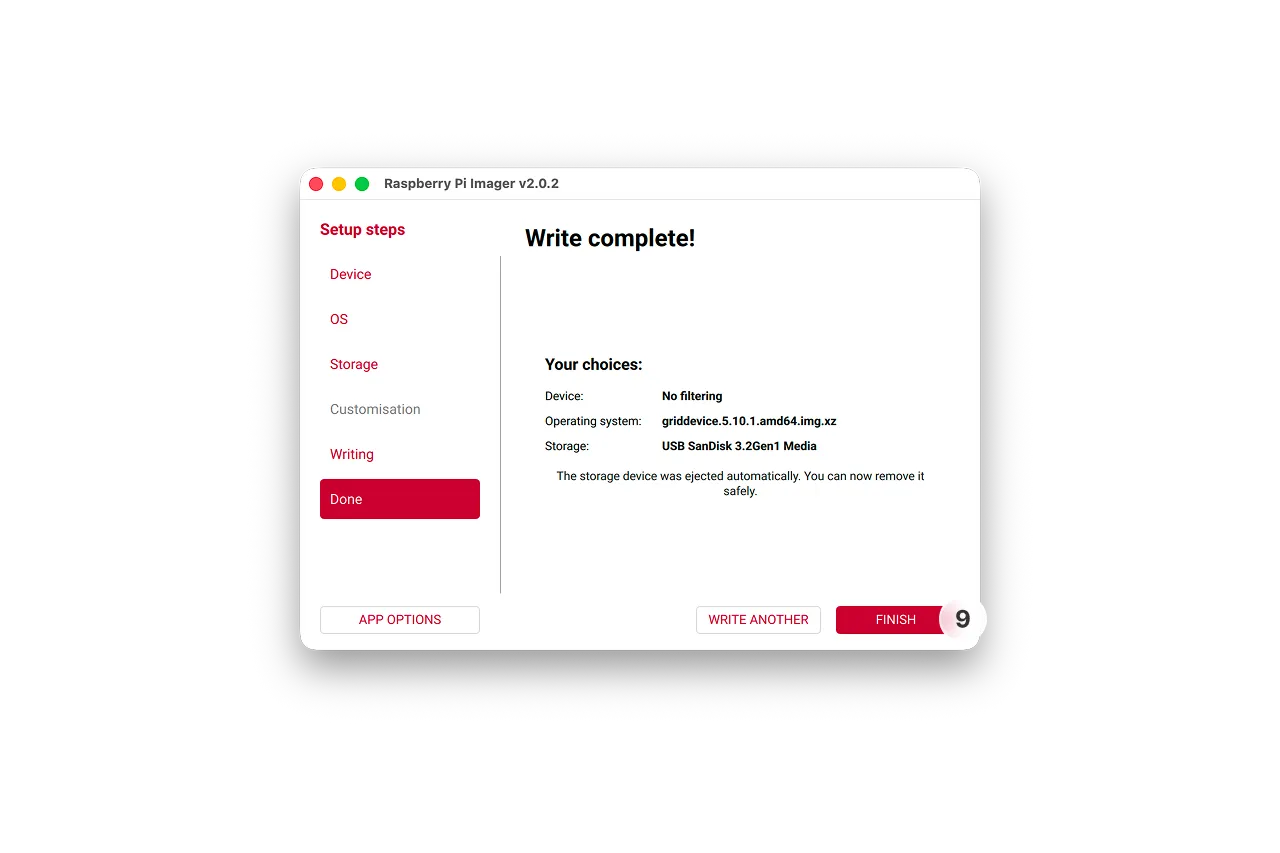
- Wait until the flashing process is complete
How to install PhyOS on a device
Section titled “How to install PhyOS on a device”- Prepare the microSD card as previously instructed
- Make sure the device is powered off and power cable is disconnected, then insert the microSD card
- Make sure you have a keyboard connected. If the keyboard is not responding, attempt to change between the blue and black USB ports.
- Power on the device by connecting the power cable
- Installer will load, select “Install PhyOS” and press enter, wait for the installation to complete
- After installation is complete, select “OK,” then select “Poweroff Installer” option from the main menu, and hit enter. Confirm the choice, and wait for the device to turn off, then remove the power cable and remove the SD card
- Connect the power cable - device will now boot into PhyOS 5