Add tunnel links to a device
How to add tunnel links to a device
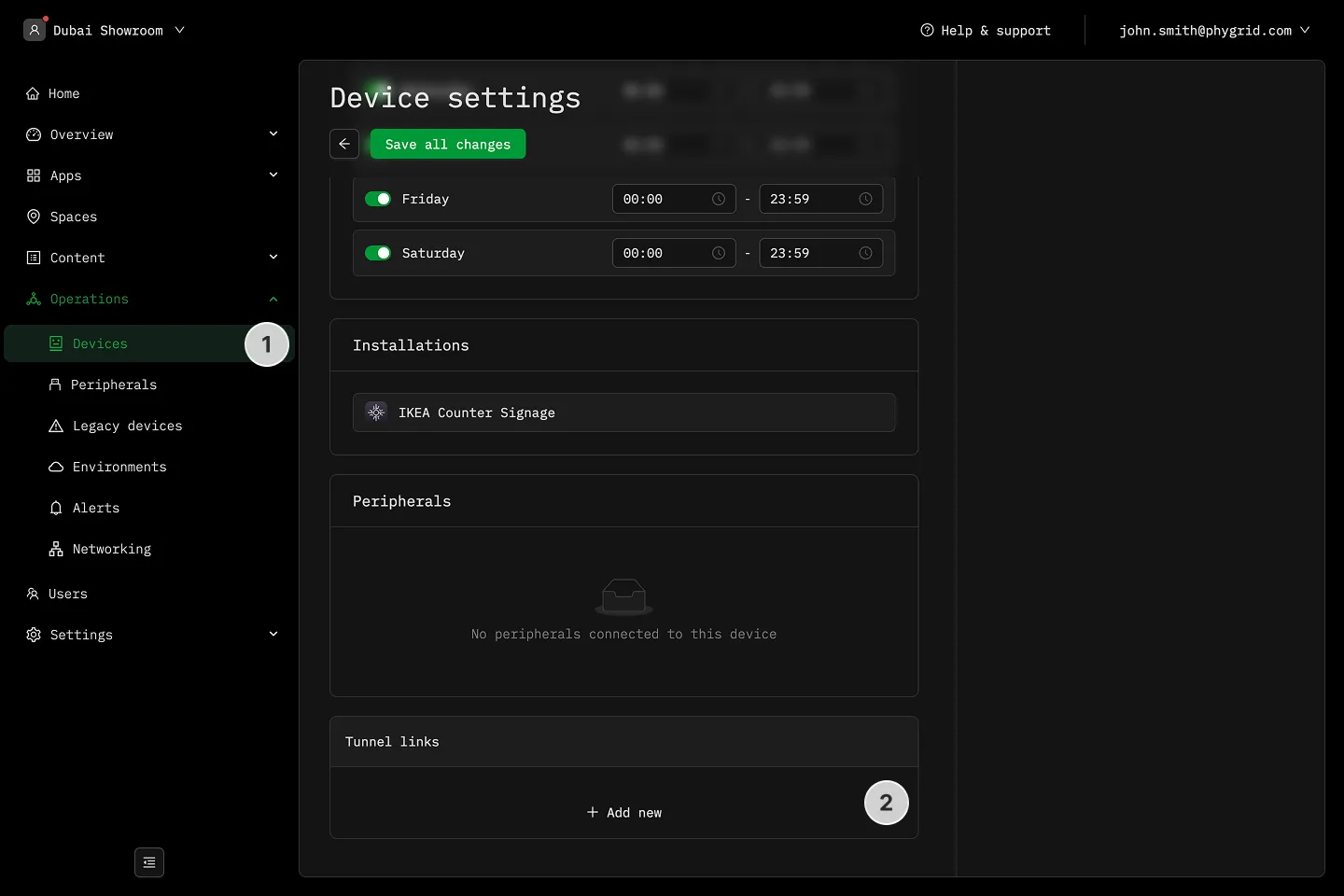
Section titled “How to add tunnel links to a device”- Navigate to Operations → Devices and select a device
- Scroll to the Tunnel links section and click Add new tunnel link
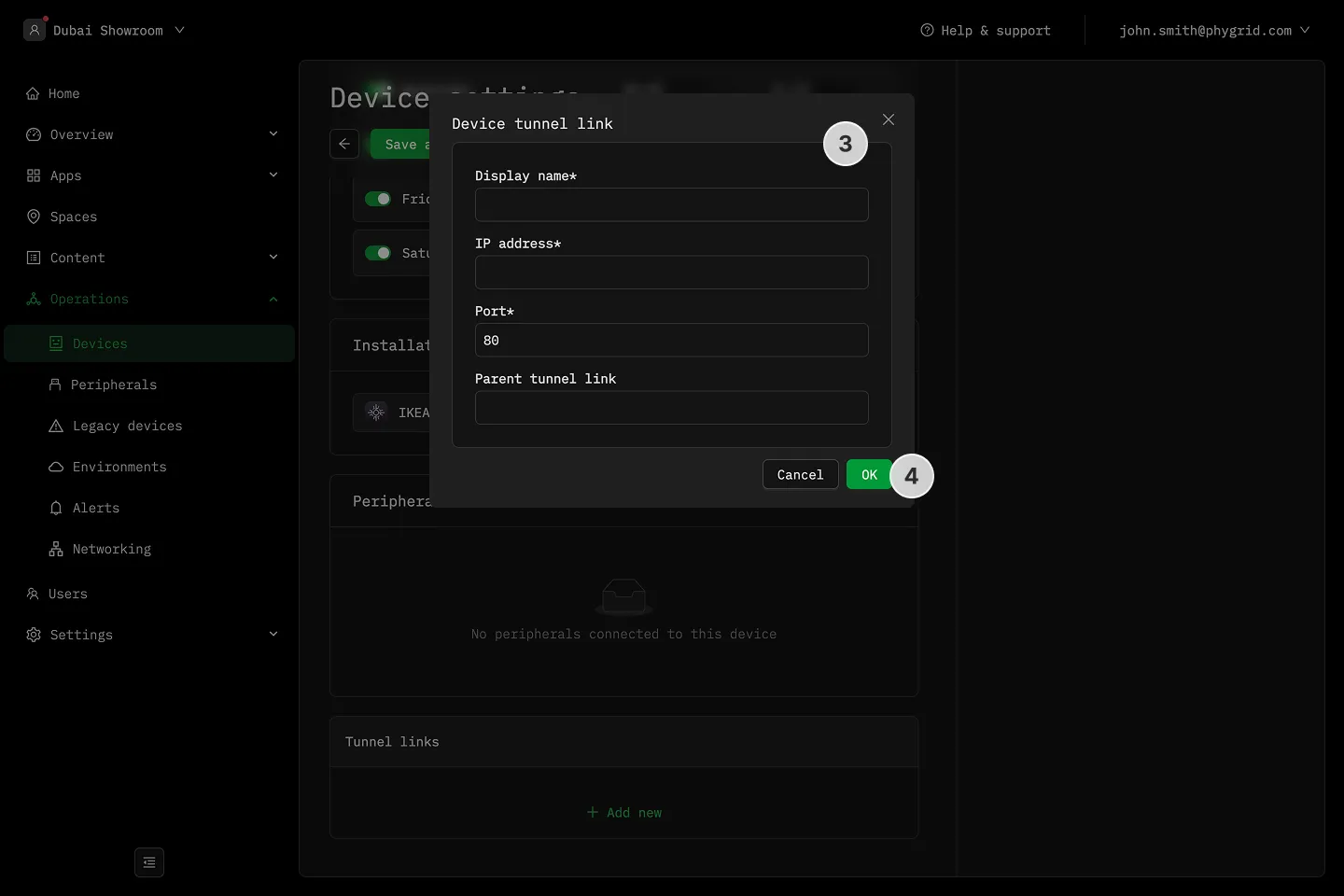
- Enter the Display Name, IP address, Port, and Parent tunnel link**
- Select OK to save, then save all changes