
Configure and deploy an installation
How to configure and deploy an installation
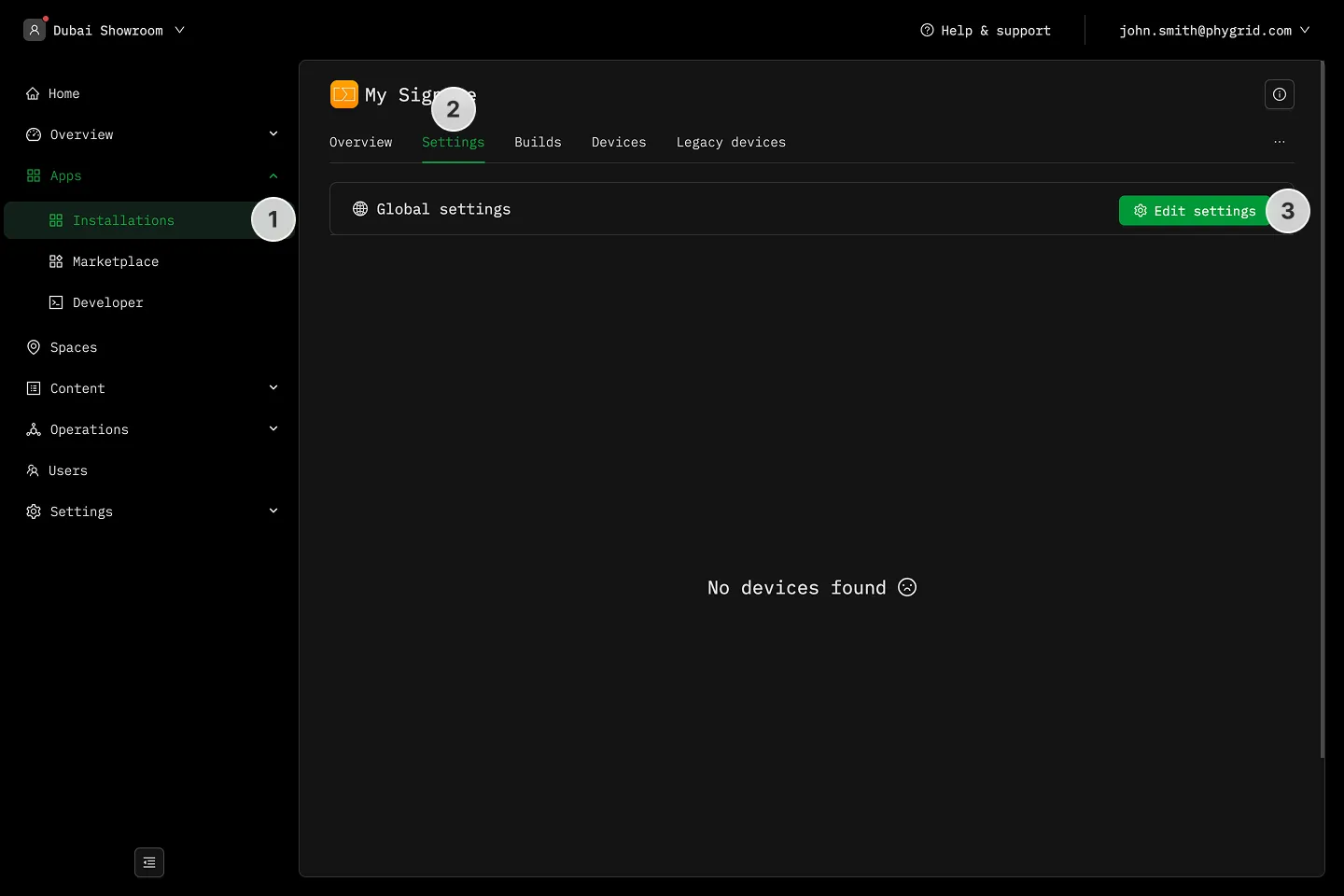
Section titled “How to configure and deploy an installation”- Navigate to Apps → Installations
- Find your application and go to the Settings tab
- In Global Settings, click Edit settings
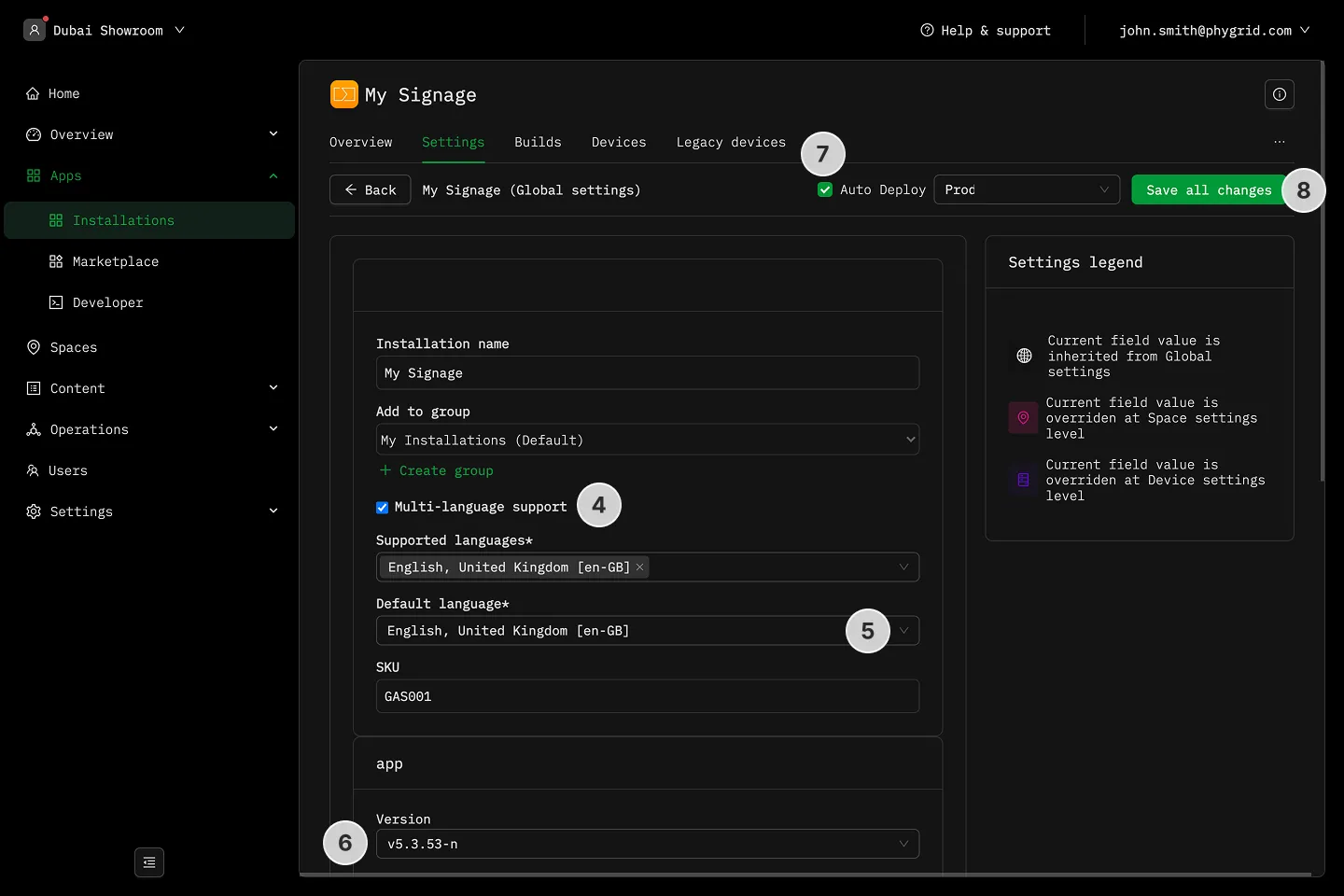
- Enable at least one language
- Select the default language
- Modify your application’s settings
- If you select Auto Deploy, a build will be pushed to devices in the selected environment
- Click Save all changes
Explanations
Section titled “Explanations”- Environments
- What are Global Settings and Settings Overrides?