
Integrate products using Google Product Feed
How to integrate products using Google product feed
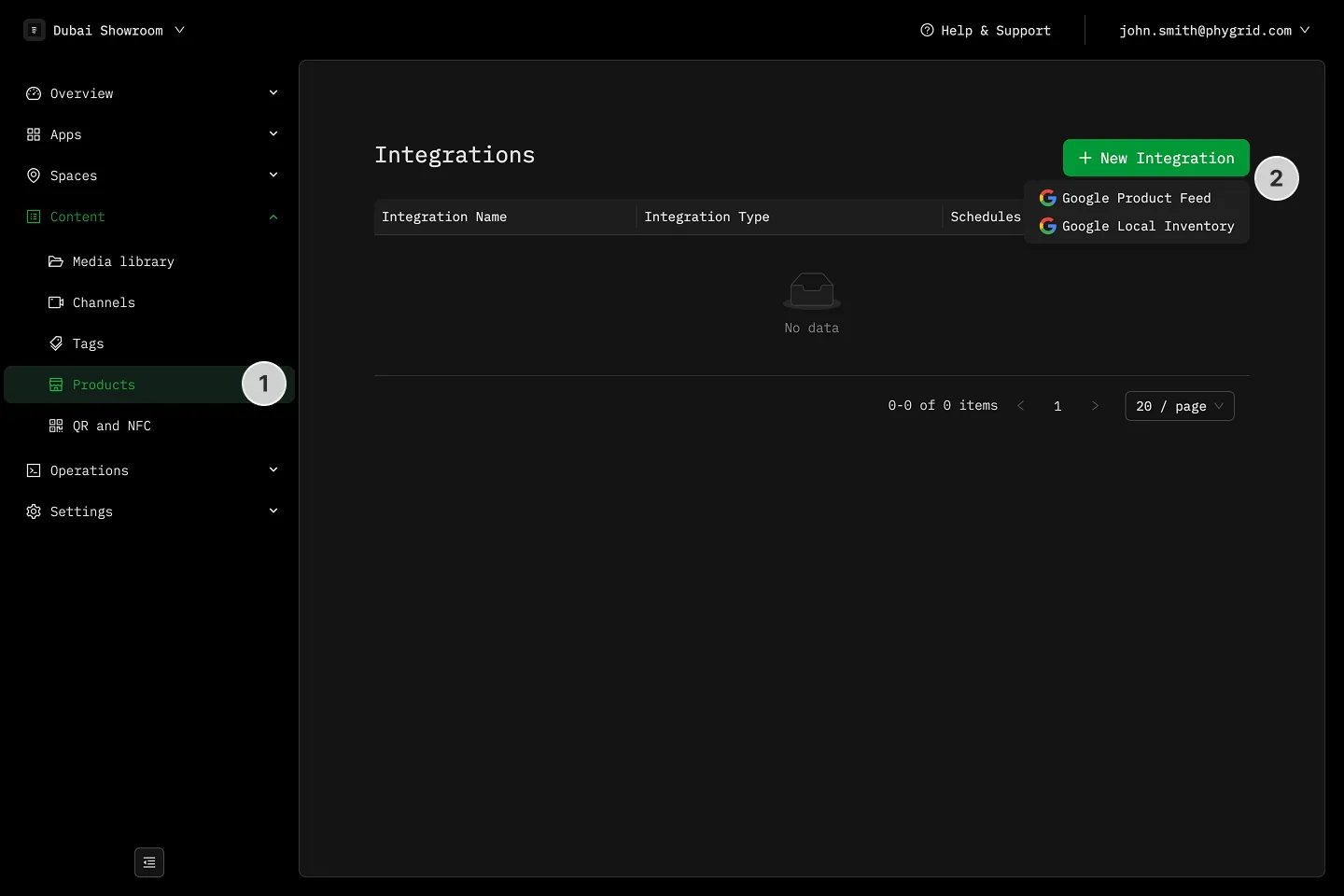
Section titled “How to integrate products using Google product feed”- Navigate to Content → Products
- In the Integrations tab, click New Integration
- Pick between Google Product Feed or Google Local Inventory
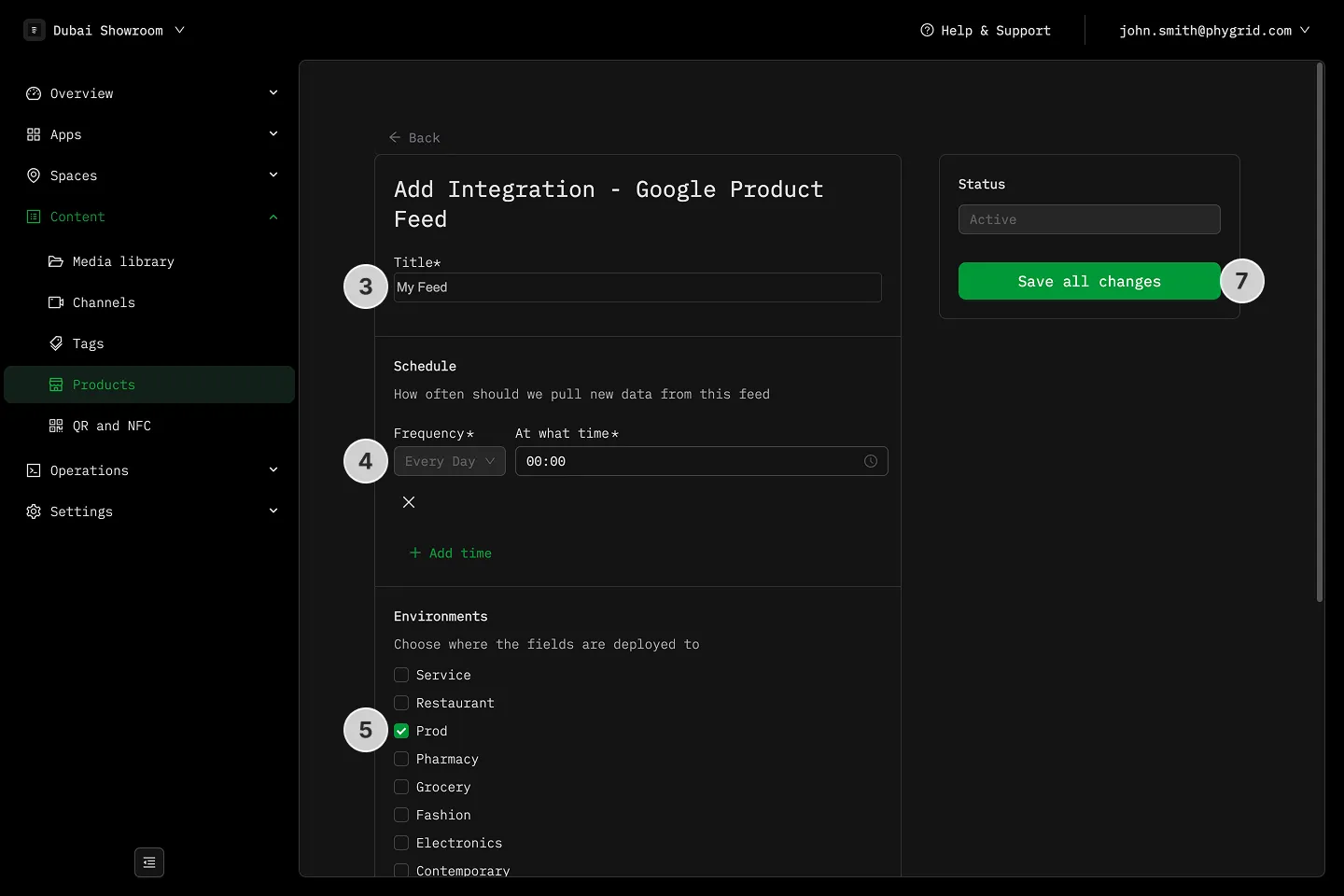
- Name the integration
- Schedule how often it will sync
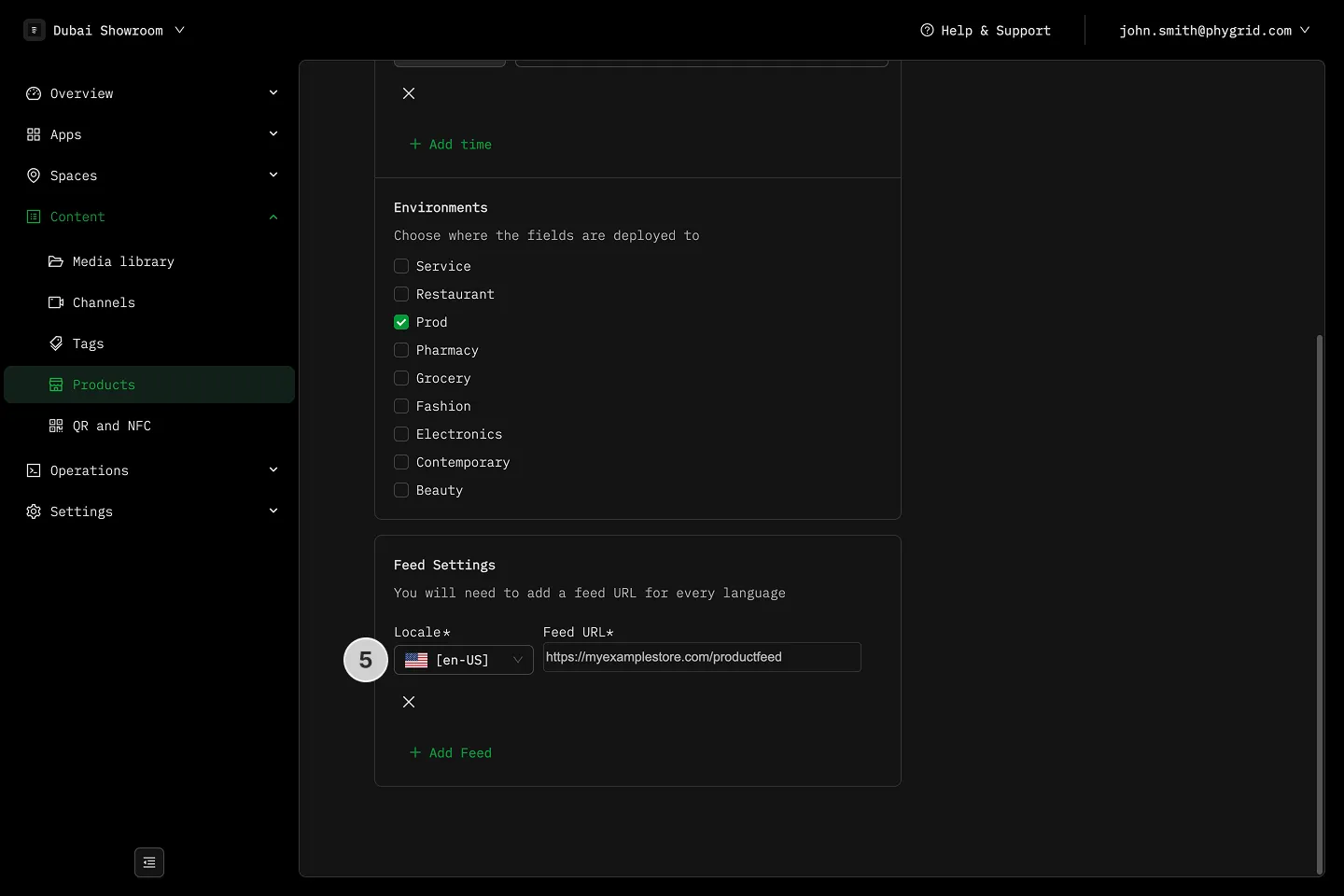
- Select the environment
- Provide the feed URL for each language you plan on using (Google Product Feed only)
- Save all changes and wait for the products to sync
Explanations
Section titled “Explanations”- What is the difference between Google Product Feed and Google Local Inventory?