Configure checkout and payments
How to configure checkout
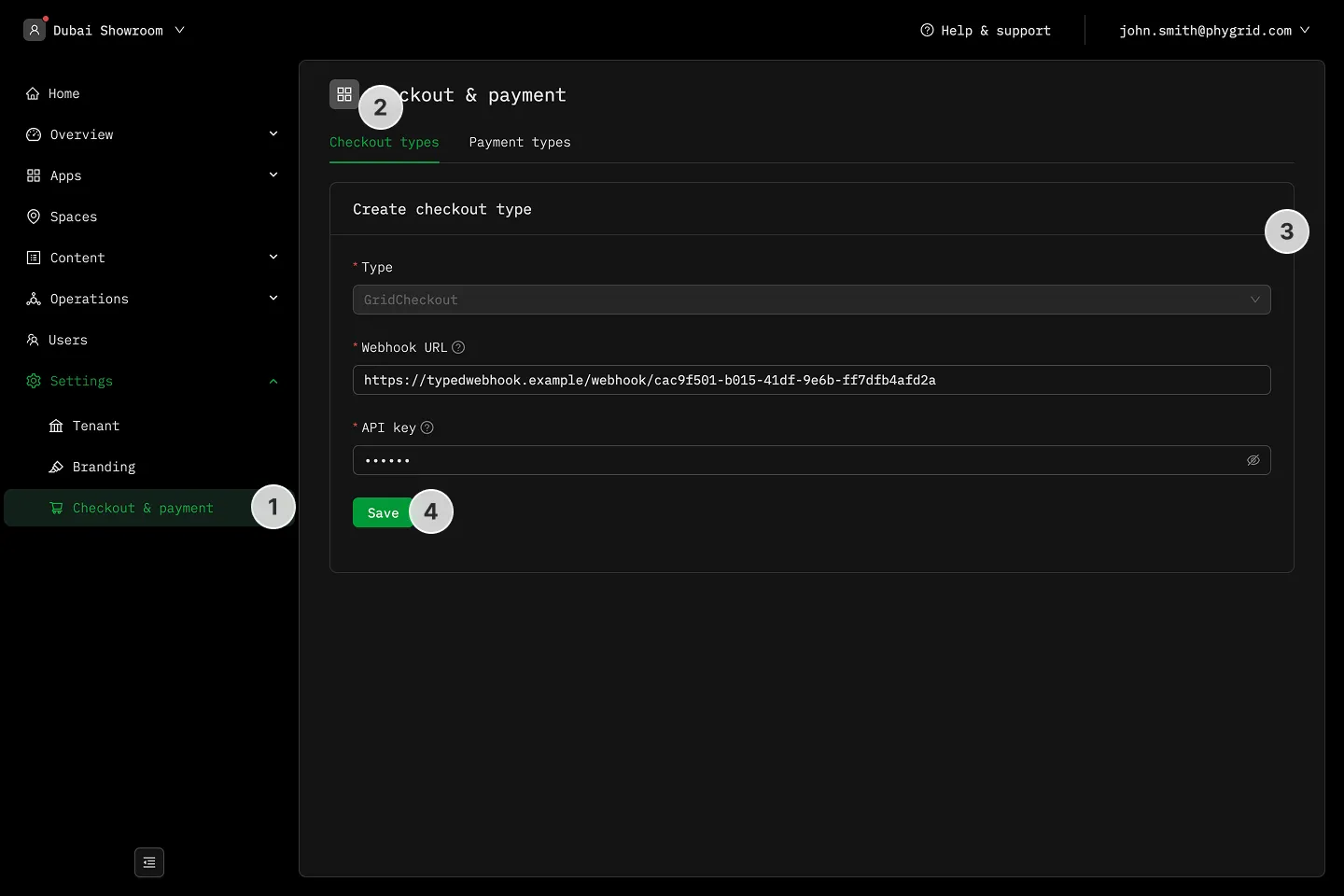
Section titled “How to configure checkout”- In the sidebar, navigate to Settings → Checkout & payment
- Go to the Checkout types tab
- Configure webhook and API key for Grid Checkout
How to add a payment type
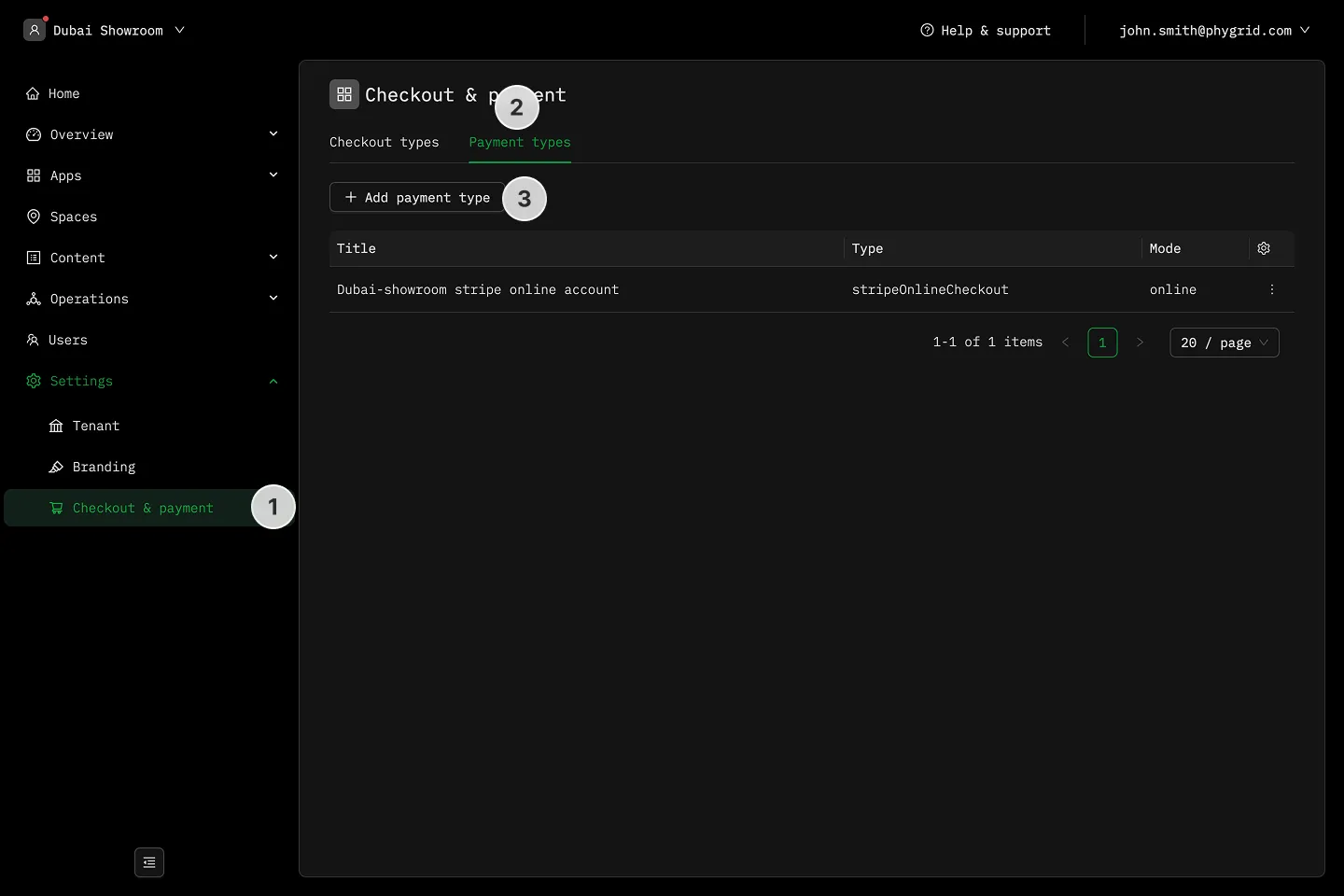
Section titled “How to add a payment type”- In the sidebar, navigate to Settings → Checkout & payment
- Navigate to the Payment types tab
- Click on Add payment type
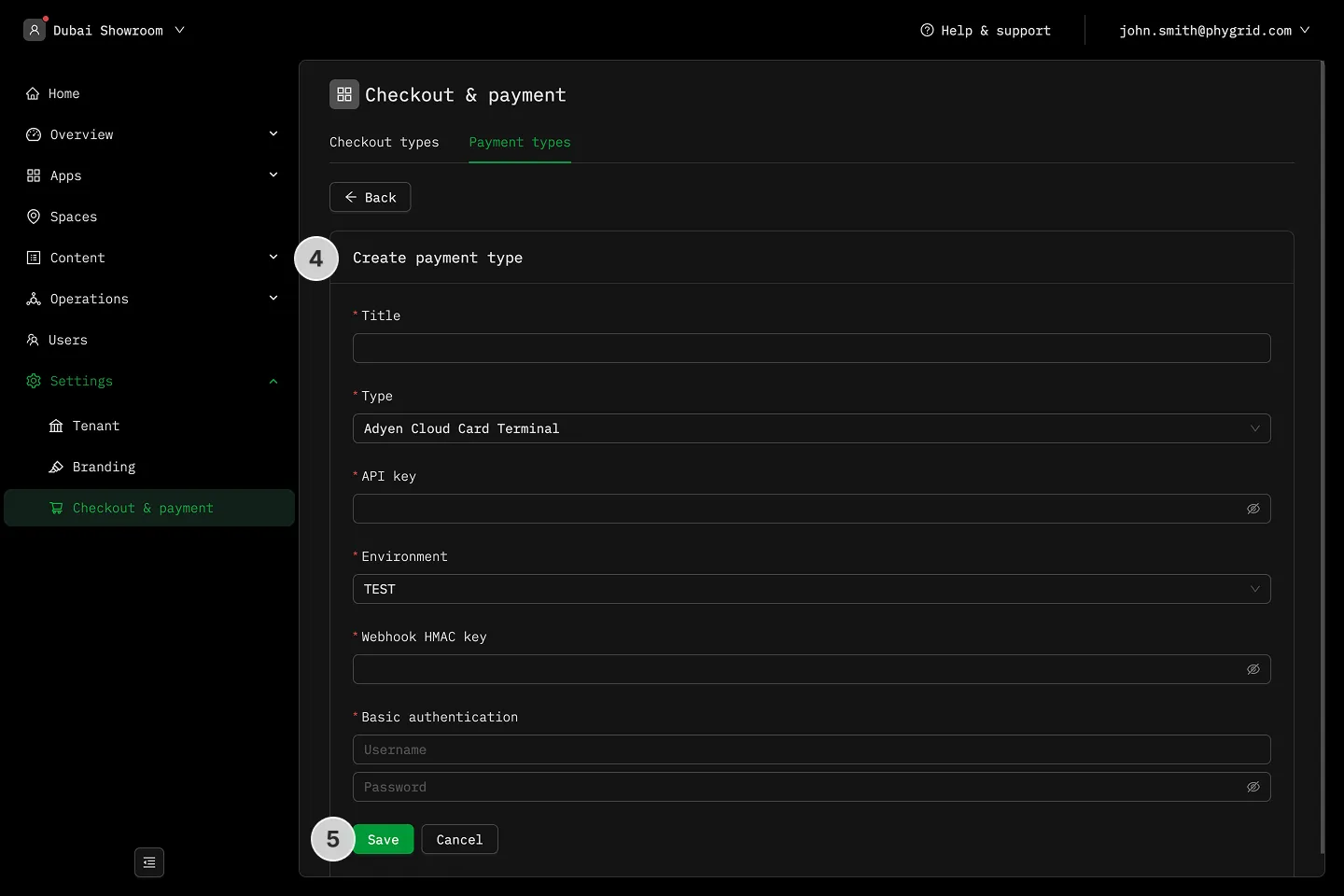
- Select between Stripe Online Checkout and **Adyen Payment Terminal
- Fill in the details and click Save
How to manage payment types
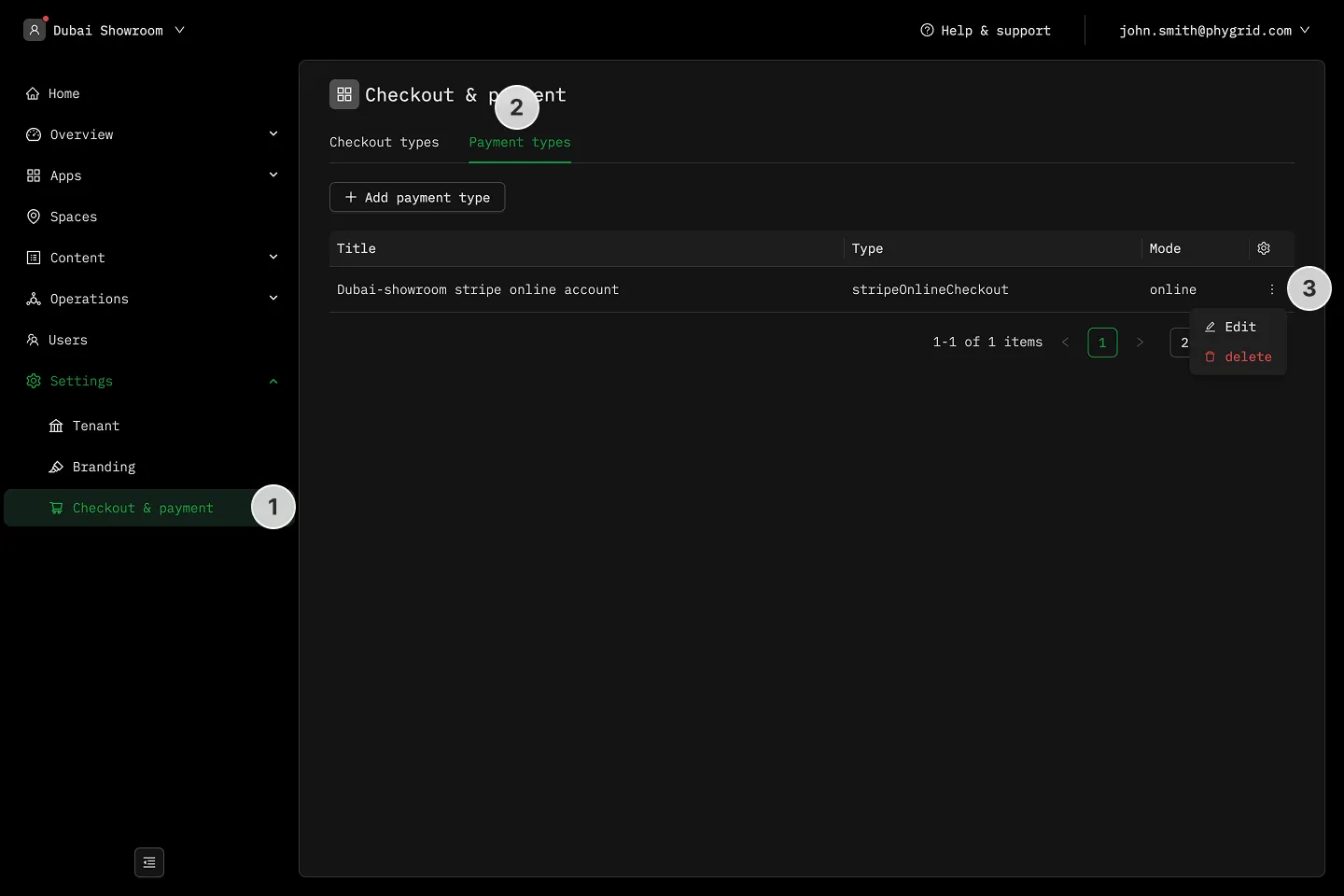
Section titled “How to manage payment types”- In the sidebar, navigate to Settings → Checkout & payment
- Navigate to the Payment types tab
- Click on the More (···) button next to the payment type
- Click Edit to change the payment type
- Click Delete to remove the payment type