Create an analytics alert
Overview
Section titled “Overview”Performance alerts (Analytics Alerts) enable real-time monitoring of data across tenant, space, installation, and device levels.
Track any metric available in the your analytics dashboards, from KPIs to operational data points.
Create custom alert rules based on thresholds or specific conditions, ensuring immediate notifications when metrics move outside expected ranges. This provides granular control and timely insights to help maintain optimal performance and operations.
Key Features
- Monitor any analytics metric at all levels (tenant, space, installation, device)
- Configure alerts with threshold values or custom conditions
- Receive real-time notifications for metric deviations
- Flexible setup and configuration options
Prerequisites
Section titled “Prerequisites”- You must have the Admin role to create performance alerts
- You must have the Device Monitoring feature enabled
- You must create and add users to a notification group to receive alerts
How to create a new performance alert
Section titled “How to create a new performance alert”Performance alerts are triggered by specific performance metrics from your Tenant, Space, Installation, or Device analytics dashboards.
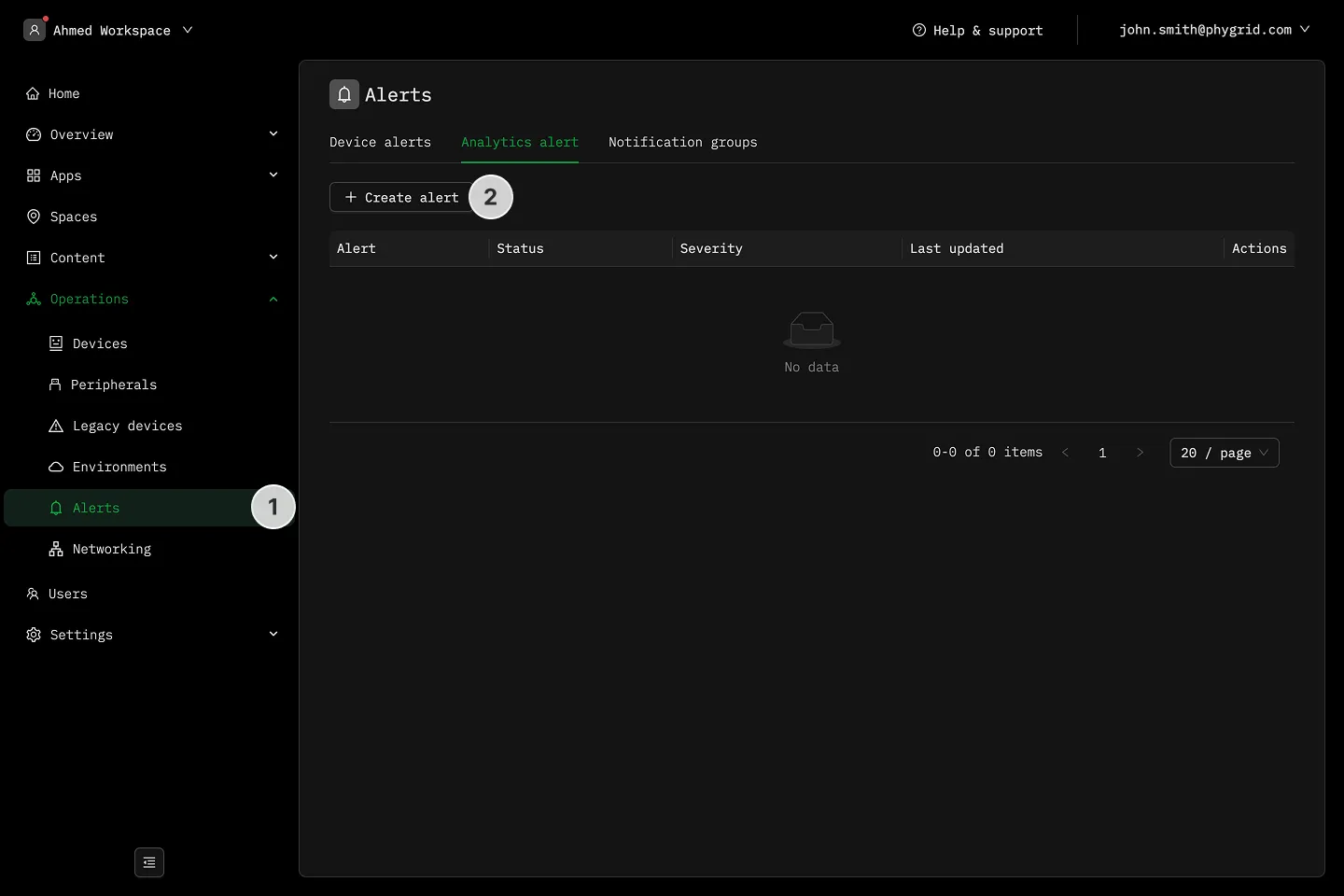
- Navigate to Operations → Alerts
- In the AnalyticsAlert rules tab click Create analytics alert rule
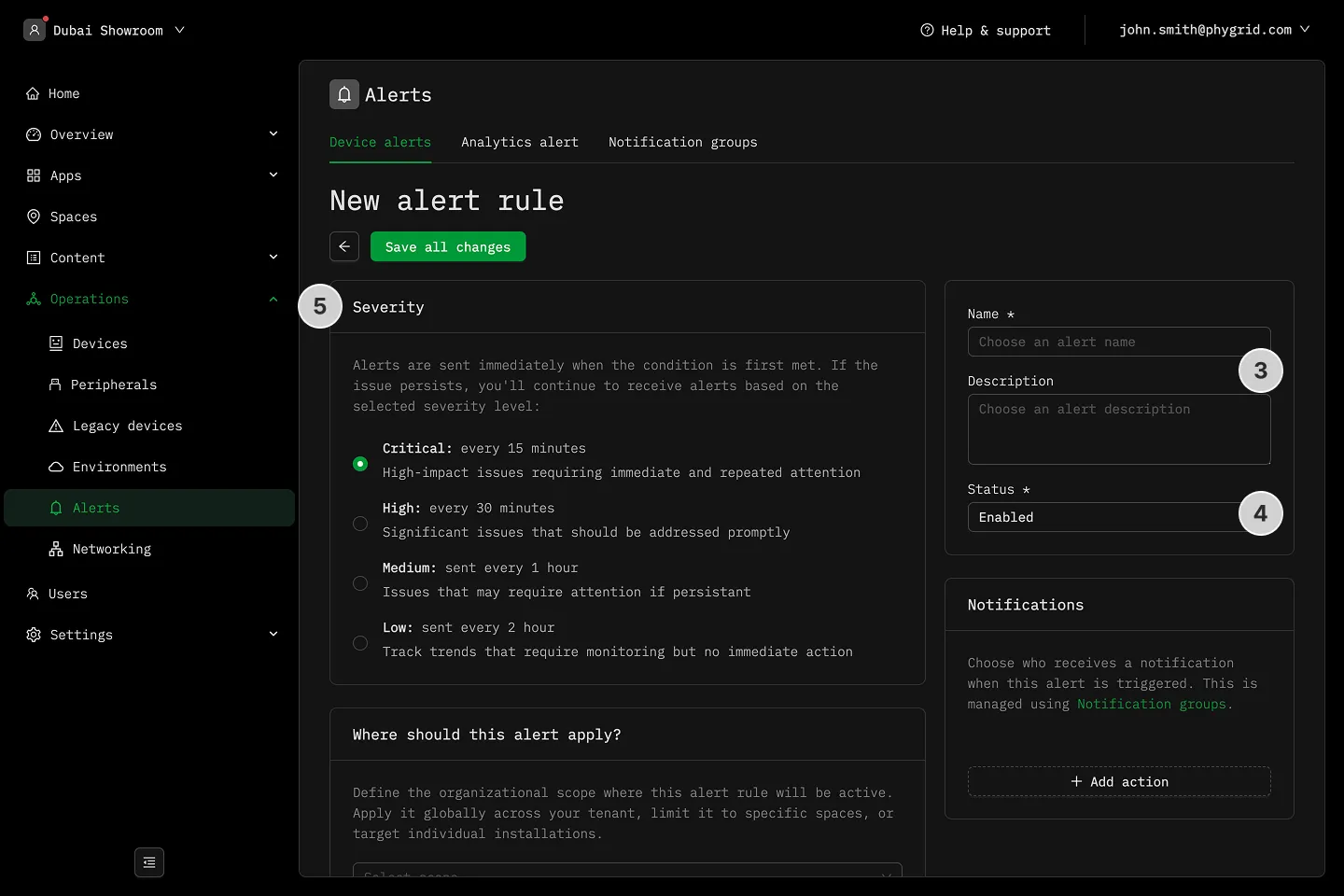
- Name and describe your rule
- Set the alert rule status as Enabled or Disabled
- Set the Severity level to define notification frequency
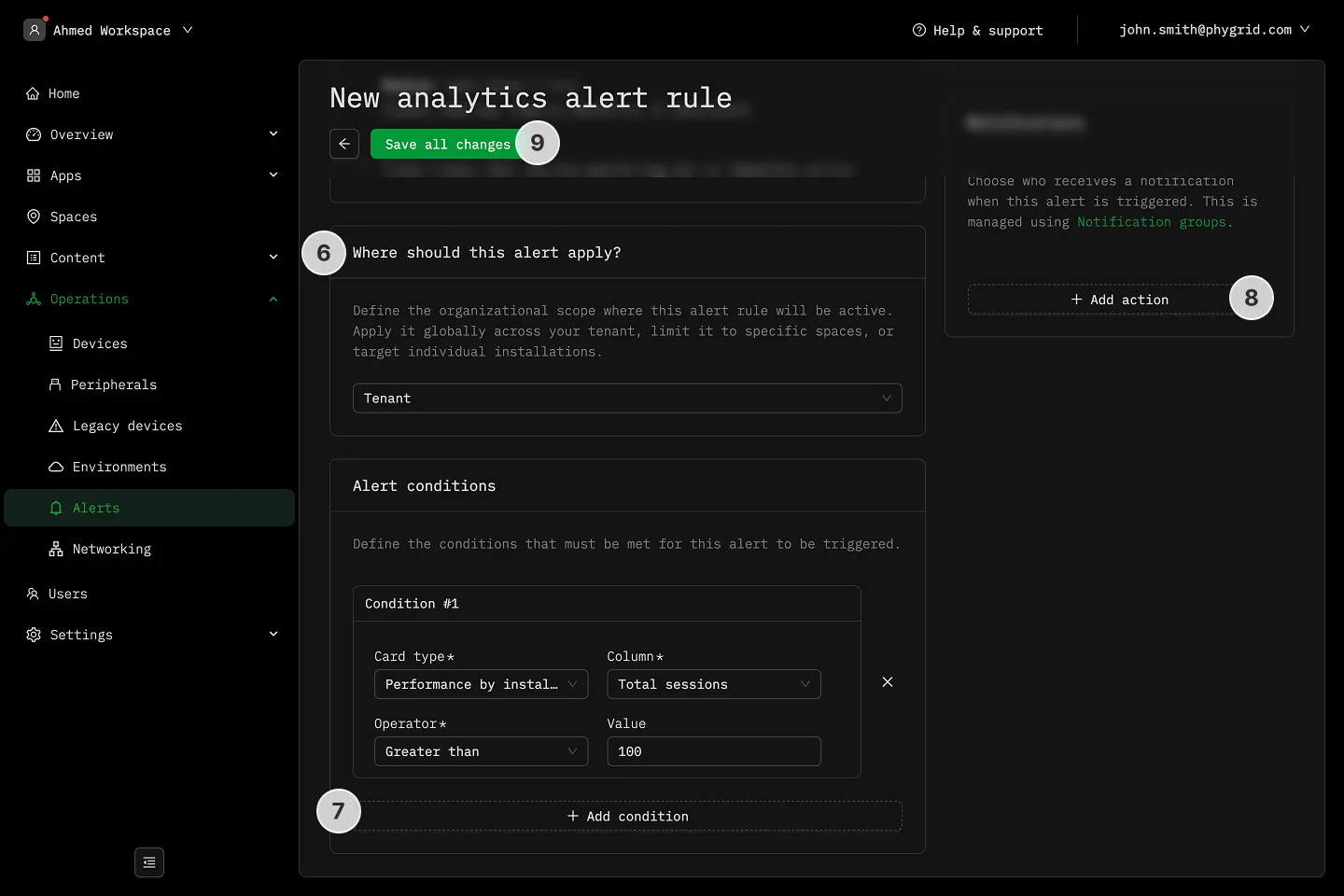
- Set the Scope to choose which dashboard the alert will be based on
- Tenant: Select the Tenant to limit the alert to
- Space: Select the Space(s) to limit the alert to
- Installation: Select the Installation to limit the alert to
- Device: Select the Device to limit the alert to
- Pick the analytics metric to trigger the alert. This depends on the scope you selected and the dashboard you’re using.
- Select Notification recipients in the Actions section
- Save all changes