Edit user's role and space access
How to edit a user
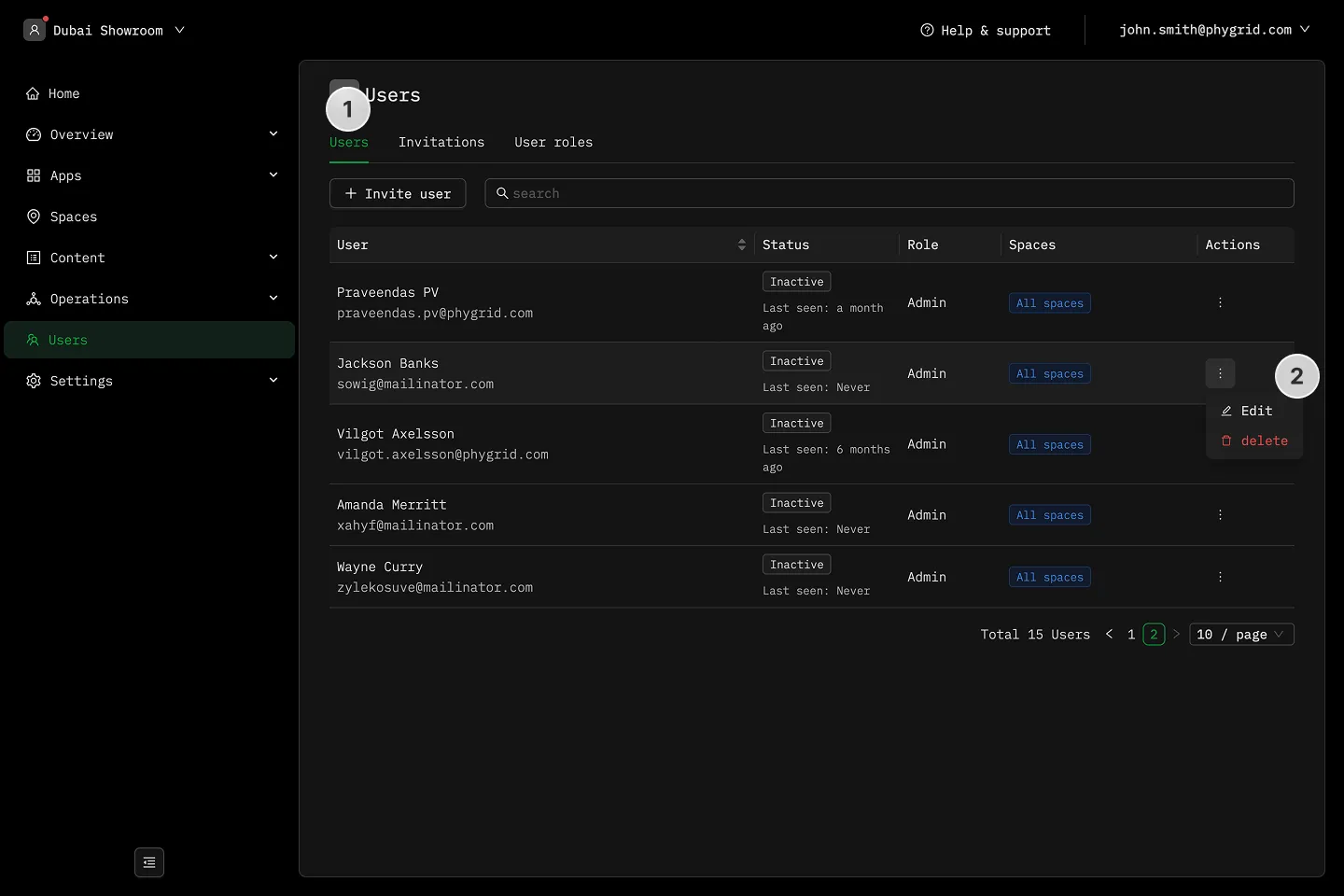
Section titled “How to edit a user”- Navigate to Users in the sidebar to view the list of existing users
- Click on the More (···) button next to the user and select Edit
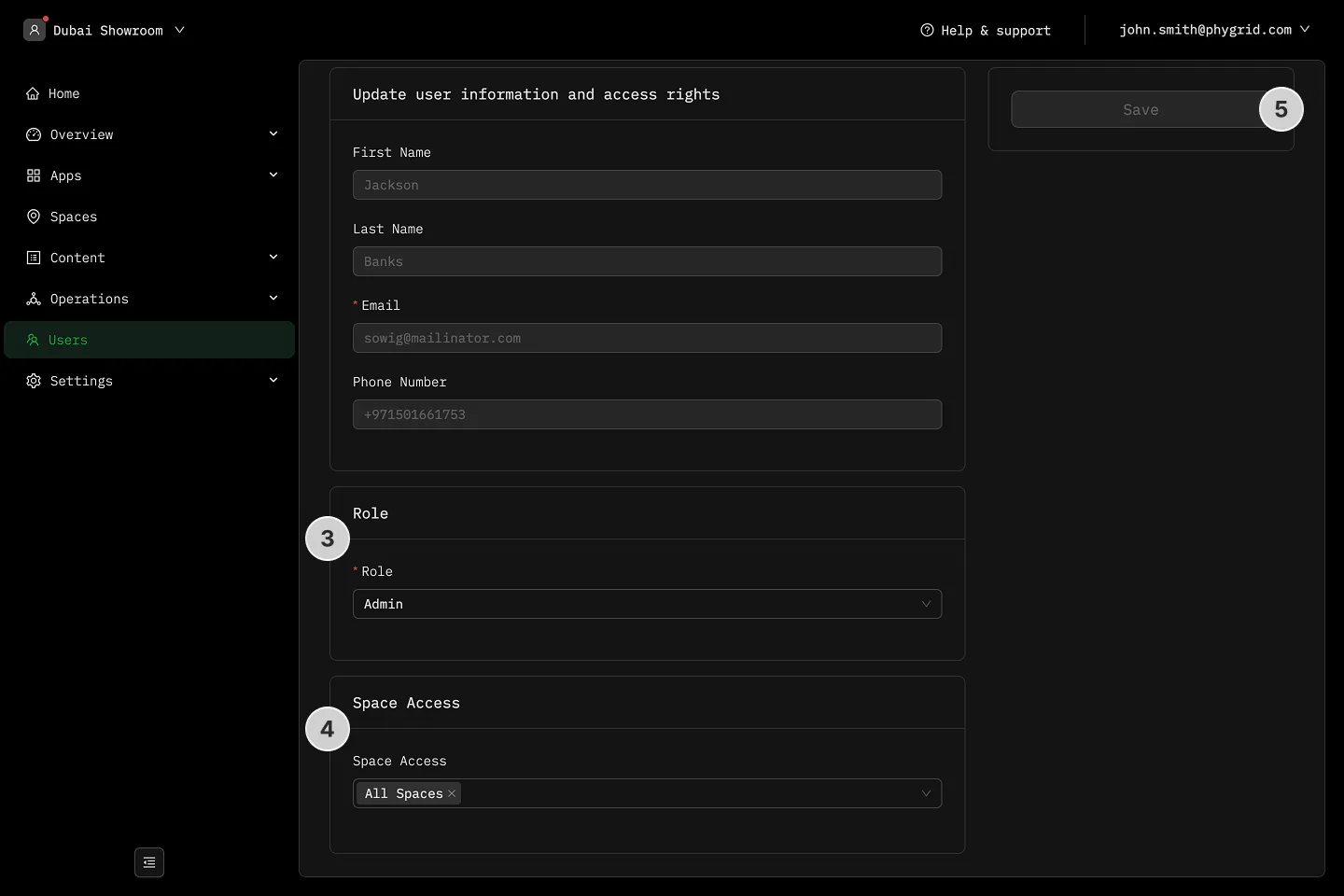
- Change the user’s role as needed
- Change the user’s Space access
- Confirm by clicking Save