Clone an installation
How to clone an installation
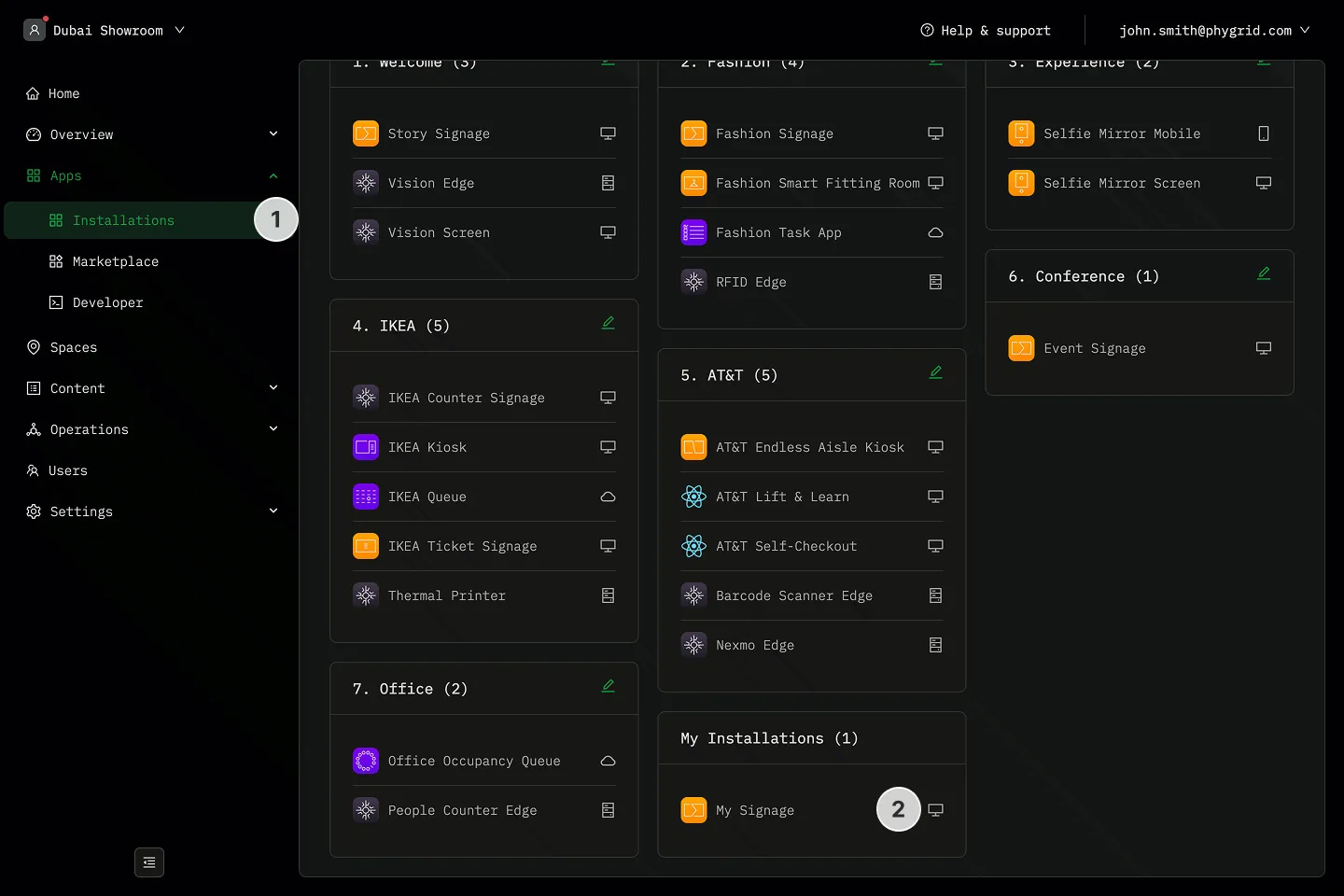
Section titled “How to clone an installation”- Navigate to the Installations tab in your tenant
- Locate the installation you want to clone
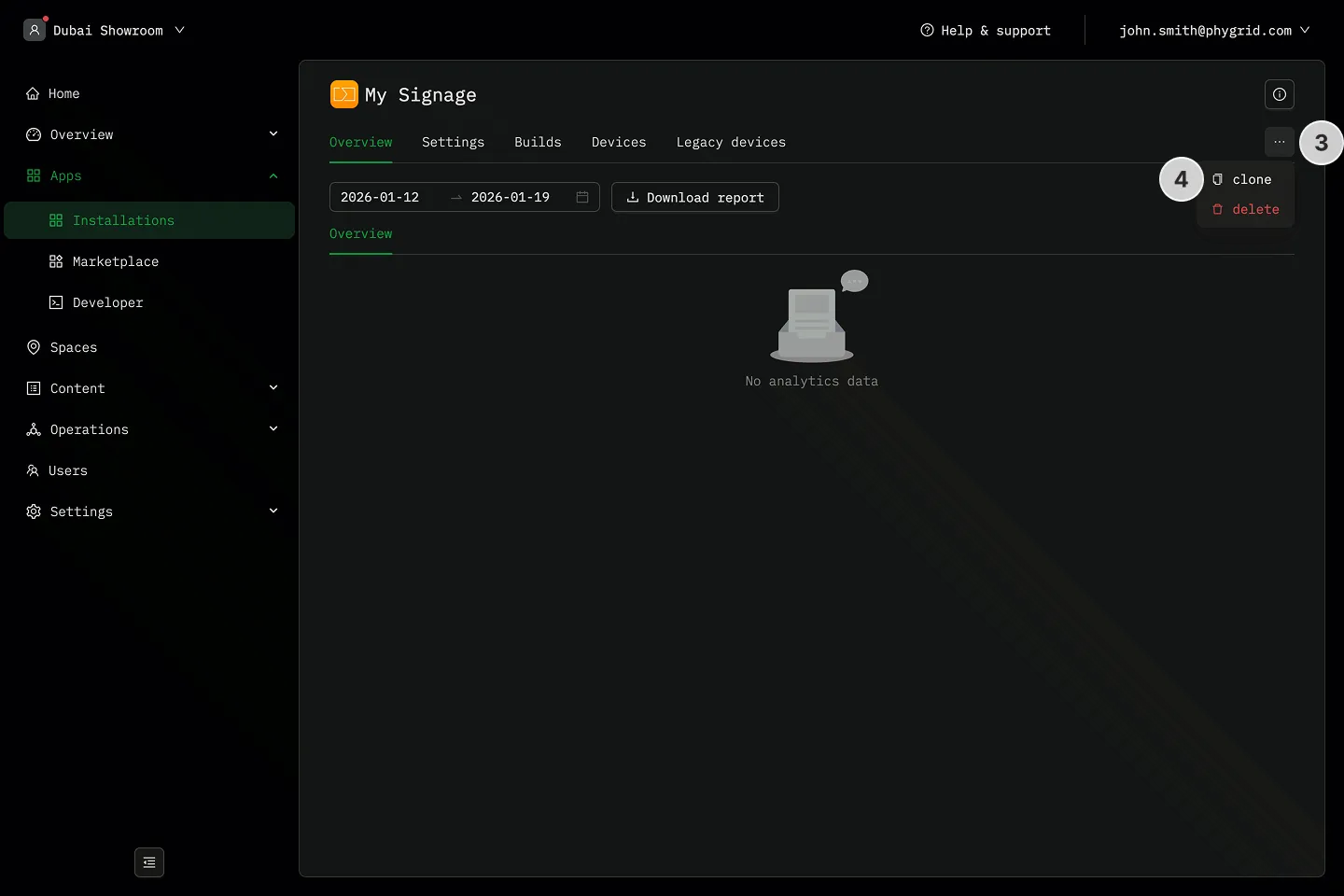
- Click on the More (···) button next to the installation details
- Click Clone installation
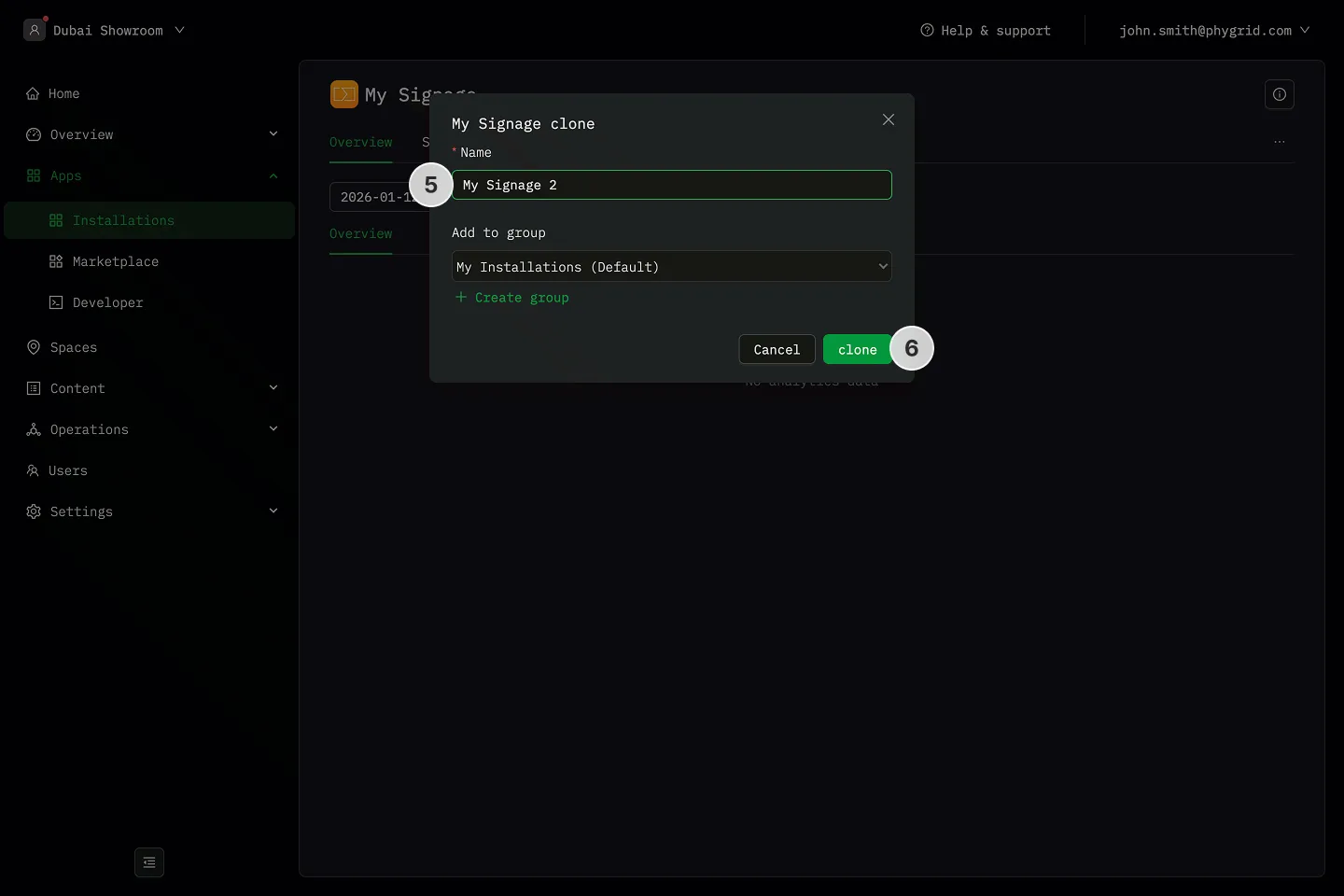
- In the installation form:
- Enter a Name for this installation (this will help you identify it later)
- Optionally, select a Group to organize your installations
- Click Clone to create the installation