Delete an installation
How to delete an installation
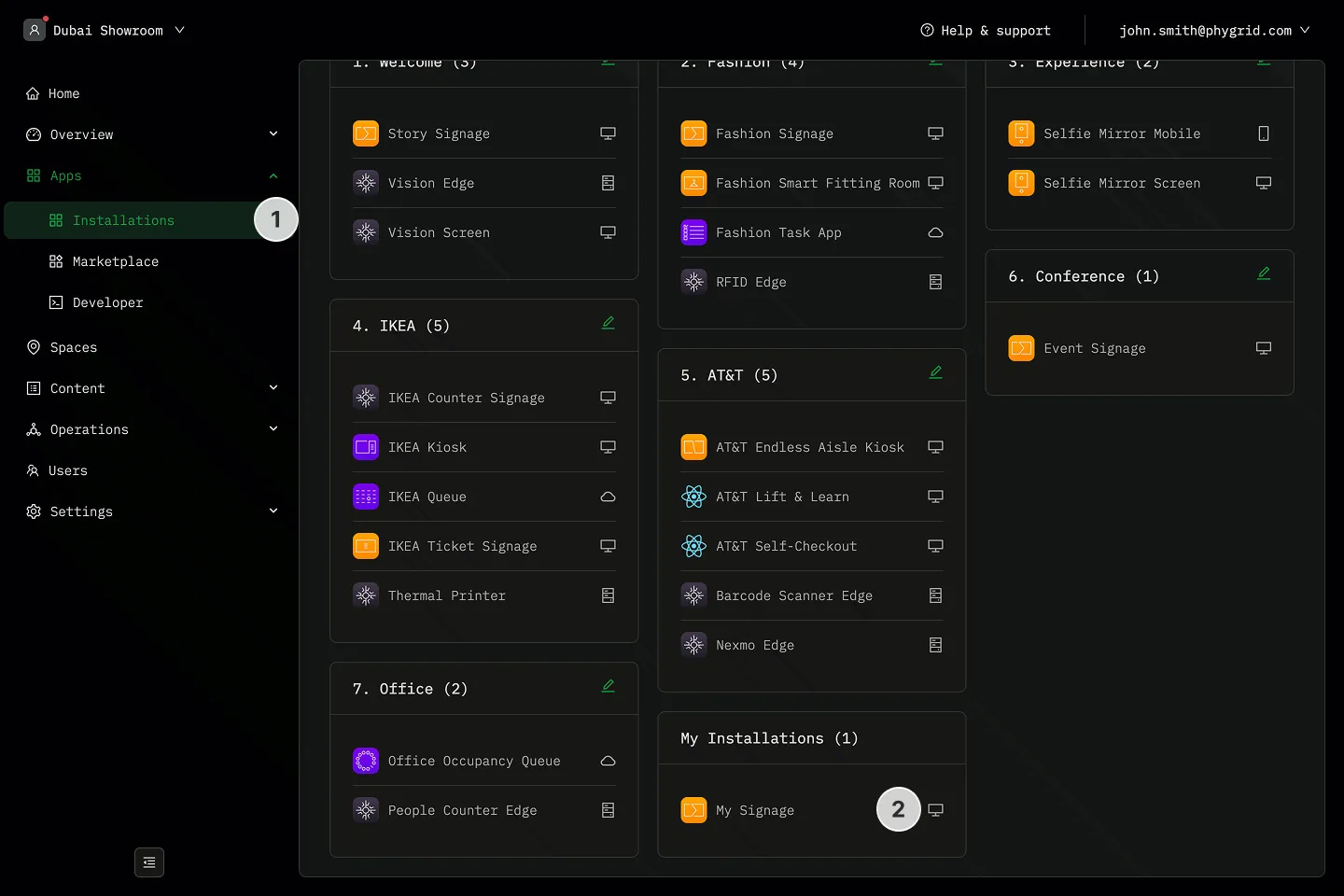
Section titled “How to delete an installation”- Navigate to the Installations tab
- Locate the installation you want to delete
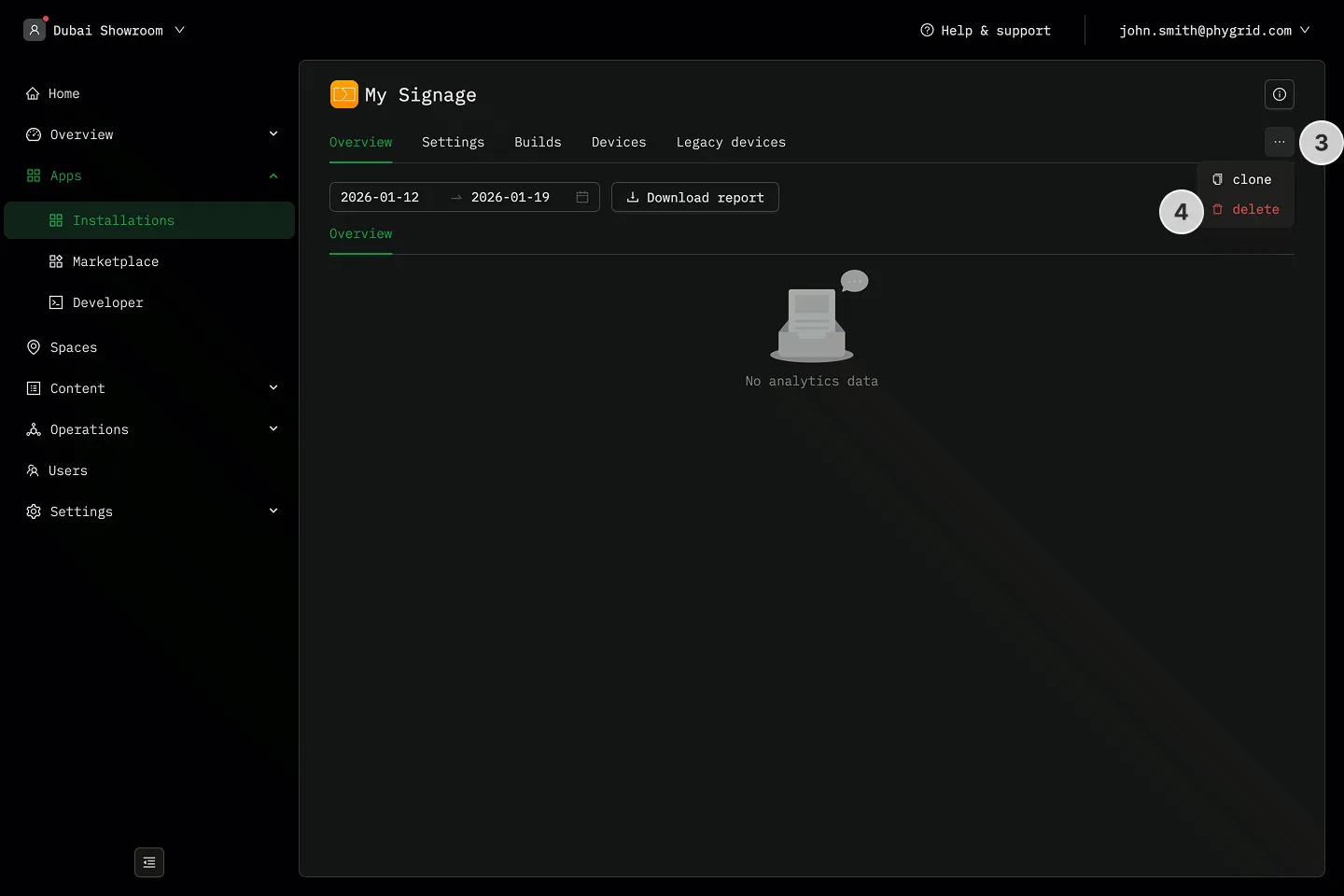
- Make sure no devices are connected to the installation, then click on the More (···) button next to the installation details
- Click Delete
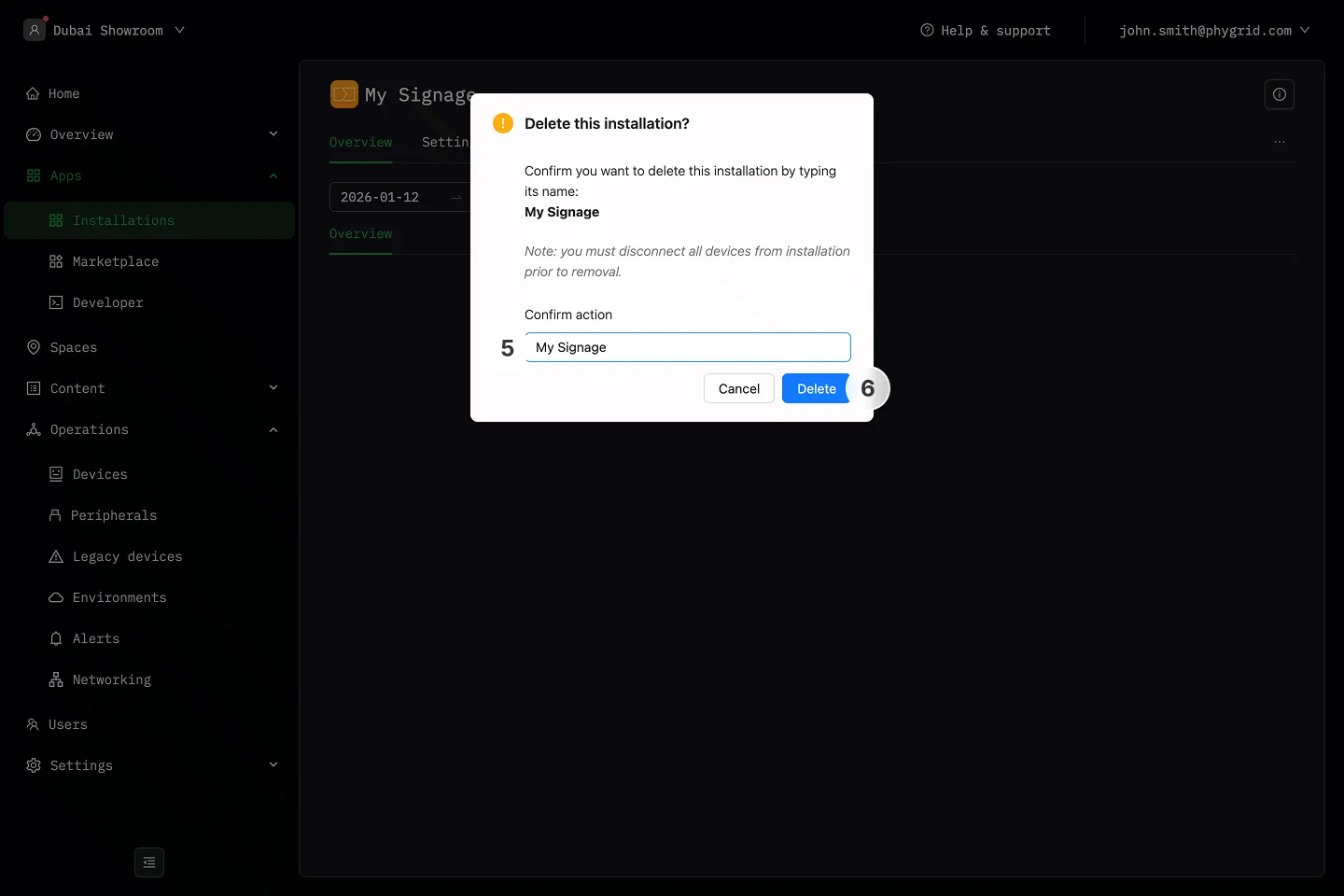
- Enter the installation name
- Click Delete to complete the process and delete the installation