
What's New?
Billing & Plans
Section titled “Billing & Plans”5 November, 2025
Section titled “5 November, 2025”Enhanced Billing Features
Section titled “Enhanced Billing Features”Major improvements to billing and subscription management:
- Usage Limits: Improved messaging and UX related to plan limitations
- Credit Card Flow: Improved credit card capture during plan upgrades
- Plan Selection: Better visual design for plan cards with enhanced error handling
Device Management
Section titled “Device Management”- Jetson Orin Nano DevKit - Full support for Jetson Orin Nano DevKit including setup instructions and device provisioning
- Tenant-Level Device Setup - Connect PhyHub devices without requiring an installation first
- Bulk Provision UX - Improved user experience for bulk device provisioning
And other various improvements to the platform.
Alerts
Section titled “Alerts”14 October, 2025
Section titled “14 October, 2025”Alert Enhancements
Section titled “Alert Enhancements”We’ve significantly improved the Performance Alerts feature in the Console:
- Added custom duration alerts for flexible time-based monitoring
- New
device-events-statuscondition for monitoring device state changes - Max validation on alert conditions and filters
- Enhanced alert UI/UX with better form layouts and error messages
- Support for monitoring specific event properties with wildcard matching
User Management & Permissions
Section titled “User Management & Permissions”11 September, 2025
Section titled “11 September, 2025”User Experience Improvements
Section titled “User Experience Improvements”- Self-Signup Flow - Initial implementation of self-service user registration
- Onboarding Improvements - Enhanced invite user experience with better layout and messaging
- Permission Refinements - Updated role-based access controls across user management, installations, and device operations
- Viewer Role - Properly restricted tabs and actions for viewer-level users
Language & Localization
Section titled “Language & Localization”3 September, 2025
Section titled “3 September, 2025”- Added support for Icelandic (is) language
- Added support for Danish (da) language
- Improved translation coverage for device setup instructions
Bulk provision, Tizen, and other updates
Section titled “Bulk provision, Tizen, and other updates”9 July, 2025
Section titled “9 July, 2025”Bulk Provision
Section titled “Bulk Provision”We’ve added a new Bulk Provision feature to the Console. This allows you to provision multiple devices to an installation in one go.
Samsung Tizen TVs are an officially supported platform that works great with Phygrid’s Content Player. Learn how to connect a Tizen 7.0, 6.5, or 4.0 device to your installation.
Device documentation has been updated with guides to help you install PhyOS, and to connect newly created PhyOS devices to the internet.
Clone installation and bulk connect
Section titled “Clone installation and bulk connect”The two features planned for June have been successfully deployed to the production environment. These enhancements were previously available in the QA Console and have passed internal QA.
1 July, 2025
Section titled “1 July, 2025”Clone Installation
Section titled “Clone Installation”Effortlessly replicate existing installations using the new Clone Installation feature.
Bulk Connect
Section titled “Bulk Connect”Quickly connect multiple devices in one go with the new Bulk Connect functionality.
These features are available through new dedicated user interfaces and are non-disruptive to existing workflows. There are no breaking changes or visible side effects expected in the Console.
Improved Settings Form Handling During Installation
Section titled “Improved Settings Form Handling During Installation”23 June, 2025
Section titled “23 June, 2025”We’ve rolled out an update to Console that improves how form validation is handled during the installation setup process. Based on recent feedback, we’ve made a couple of key changes to reduce confusion and improve clarity:
- Required media fields now display a visible error state
- A summary list of all form errors is shown at the top of the page
These enhancements aim to make setup smoother and help users resolve issues faster. Let us know how it feels!
A Smarter, Faster Phygrid Console – Built for What’s Next
Section titled “A Smarter, Faster Phygrid Console – Built for What’s Next”24 April, 2025
Section titled “24 April, 2025”We’ve just completed a major refactor across our entire platform. While much of the work was under the hood, it marks a big step forward in stability, performance, and future readiness.
What’s changed
Section titled “What’s changed”-
Core platform rebuilt: We’ve modernized the foundation of our system to make everything faster, more reliable, and easier to scale.
-
Introducing Phyhub & PhyOS: We’ve replaced the old IoT Hub with Phyhub, a brand-new service built from the ground up for resilience and speed—alongside upgrades to PhyOS, our device operating system. These changes bring improved performance across the board.
-
You’ll spot a few subtle upgrades like a new font and support for dark mode. Small details that make the platform feel smoother and more refined.
-
Built for the future: This refactor clears the path for faster releases, improved features, and a better experience across devices.
-
Device & Alerts
- Added alert support for Phyhub devices.
-
Marketplace
- Removed the individual App detail pages from the Marketplace.
-
Visitor Management
- Moved the Visitor Management section from the Overview page to the main navigation menu for better visibility.
-
Tenant Management
- Switch Tenant functionality has been:
- Moved under Tenant Info.
- Enhanced with a search function to quickly locate tenants.
- Switch Tenant functionality has been:
-
Spaces & Sub-spaces
- Moved Spaces list to the main Overview.
- Added a new section called Price Information to Space entities.
- Removed the Details and Opening Time forms from Sub-space entities.
-
Content media Type
- Changed content type labels from “App” to “Installation” for clarity.
-
Device Management
- Removed the Add Legacy Device button from the UI.
- Now, only SysAdmins are authorized to add legacy devices.
-
Help & Support
- Moved the Help & Support section to the top of the navigation for easier access.
- Improved associated documentation and guidance materials.
We’ll be sharing more details on Phyhub and PhyOS soon—but for now, just know this is a major leap forward, and we’re excited for what’s ahead.
Faster Analytics Rendering
Section titled “Faster Analytics Rendering”19 March, 2025
Section titled “19 March, 2025”Fix: Improved rendering speed for analytics, especially for large tenants.
Hide spaces that don’t have devices in settings override
Section titled “Hide spaces that don’t have devices in settings override”If you have spaces that are not using the Installation you’re working on (and so have no devices) we have added an option to hide these in the UI with a toggle.
Phyhub devices
Section titled “Phyhub devices”Device Types
Section titled “Device Types”Phyhub download and setup instructions available for:
- VMware x86-64 - Support for VMware virtual machines
- Hyper-V x86-64 - Support for Microsoft Hyper-V virtual machines
- x86-64 (standard physical devices)
- Giada DN74
- Web Browser
Simplified Connecting Phyhub devices
Section titled “Simplified Connecting Phyhub devices”- Reduced the required steps in the flow for adding new devices
- Improved the form layout by moving the device name field to appear directly after the device type selection and download button, creating a more logical setup flow
- Enhanced instruction visibility
Improved Tab Label Consistency in Installation Settings
Section titled “Improved Tab Label Consistency in Installation Settings”20 February, 2025
Section titled “20 February, 2025”Fix: We have updated tab labels in the installation settings to ensure consistency across Edge Apps and Screen Apps. Previously, the same settings page had inconsistent names, which could cause confusion. The new labels more accurately reflect the content of each tab:
- Content/Configuration → Settings
- Settings → Configuration
Introducing PhyHub: A Better Way to Manage Devices on Phygrid
Section titled “Introducing PhyHub: A Better Way to Manage Devices on Phygrid”11 February, 2025
Section titled “11 February, 2025”We are excited to introduce PhyHub, an essential upgrade that enhances device stability and performance.
- Mandatory Upgrade: All devices should be updated to PhyHub and PhyOS. Learn how to update devices over the air using the Phygrid CLI
- New Device Management:
- PhyHub devices now appear under the Devices page in the console.
- Non-PhyHub devices have been moved to a Legacy Devices page.
- All existing device and console functionalities remain.
- Other changes
- Fix: Bug related to tenants with high count of environments
- Fix: Minor bugs related to developers Console pages
- Fix: Analytics layout bug
- New: Simplified firewall configuration of restricted network for phyos devices
NPS Card Design
Section titled “NPS Card Design”6 February, 2025
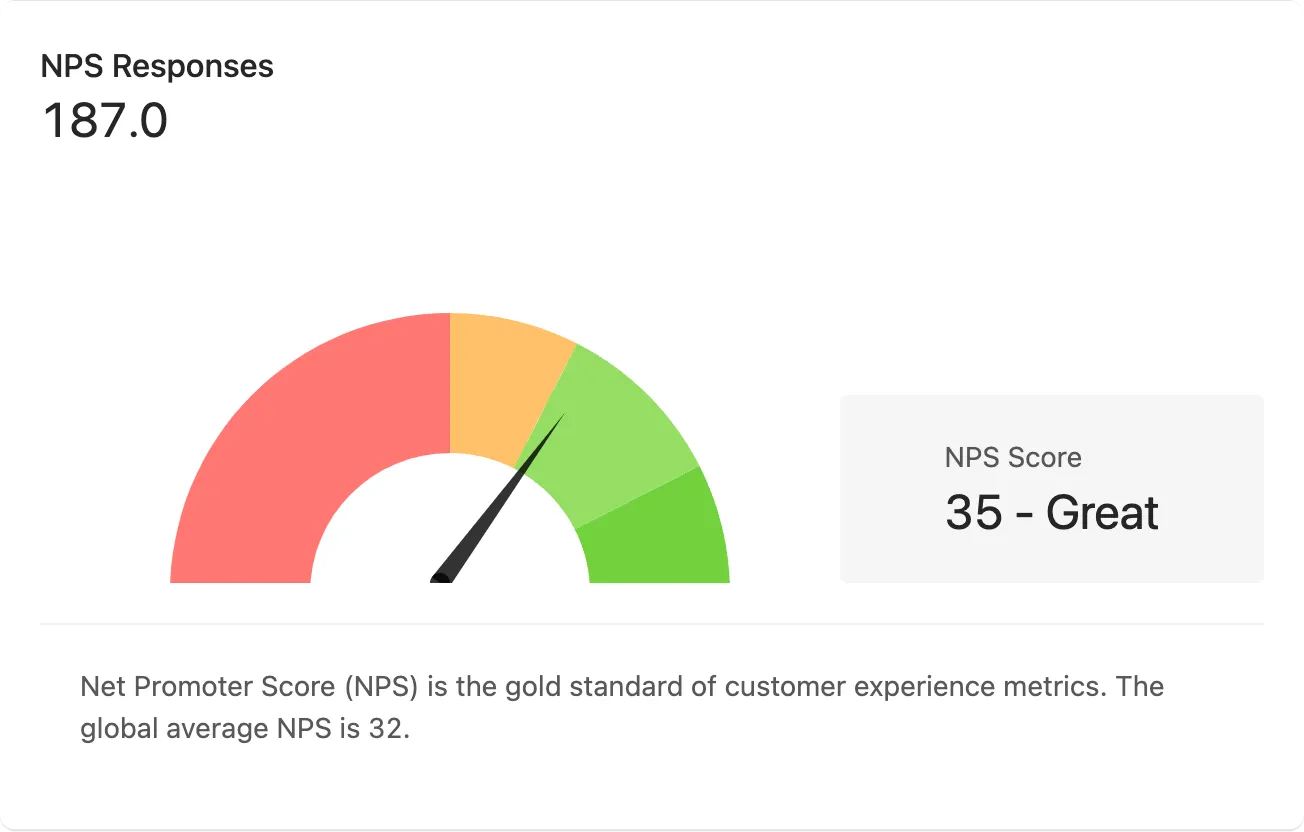
Section titled “6 February, 2025”- Improve: NPS Card design now shows a gauge to visualise where your NPS Score sits on the customer satisfaction scale
Analytics Cards
Section titled “Analytics Cards”15 January, 2025
Section titled “15 January, 2025”- Improve: Analytics cards and data visualisation.
- Layout and chart styles
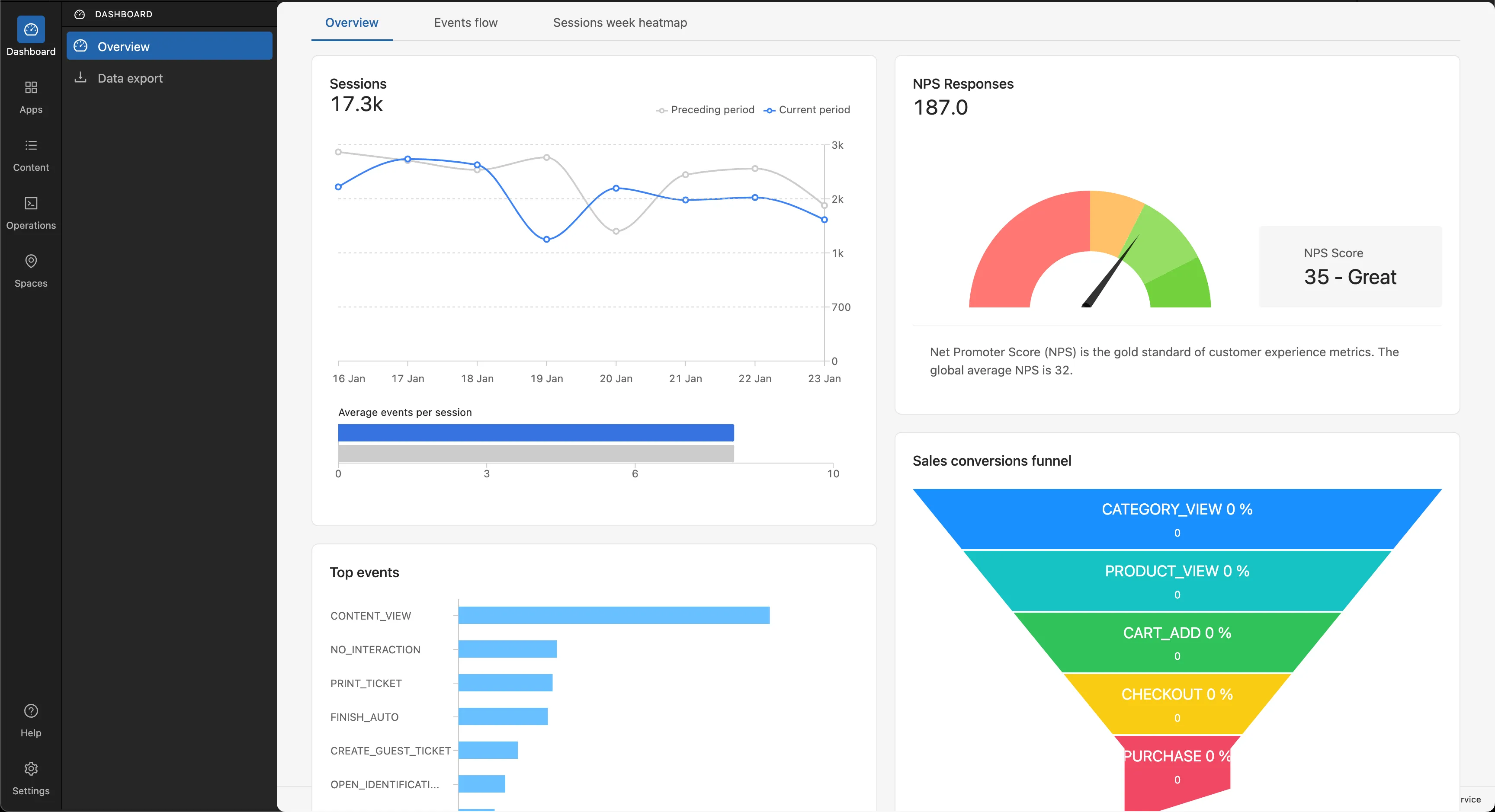
- Events will use Bar Charts instead of Pie Charts
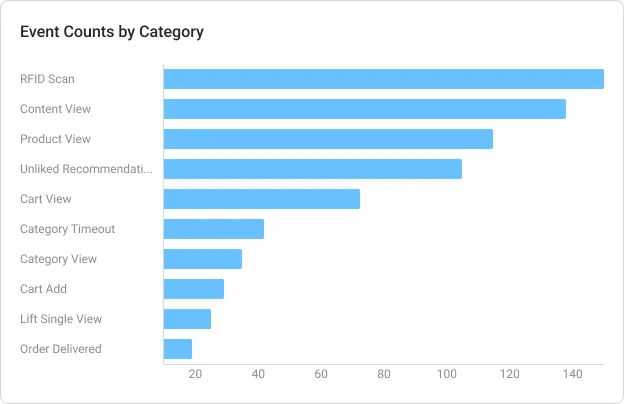
- Layout and chart styles
Resolved an issue preventing the deletion of an edge installation
Section titled “Resolved an issue preventing the deletion of an edge installation”20 December, 2024
Section titled “20 December, 2024”- Fix: Resolved an issue preventing the deletion of an edge installation
UI and UX improvements
Section titled “UI and UX improvements”16 December, 2024
Section titled “16 December, 2024”- New: Add labels to top level navigation
- Improve: Redirect logic when logging in. If tenant has installations you will login to /apps/installations. If you have no installations you will login to /apps/marketplace
25 November, 2024
Section titled “25 November, 2024”- New: Restructure sidebar and navigation of Console
- New: Tenant branding in console
- New: Improve tenant switching design
- New: Switch to console.phygrid.com domain
- New: Update console to Phygrid branding
- New: PhyHub device table
- New: Content & media management system
- New: Content Player app
- Fix: Deploy app settings only to relevant devices
- Fix: Global settings saved across environments
- Fix: Error when adding device to the Sesame installatio
- Fix: Error Message Displayed When Pressing “Save All Changes” in Global Settings
- Fix: Configuration not saved after pressing “Save all changes”